See what you owe
Updated 17 November 2026 · iPhone and Android · about 4 minutes · Daybook 1.13 or later
Your cards and pay-later accounts, your loans, and money someone paid for you — in one total, with what this month and the months ahead need, and when each payment ends.
Open What you owe
Open it
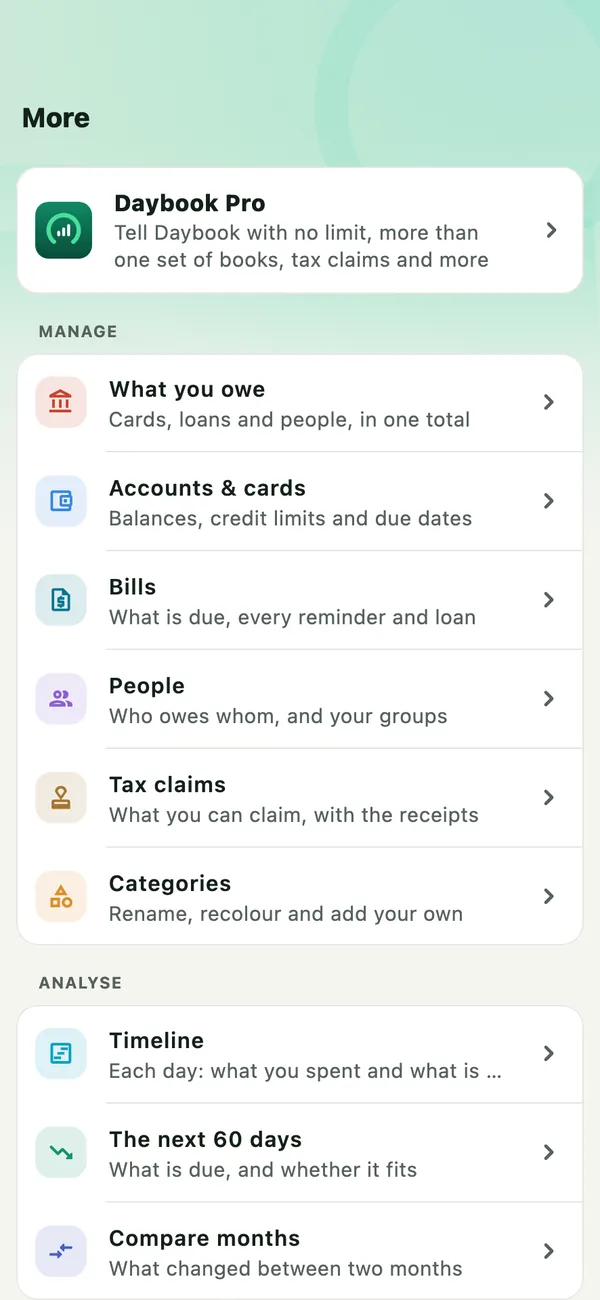
Tap More, then What you owe, first under Manage. The net worth card in Accounts leads to it too.
Read the total
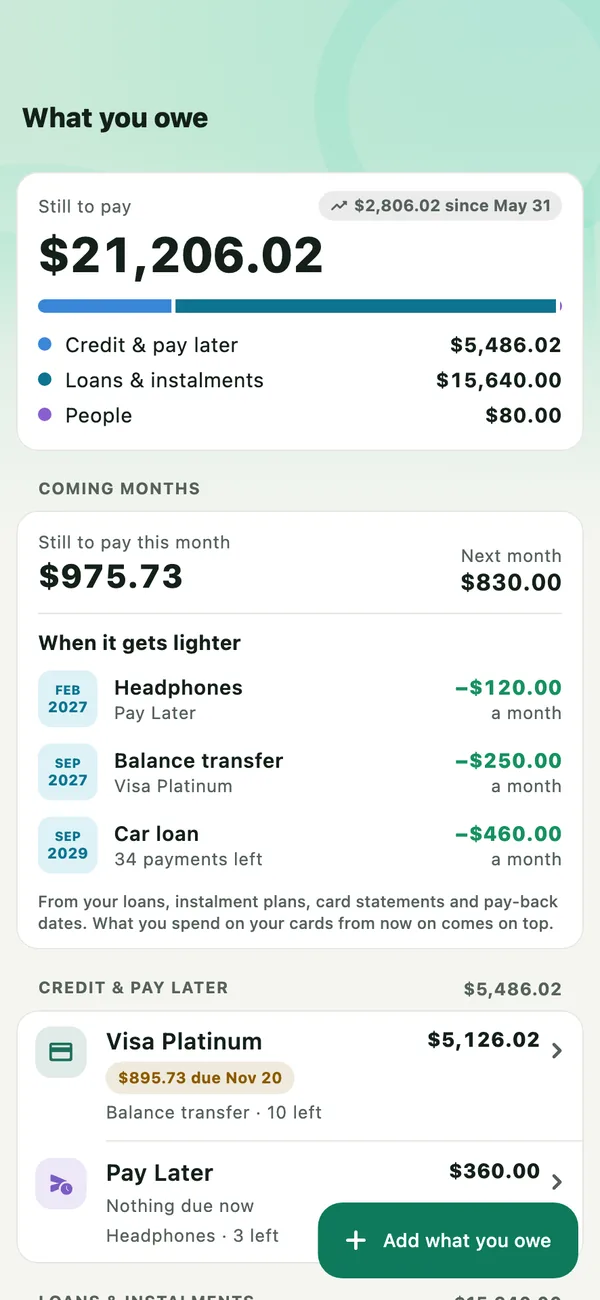
Still to pay is everything you owe: what is on your cards and pay-later accounts, what your loans still have to pay, and what you owe people. The bar shows what it is made of. The small figure beside it is how the total has moved over the last six months.
See the months ahead
Coming months shows what is still to pay this month, and next month. When it gets lighter lists each loan and instalment plan by its last payment, and how much less goes out each month after it.
Below are your cards, loans and people. Tap any of them to open it and change it there.
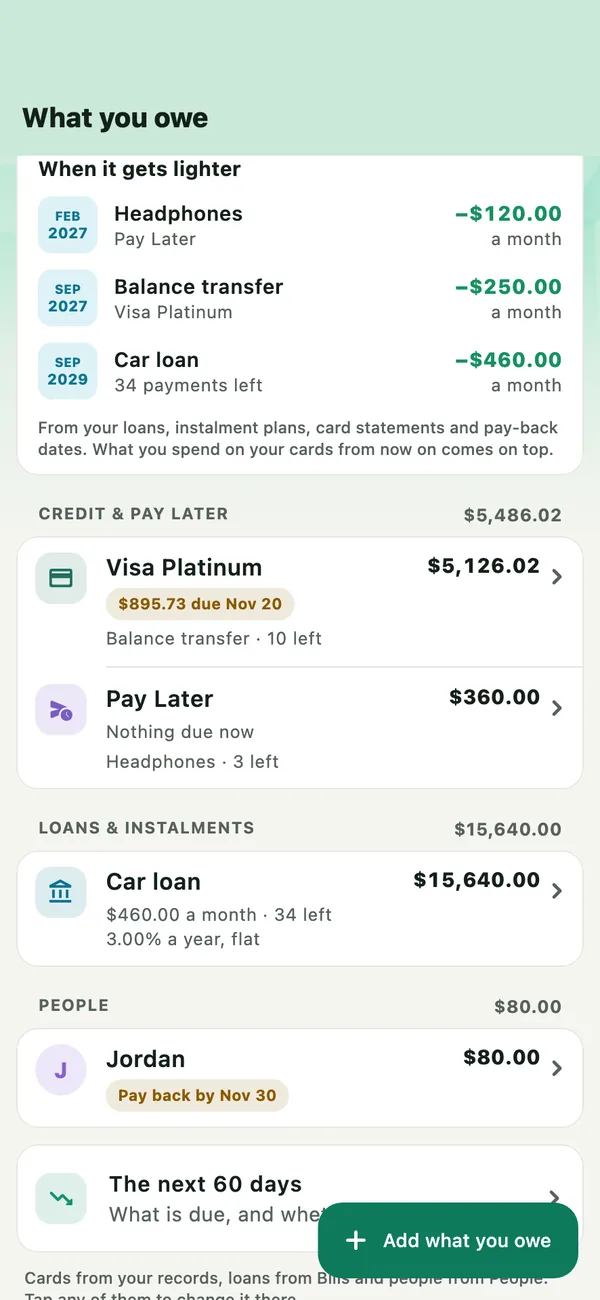
What you spend on your cards from now on is not in the coming months yet: nothing has been charged for it. It comes on top.
Add what you owe
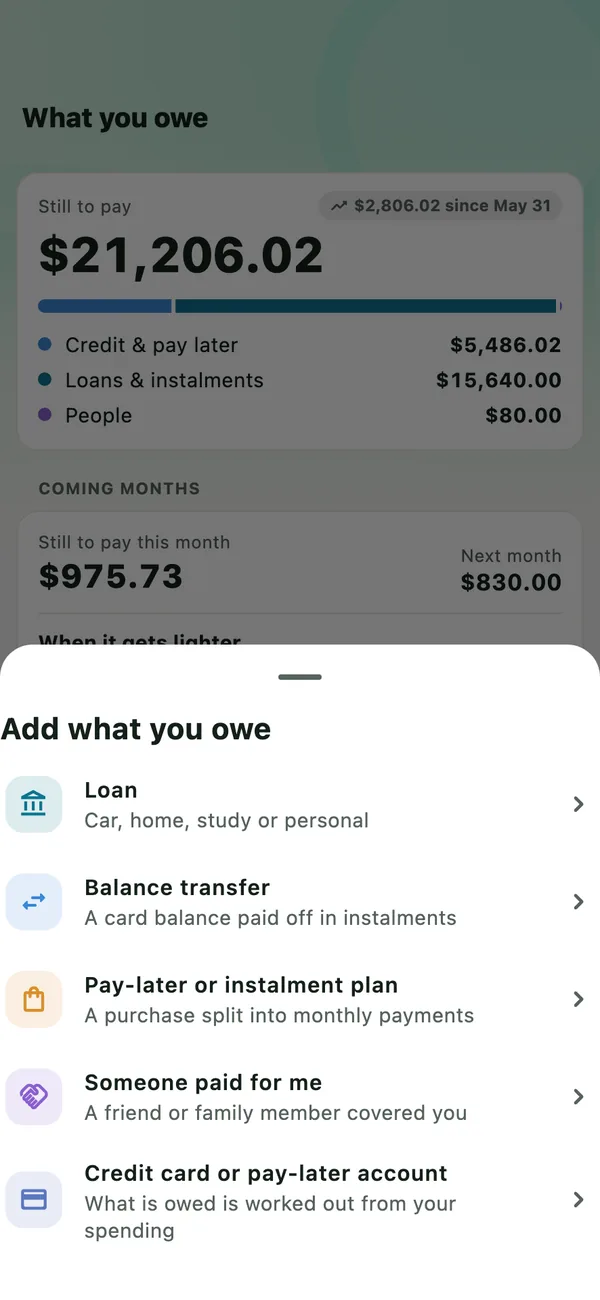
Tap Add what you owe and choose what it is:
- Loan — a car, home, study or personal loan (below).
- Balance transfer and Pay-later or instalment plan — see Balance transfers and instalment plans.
- Someone paid for me — a friend or family member covered you.
- Credit card or pay-later account — what is owed on it is worked out from your spending.
Add a loan
Choose Loan
From Add what you owe › Loan, or when adding a reminder in Bills, choose Loan. Give it a name, what you pay each time, and when the next payment is due.
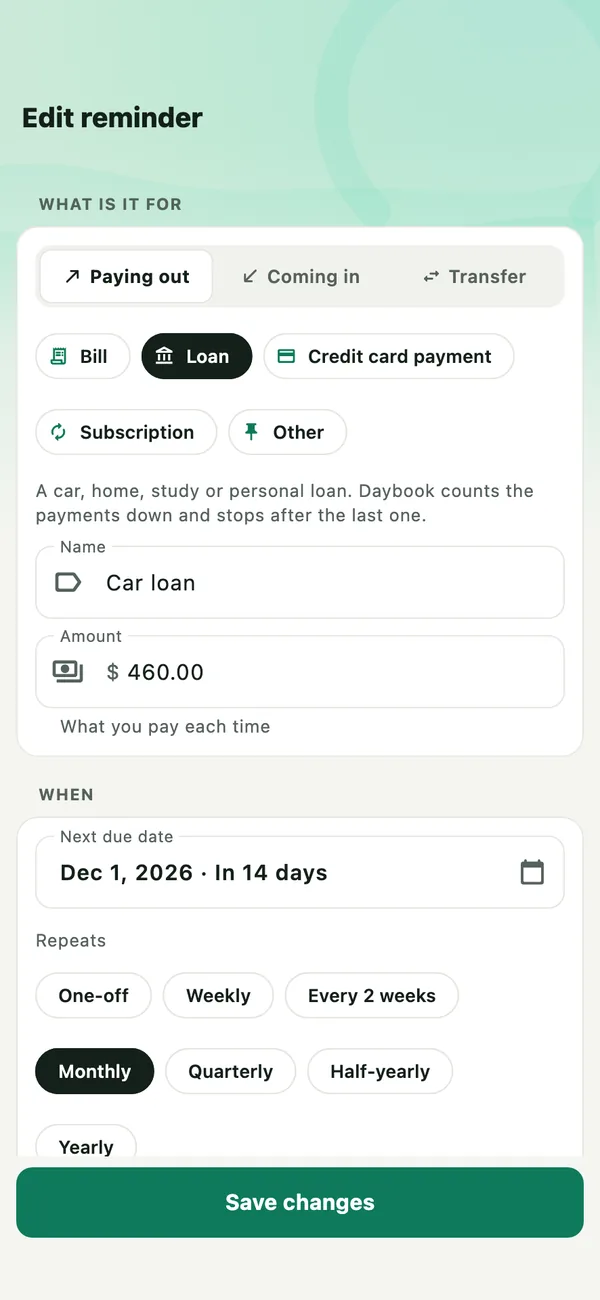
Already have a bill for the loan? Open it, tap Edit and choose Loan.
Set the last payment
Tap Last payment and pick the month of the last payment, from your loan letter. Daybook counts the payments left from the calendar and shows what is still to pay.
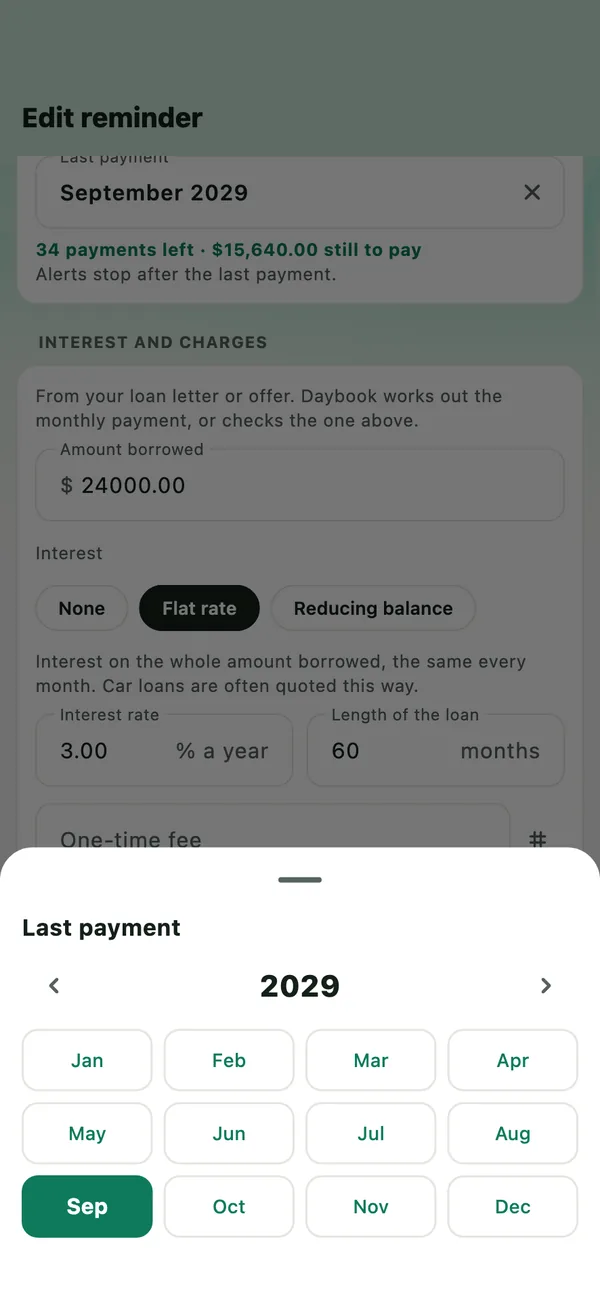
Not sure? Leave it empty. The loan still reminds you, but it is not counted in the total until it has a last payment.
Add the interest and charges, if you like
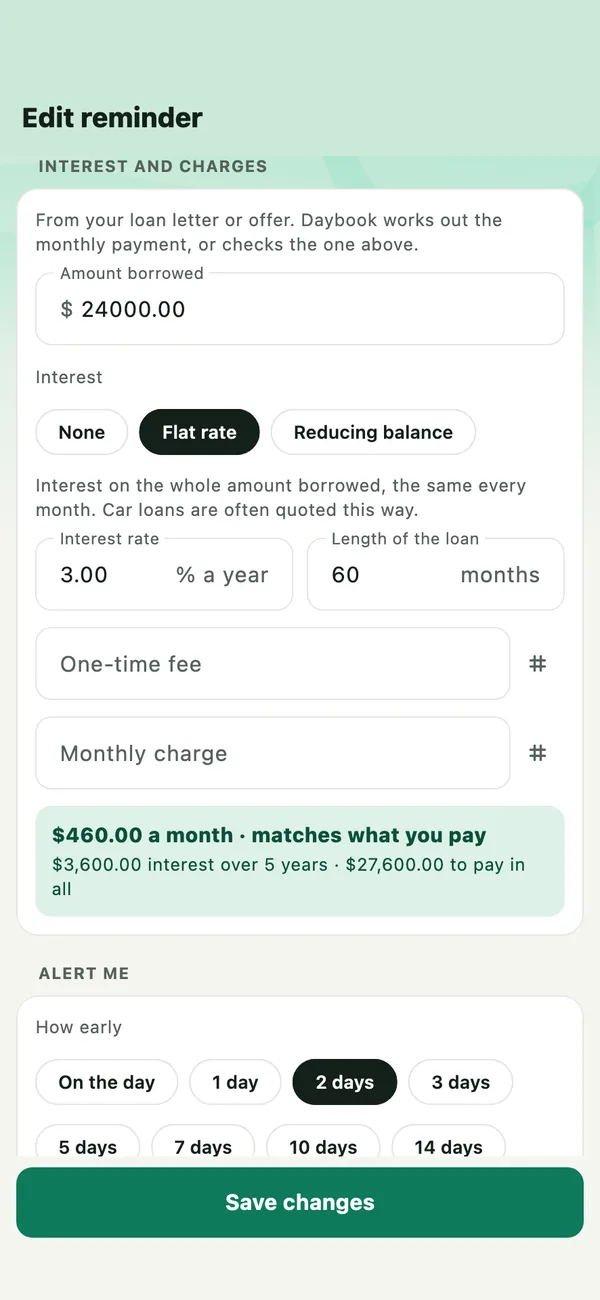
Tap Add interest and charges. Enter the amount borrowed and choose how the interest works:
- Flat rate — the same interest every month, on the whole amount borrowed. Car loans are often quoted this way.
- Reducing balance — interest on what is still owed, so less each month: the APR or effective rate. Home loans are usually quoted this way.
Then the rate, the length of the loan in months, and any one-time fee or monthly charge, as an amount or a percentage. Daybook works out the monthly payment: it fills it in if you left the amount empty, or says whether it matches what you pay.
See where it stands
The loan’s page shows the payments left, how far along it is, what it costs in all, and how each payment splits between what you borrowed and interest.
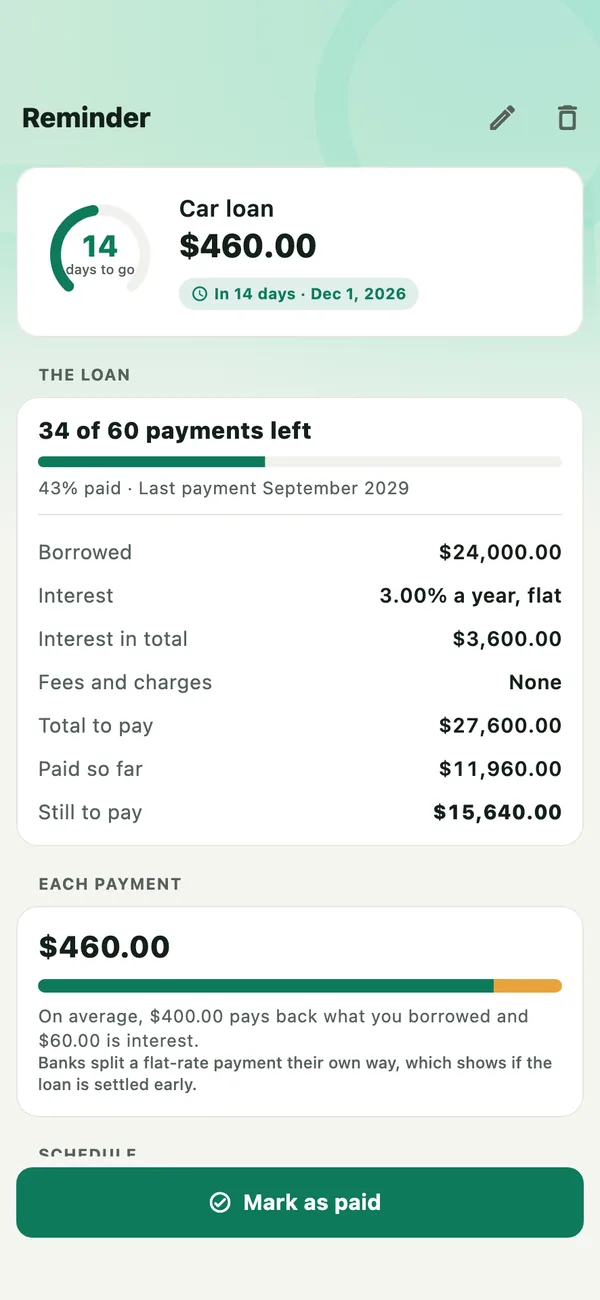
On a flat rate the split is an average. Banks split each payment their own way, which shows if a loan is settled early.
When you mark the last payment paid, the loan is paid off: no more reminders, and it leaves the total.
Pay someone back by a date
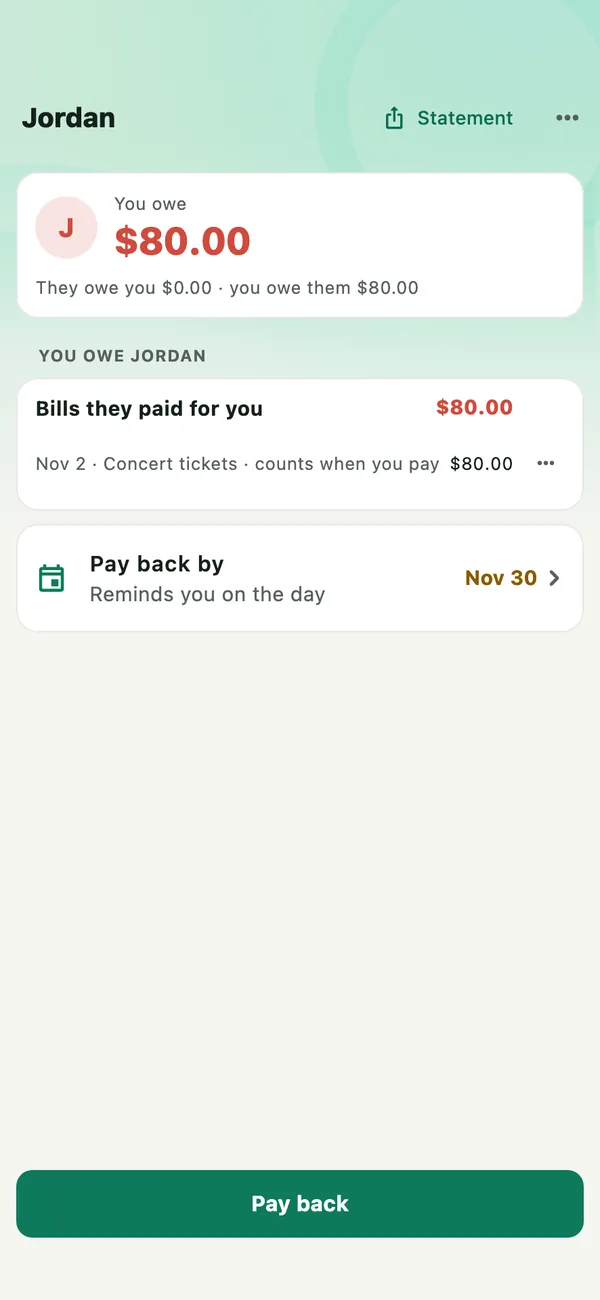
Open People and the person you owe. Tap Pay back by and choose the date. Daybook reminds you on the day, and it shows in Upcoming, on Home and in the next 60 days.
If something goes wrong
- My loan is not in What you owe
- It has to be a Loan. Open the bill in Bills, tap Edit and choose Loan.
- A loan shows a dash instead of an amount
- It has no last payment yet. Edit it and pick the month of the last payment.
- The monthly payment does not match my loan letter
- Check the kind of interest — a flat rate and a reducing balance give different payments for the same rate — and the length in months. What you pay is what counts: still to pay always uses it.
- A card’s total is not what my bank says
- Cards are worked out from your records. Open the card and use Match your bank.
All guides · Balance transfers and instalment plans · What you bought · Privacy