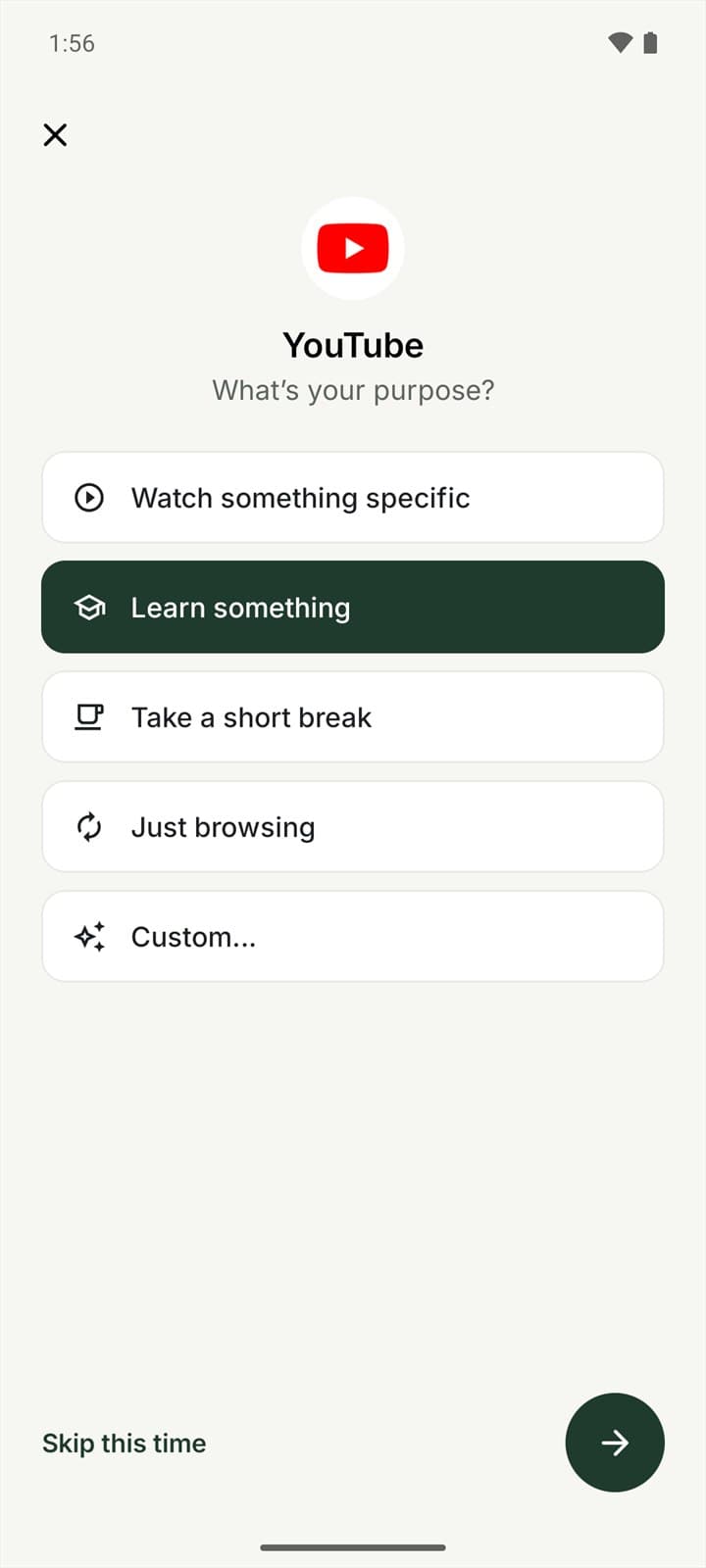
01 · CHOOSE
Pick a purpose first
Before a distracting app opens, tap what you came to do: watch one video, reply to messages, check something quickly. Or skip it this time.
Mindful launcher for Android
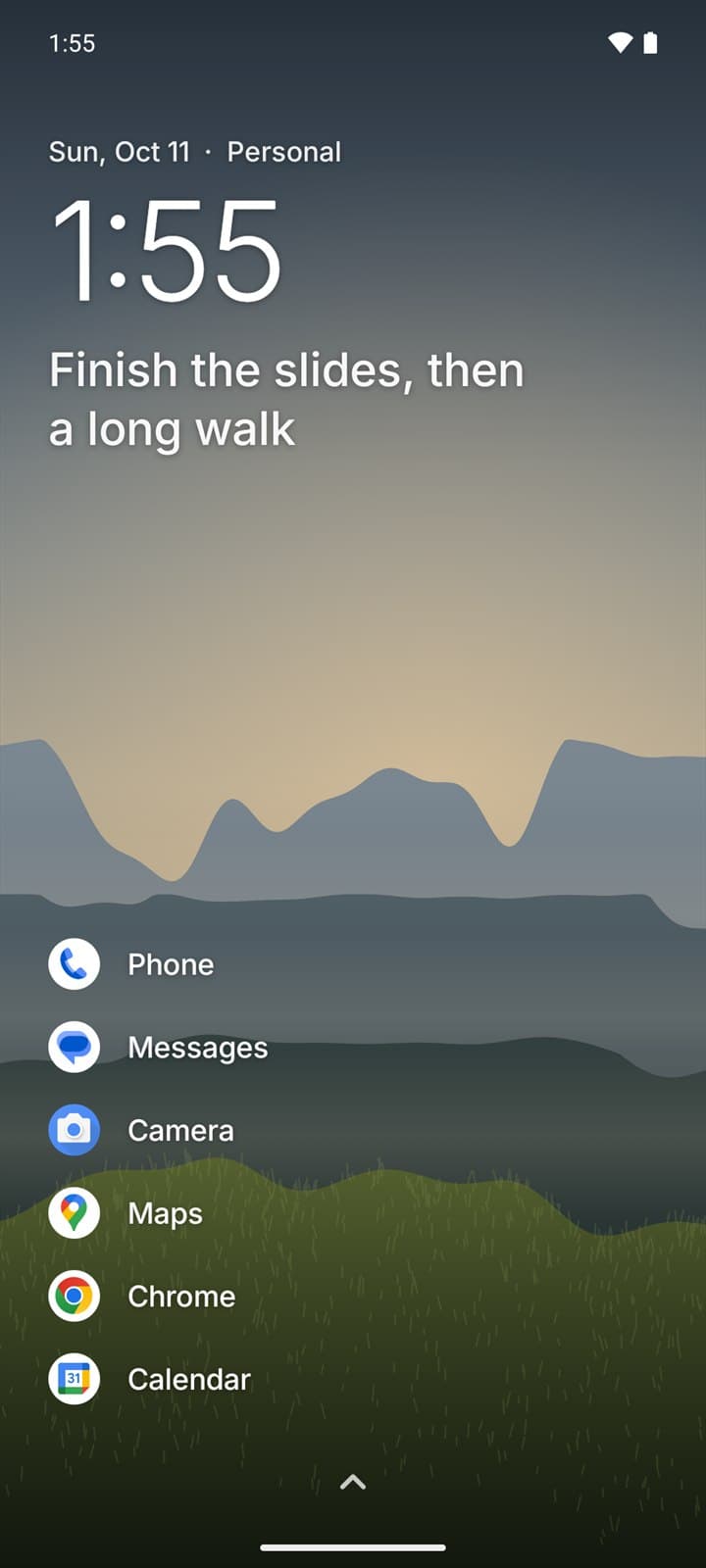
FirstMoment is a calm home screen. Before a distracting app opens, it asks what you came to do, offers a gentle timebox, and checks in when you're back.
Coming to Google Play · Free to start · Android 10 or newer · No account needed
How it works
Three small steps around the apps that pull you in. Everything else on your phone opens the moment you tap it.
01 · CHOOSE
Before a distracting app opens, tap what you came to do: watch one video, reply to messages, check something quickly. Or skip it this time.
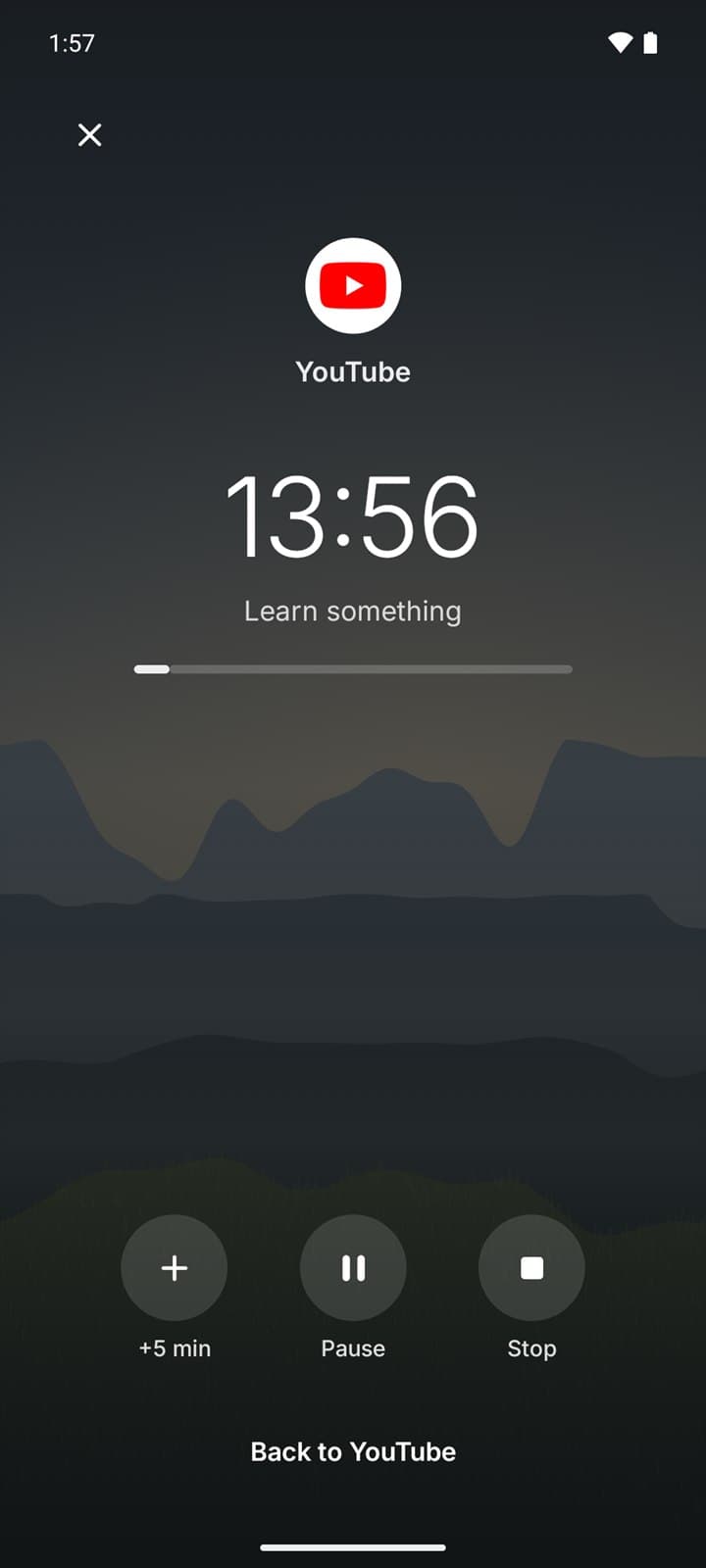
02 · USE
Choose 5, 10 or 15 minutes, or your own length. A countdown runs quietly and a reminder taps you when time is up. Nothing gets locked or closed.
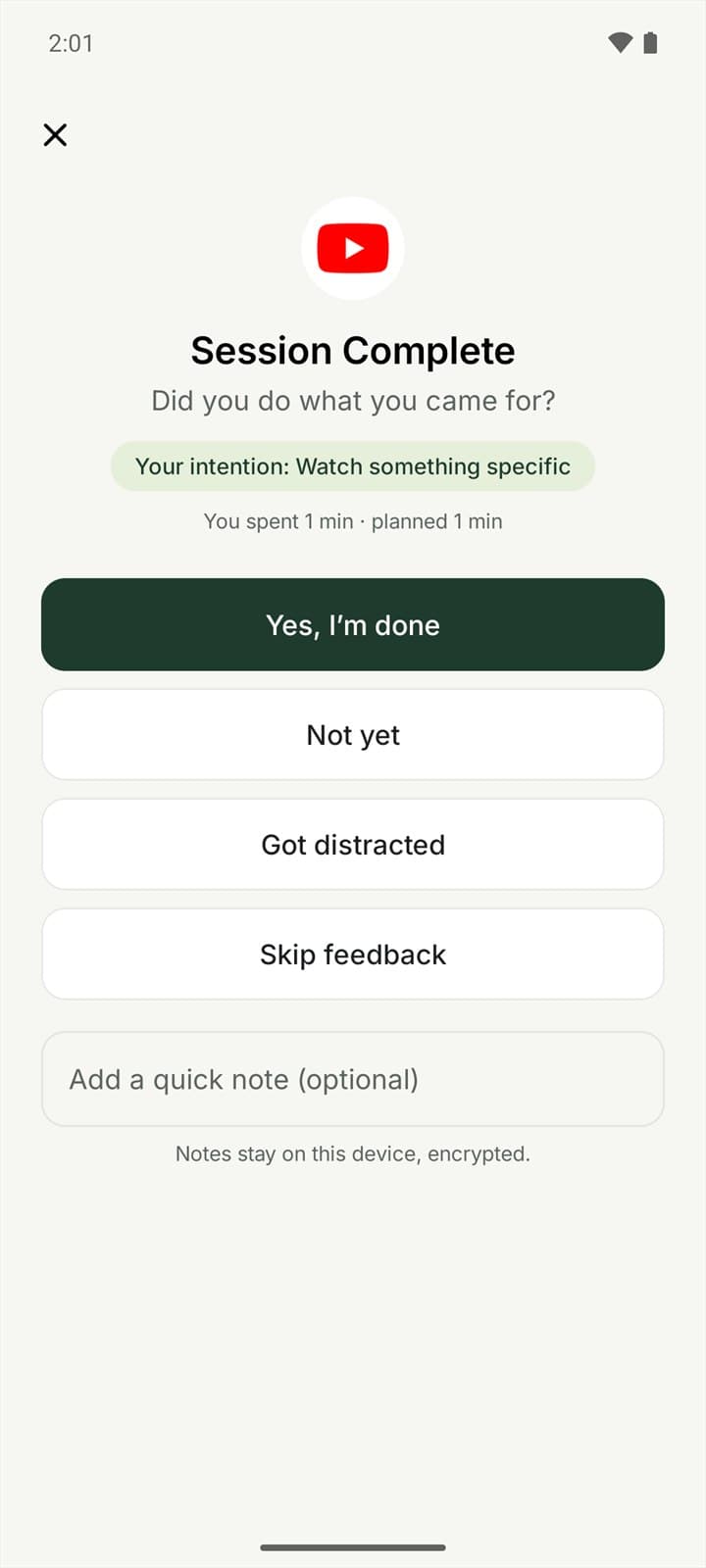
03 · REFLECT
Back on your home screen, one question: did you do what you came for? Your answers turn into insights you can actually use.
Features
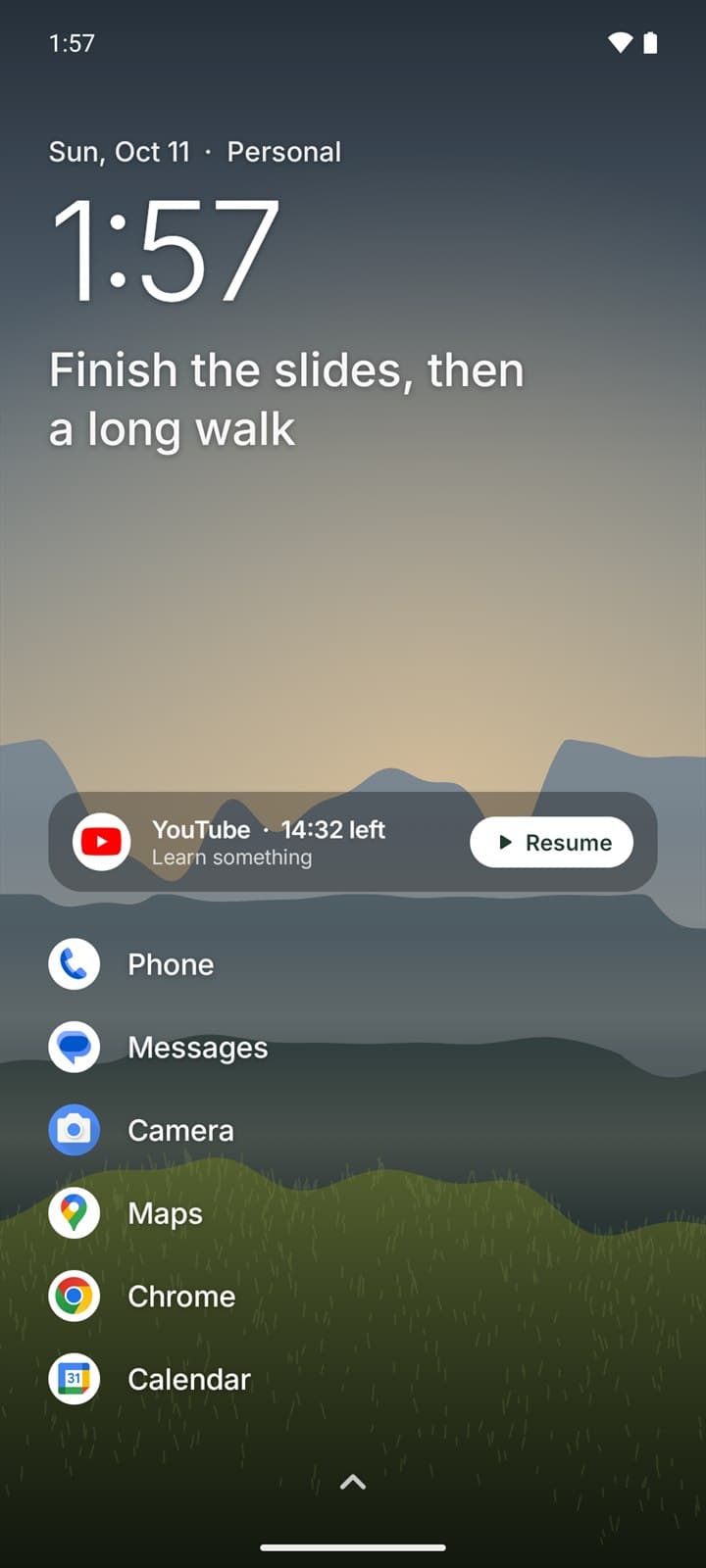
FirstMoment replaces your home screen, so the pause happens where your habits start.
Up to eight apps you use on purpose, the time, and today's intention. Everything else is one swipe away.
Asks for your purpose before the apps you pick. Free for three apps, unlimited with Pro.
A countdown you can extend, pause or stop, and a gentle notification when your time is up.
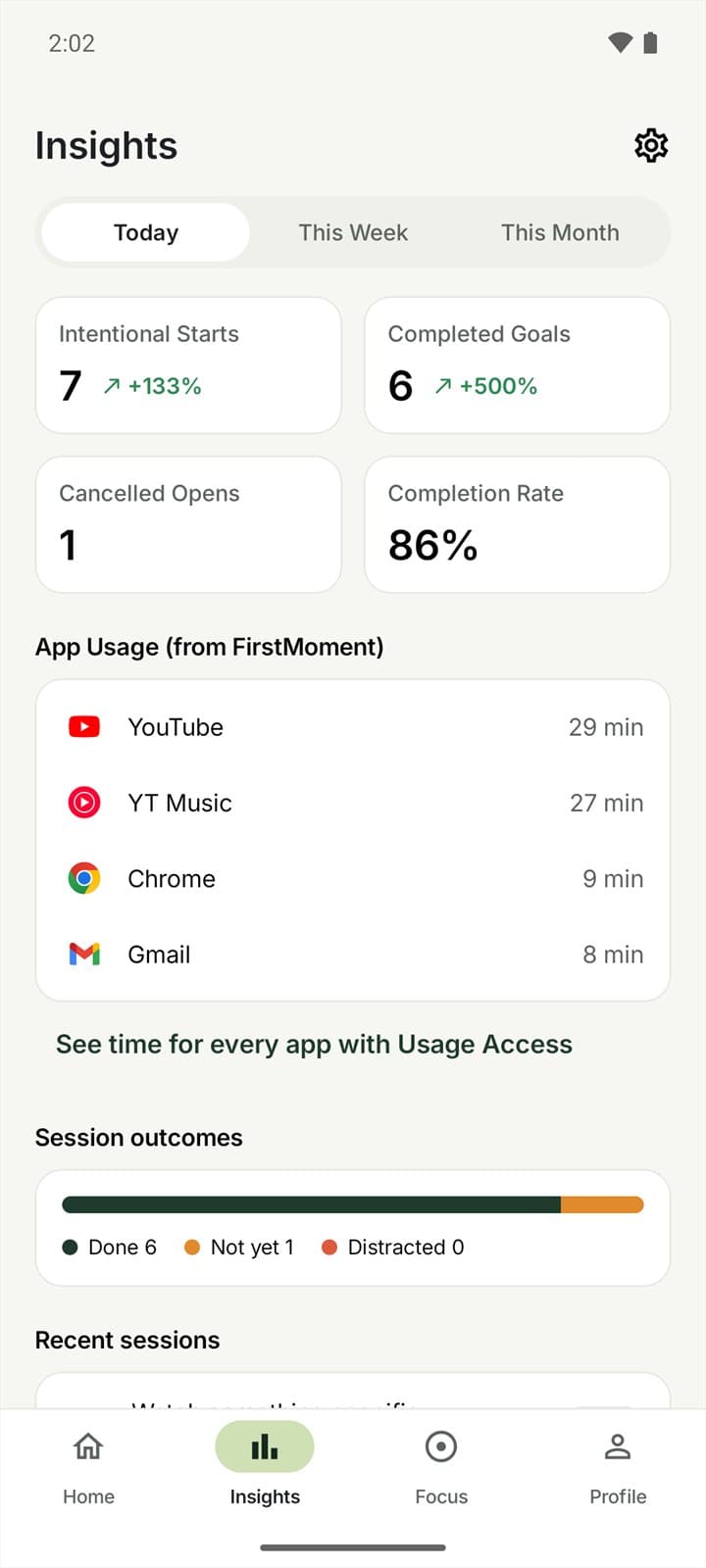
Intentional starts, completed goals and time per app. Pro adds weekly and monthly trends.
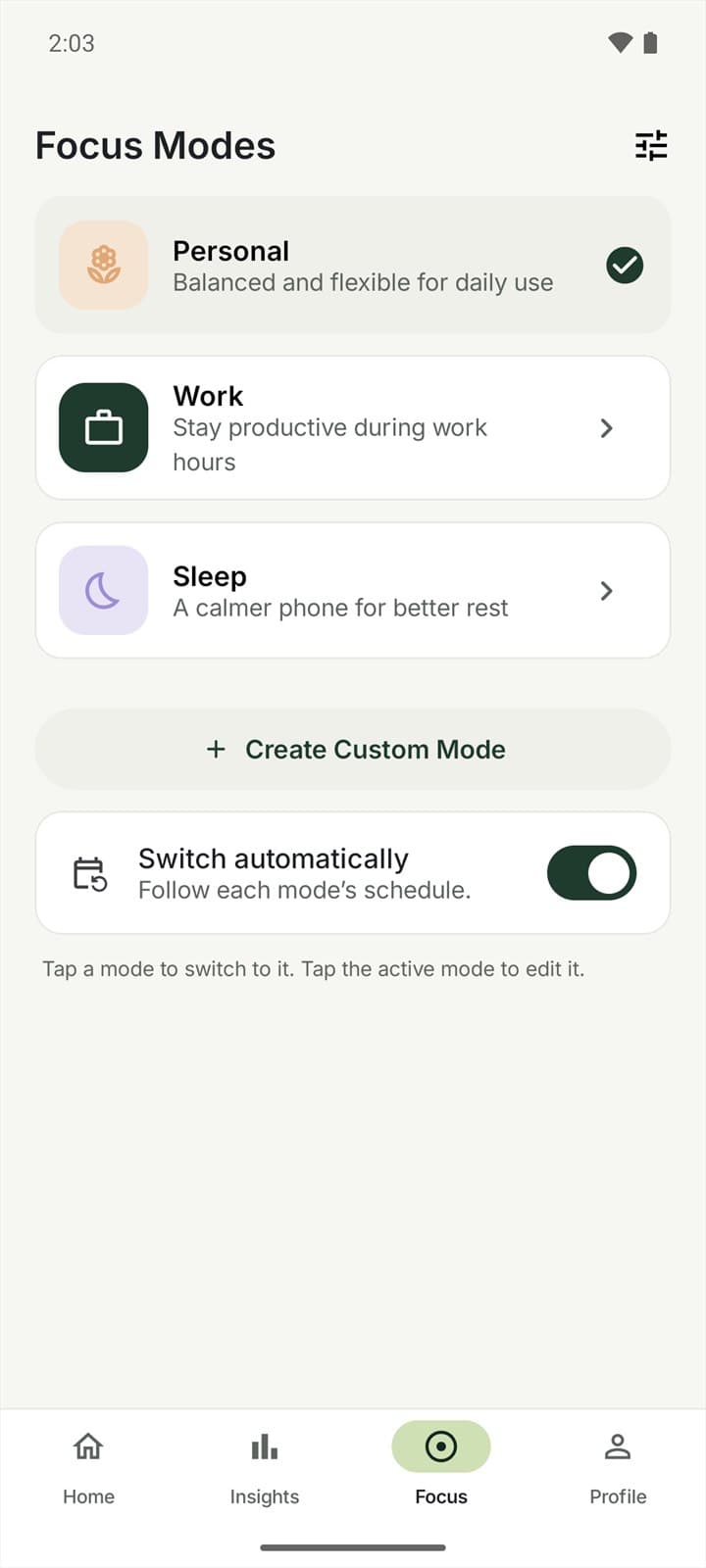
Personal, Work and Sleep, each with its own home apps, rules and wallpaper. Switch by hand or on a schedule.
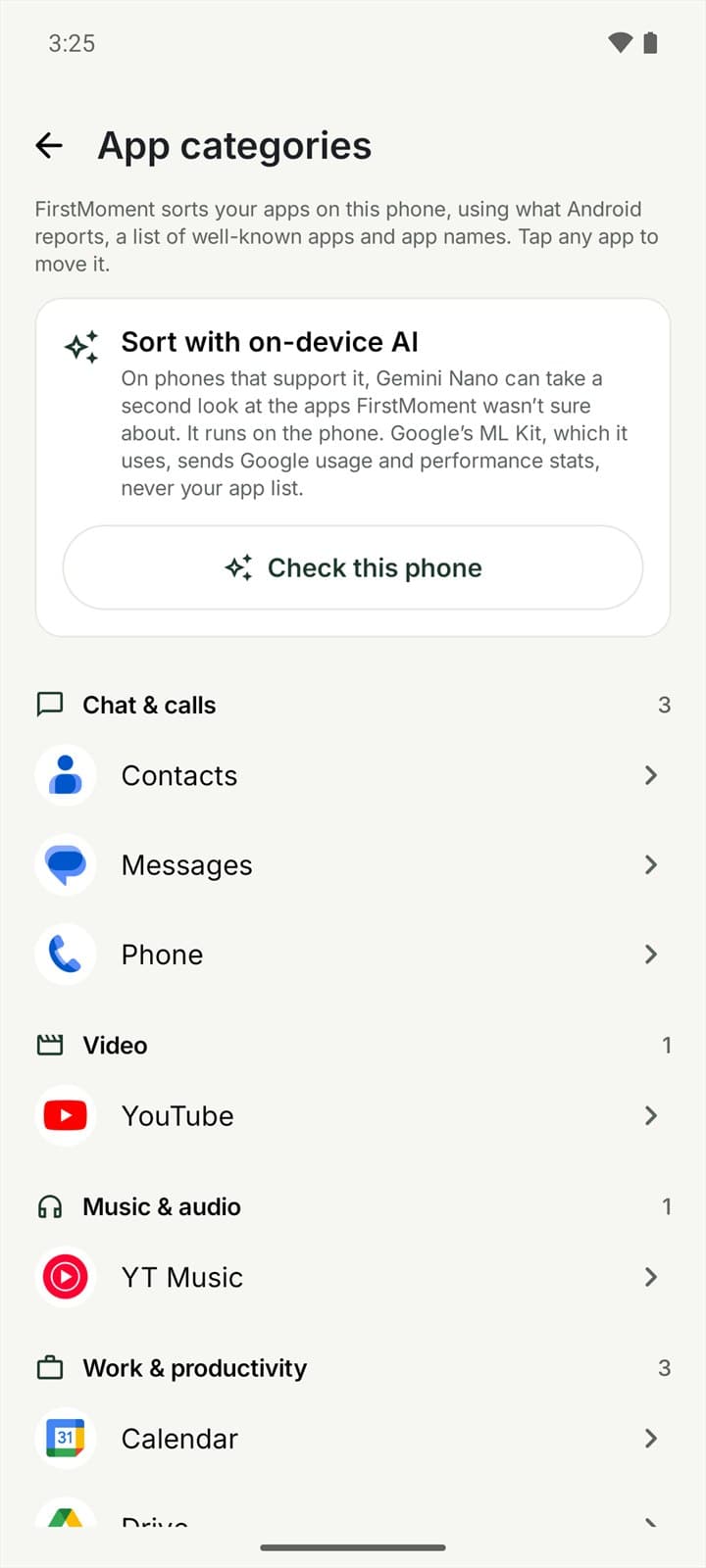
Apps sorted into categories on your phone. Move any app yourself, or let Gemini Nano sort the rest on supported phones.
Our approach
Blockers make you fight your phone. FirstMoment gives you one moment to decide, then gets out of the way.
Privacy
FirstMoment has no account, no servers and no ads. What you do in it stays on your phone.
Pricing at launch
RM0
RM29 / year
or RM79 once for lifetime access
Prices are in Malaysian ringgit; Google Play shows the price in your currency before you pay. The yearly plan renews automatically until you cancel it in Google Play. Lifetime is a one-time purchase. No ads, ever.
Questions
No. It asks for your purpose and can remind you when your time is up. You can always skip, and it never closes an app for you.
It opens normally. FirstMoment only checks in on apps you open from its home screen or app list. That keeps it light and means it doesn't need Accessibility access.
Android 10 or newer. Sorting apps with Gemini Nano needs a phone with Android AICore, such as a Pixel 9 or Galaxy S25 or newer. Everything else works on any supported phone.
None. FirstMoment has no servers, so your data stays on your phone unless you export it. Purchases go through Google Play. If you choose to sort apps with Gemini Nano, Google's ML Kit receives usage and performance stats.
Open Settings › Launcher & Permissions in FirstMoment, or pick another home app in Android's Settings › Apps › Default apps.
In the Google Play app, go to your profile › Payments & subscriptions › Subscriptions › FirstMoment. Pro stays on until the end of the year you paid for.
Yes. Export a backup file in Data & Privacy (Pro) and restore it on the new phone. Android's phone-to-phone transfer also carries your setup across.
Made by Cortex Solution in Petaling Jaya. Get support · Privacy policy · Terms of use