
SiteClock · by MySteel
Attendance that holds up when someone questions the payslip.
SiteClock records who was on site, when, and where — then turns those hours into wages, EPF, SOCSO, EIS and PCB. Built for Malaysian yards and construction sites.
Registration is by invitation. An employer creates worker accounts; workers join a company using a code their employer gives them.
Your employer holds the data.
Here is exactly who sees it.
Your employer decides what is collected and why. They are the data controller. If you want your records corrected or explained, they are the people who can do it.
From the gate to the payslip
Clock in with evidence
A photo taken at the gate, stamped in the pixels with the worker's name, the time to the second, the site, and how accurate the GPS fix was. It survives being exported, shared or pulled out of storage months later — which is exactly when a disputed shift gets looked at.
Works with no signal
A yard with no bars used to mean no clock-in. The shift is written to the phone before anything touches the network, and uploaded when a connection comes back. The worker sees what is still waiting to go up.
Payroll against the Employment Act
Overtime multipliers, rest-day and holiday rates, leave entitlement by employee type, the minimum wage floor, and statutory contributions — worked out from the hours actually clocked, with the figures behind every total on the payslip.
Leave, claims and advances
Requested on the phone and carried into the month's pay. A manager decides claims; leave and advances go to the account owner. Claim kinds carry their own limits and can be granted per employee type, or to one person.
In the language they read
English, Malay, Bengali, Burmese and Chinese — the whole app, including the payslip. A worker should not have to take somebody's word for what they were paid.
Costs a worker nothing
There is no in-app purchase and no subscription for a worker to buy. Whatever the employer pays is agreed separately with them, outside the App Store.
The gate, the yard, and the payslip
The worker's side and the manager's, on the phone. The figures are seeded demonstration data.
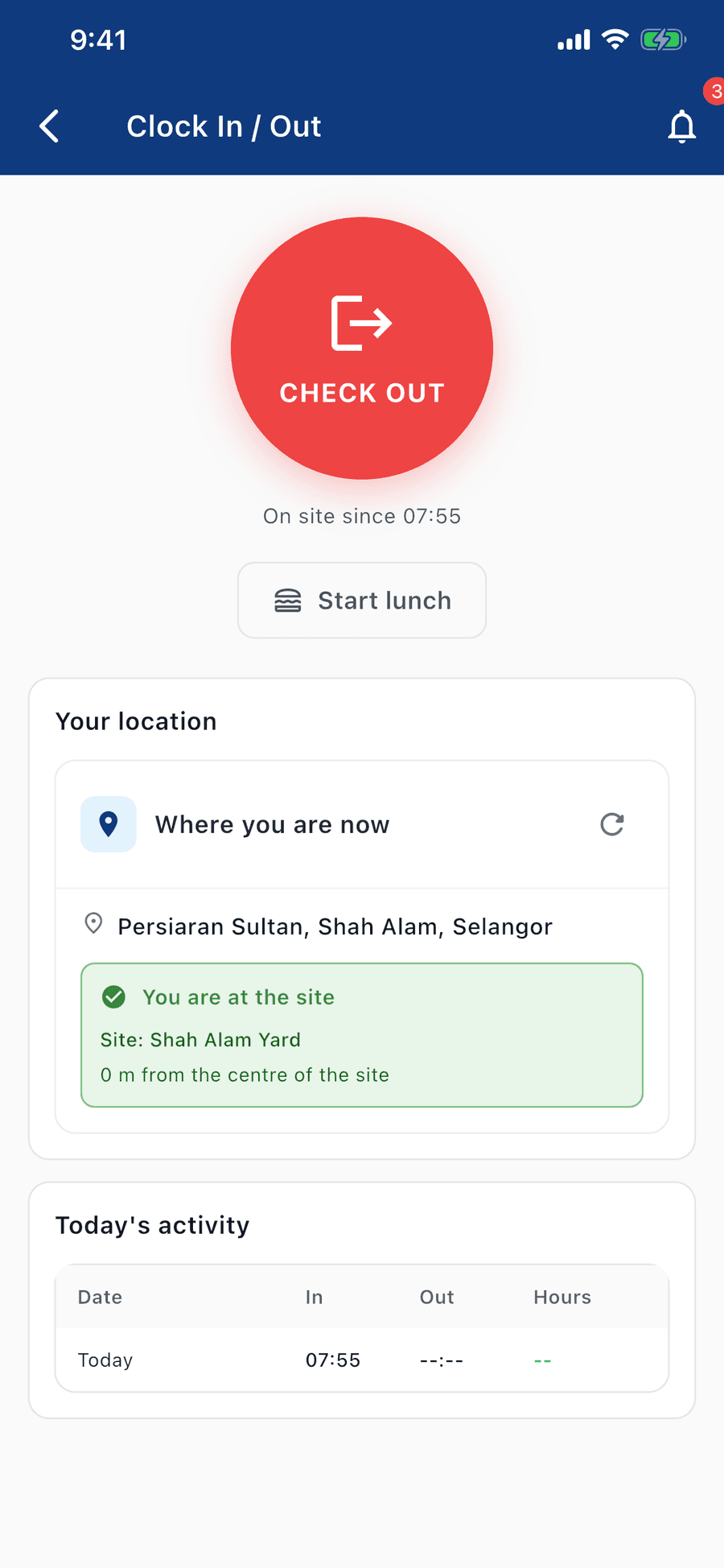
Clock in where the work is
A selfie and a GPS check, against the site's own geofence.
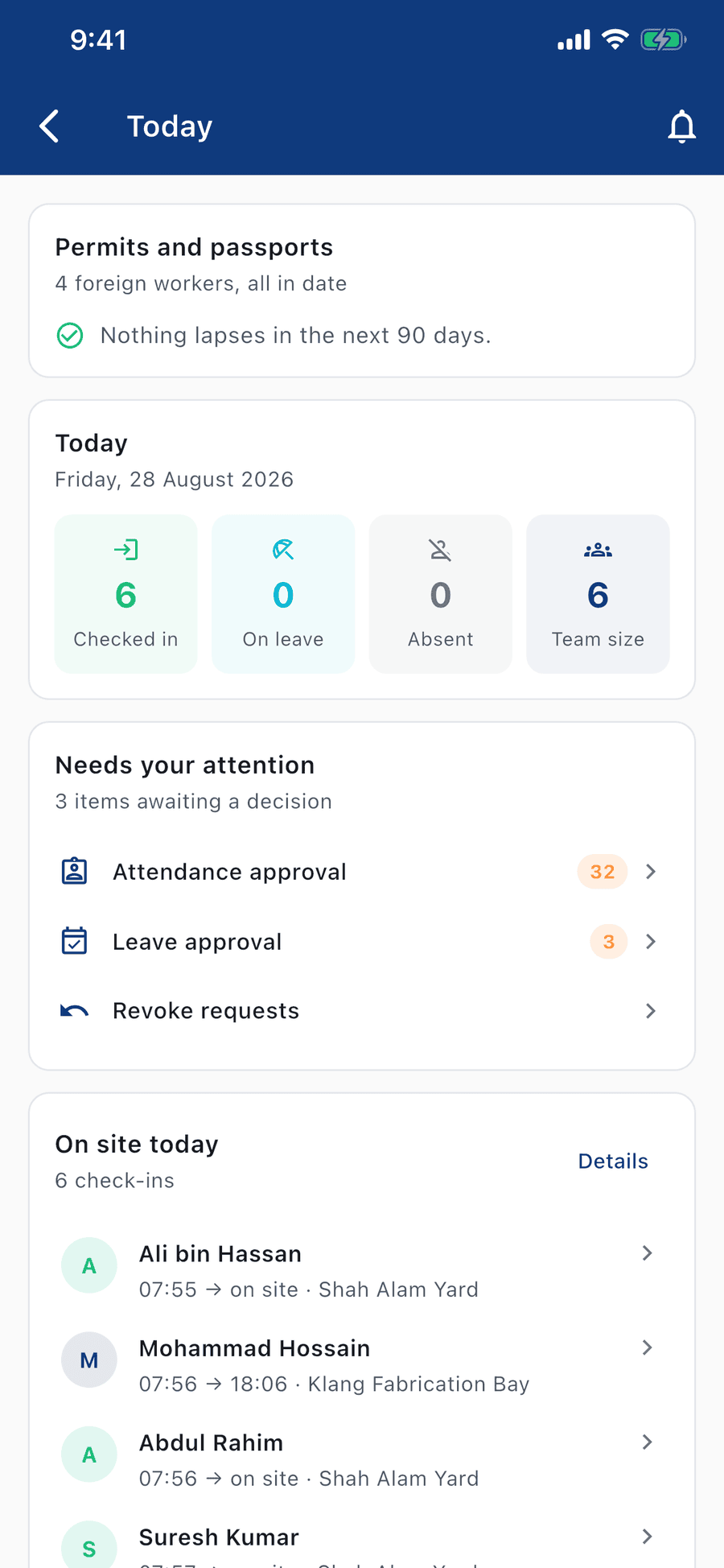
See who is on site, right now
Live check-ins across every yard you run.
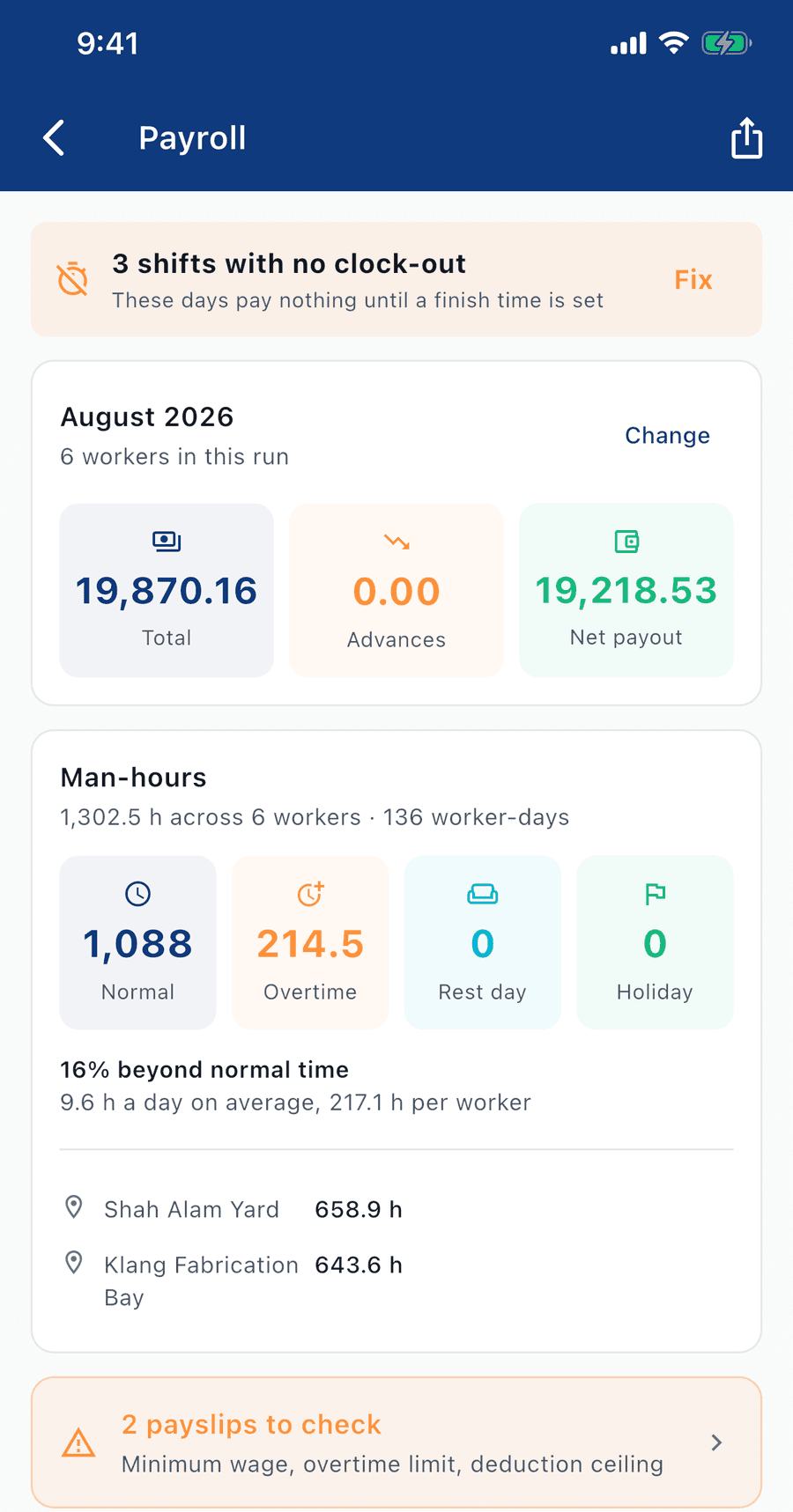
Hours into pay, checked before it goes out
Overtime, minimum wage and deduction ceilings flagged.
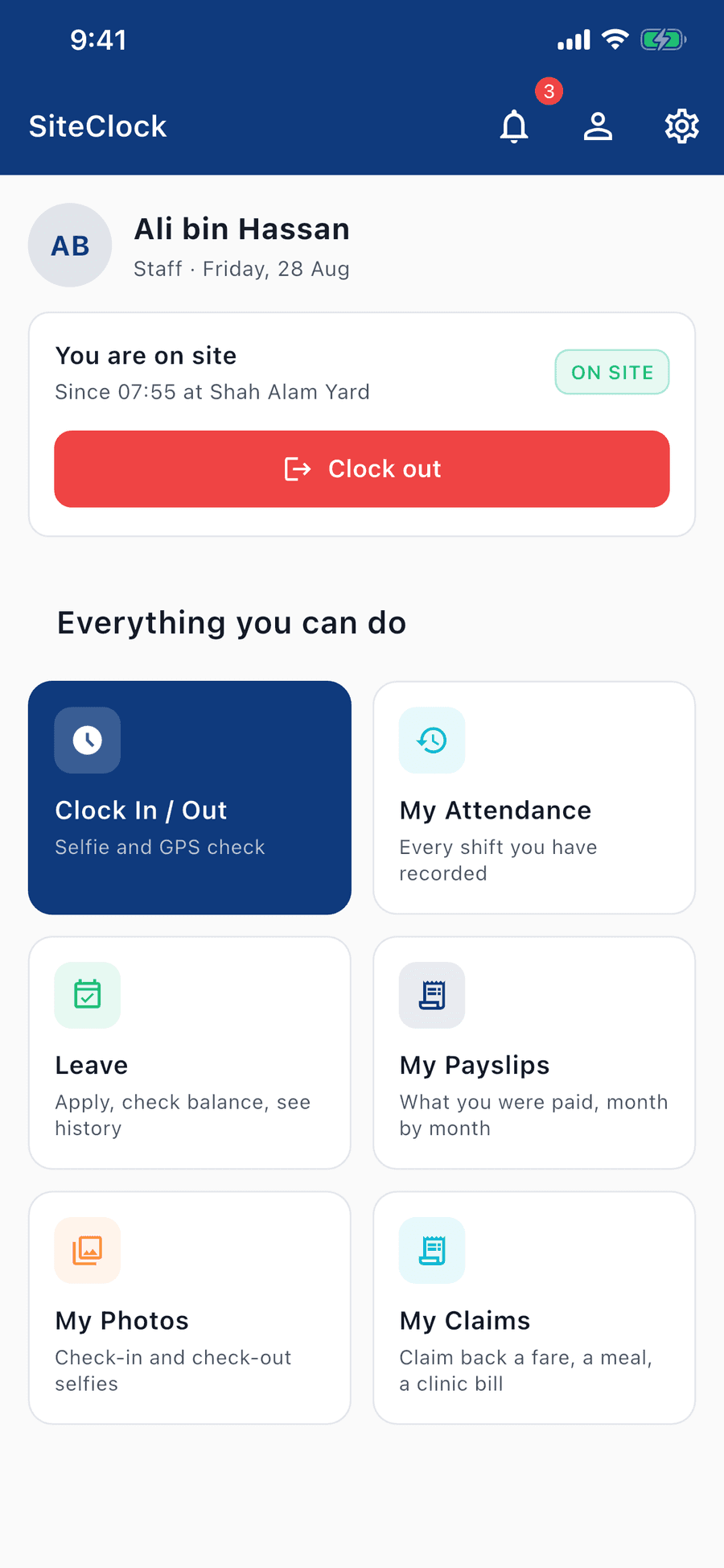
Everything a worker needs, on one screen
Attendance, leave, payslips, photos and claims.
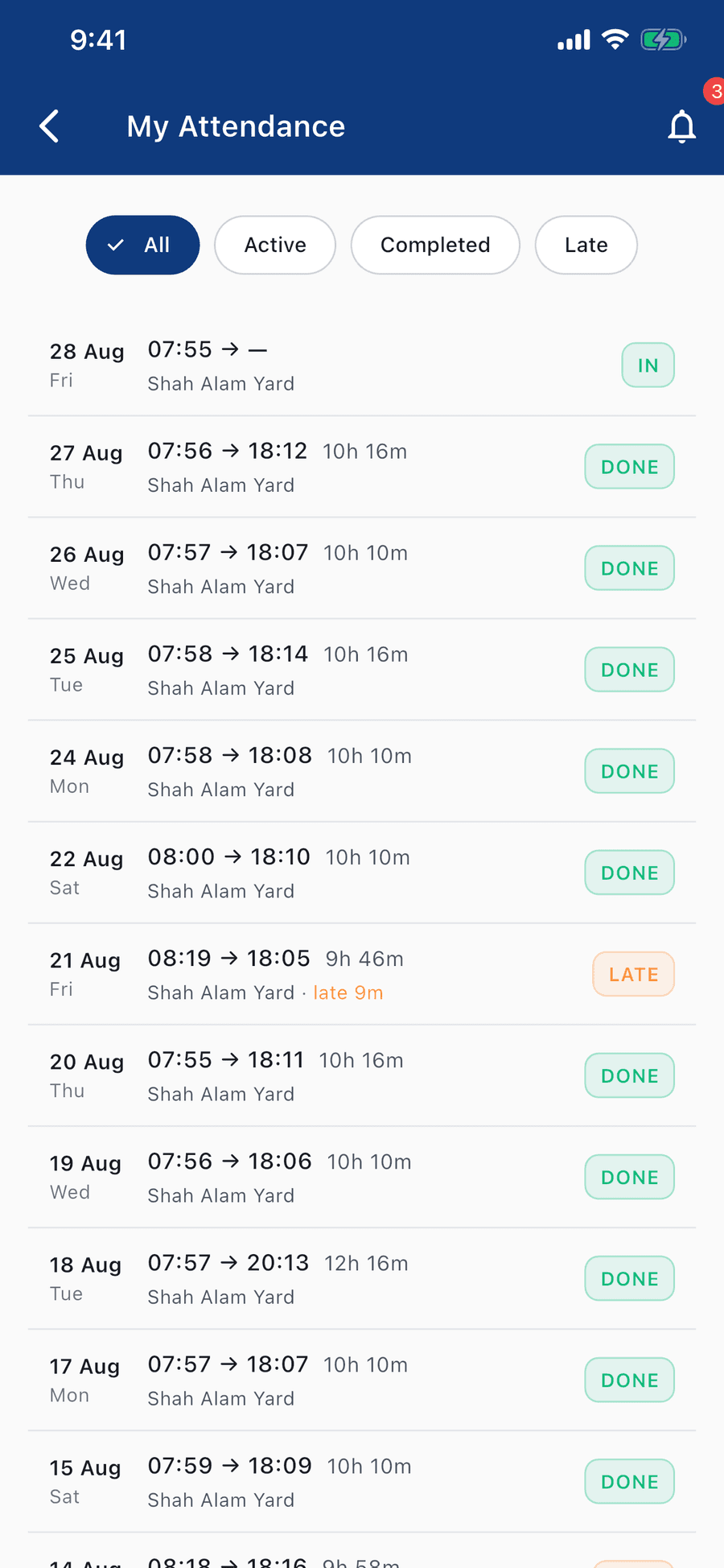
Every shift, with the hours already worked out
In, out and late — recorded against the site.
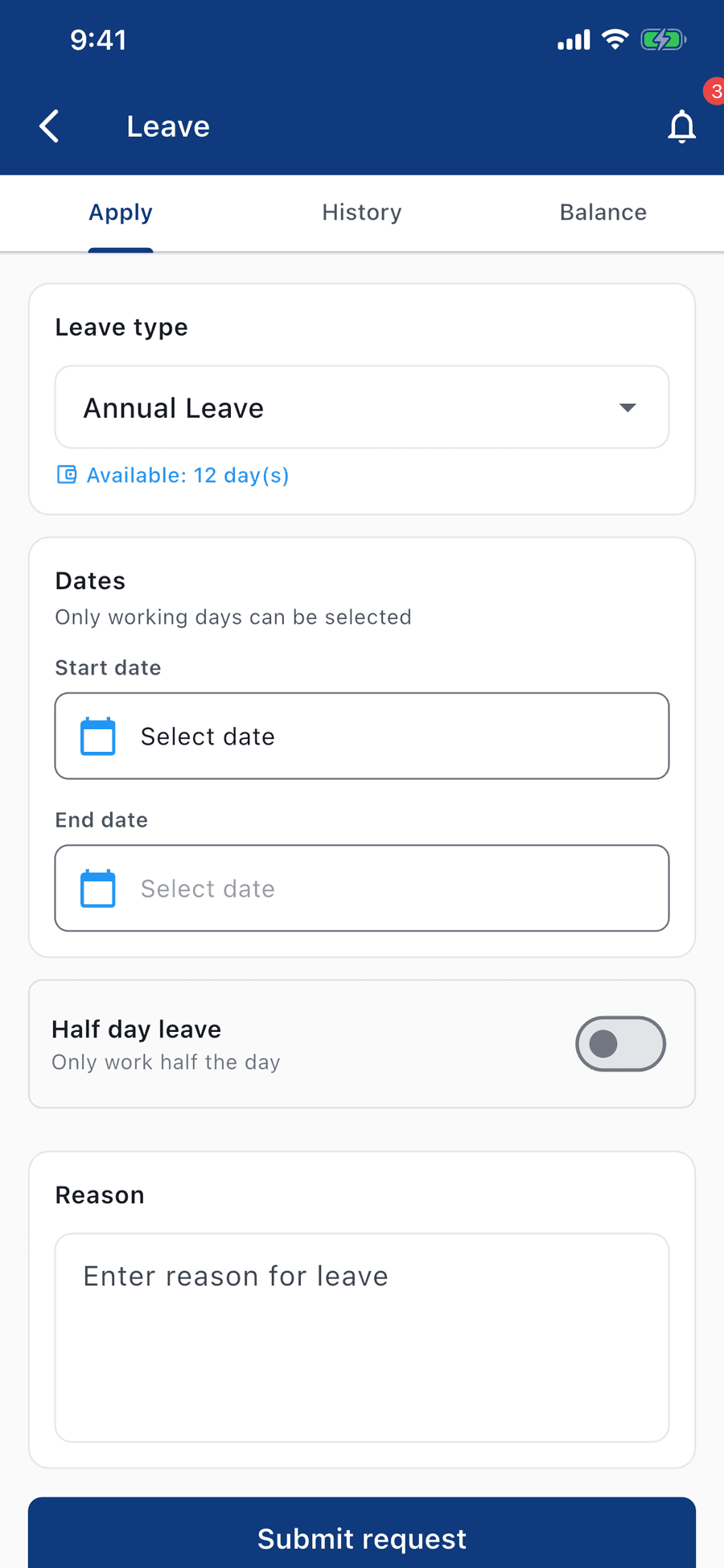
Apply for leave, balance in view
Days left shown before the request goes in.
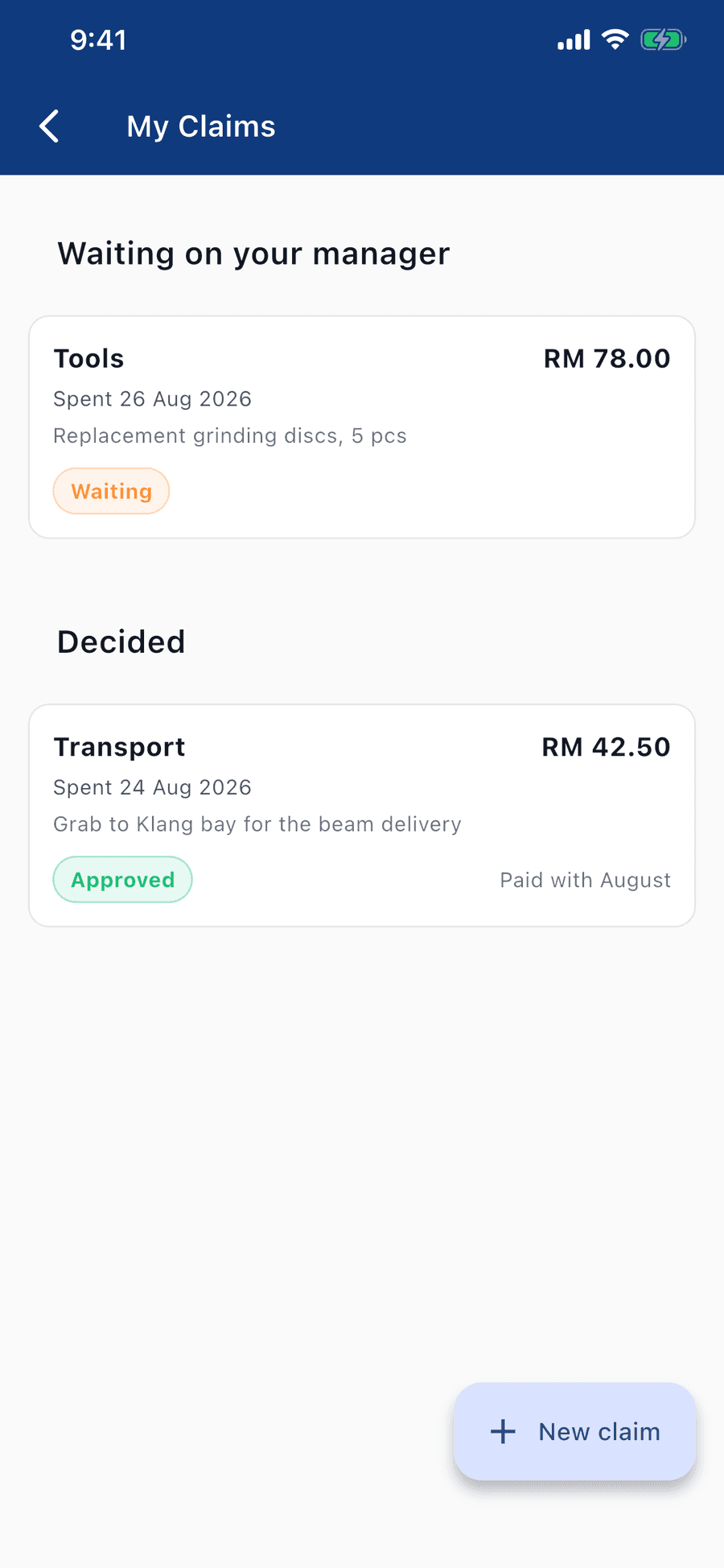
Claim back a fare, a meal, a clinic bill
Submitted from site, decided by the manager.
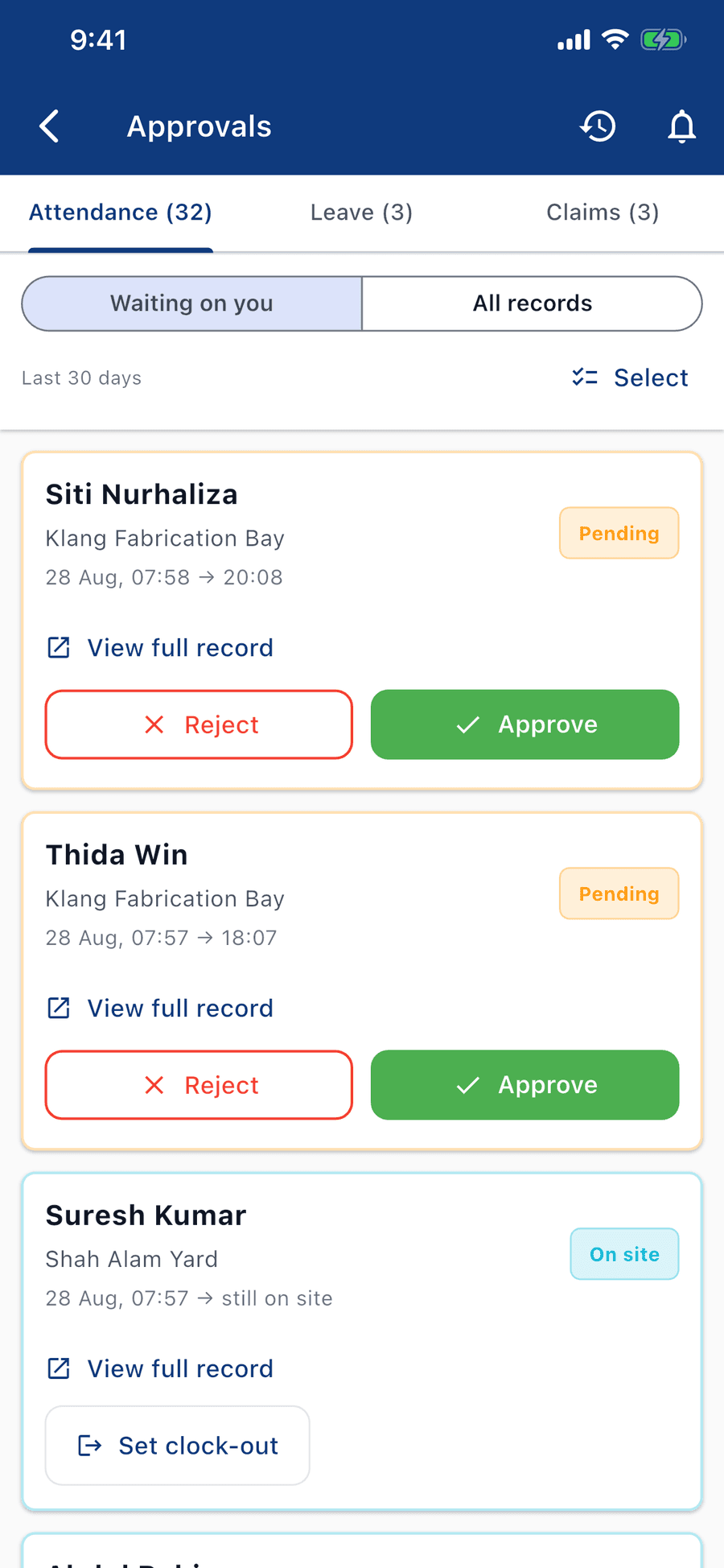
Approve the day as it comes in
Attendance, leave and claims in one queue.
And the console, for the desk
What the phone records at the gate arrives in the web console for the office: the month's payroll, the team calendar and the roster. The figures are seeded demonstration data.
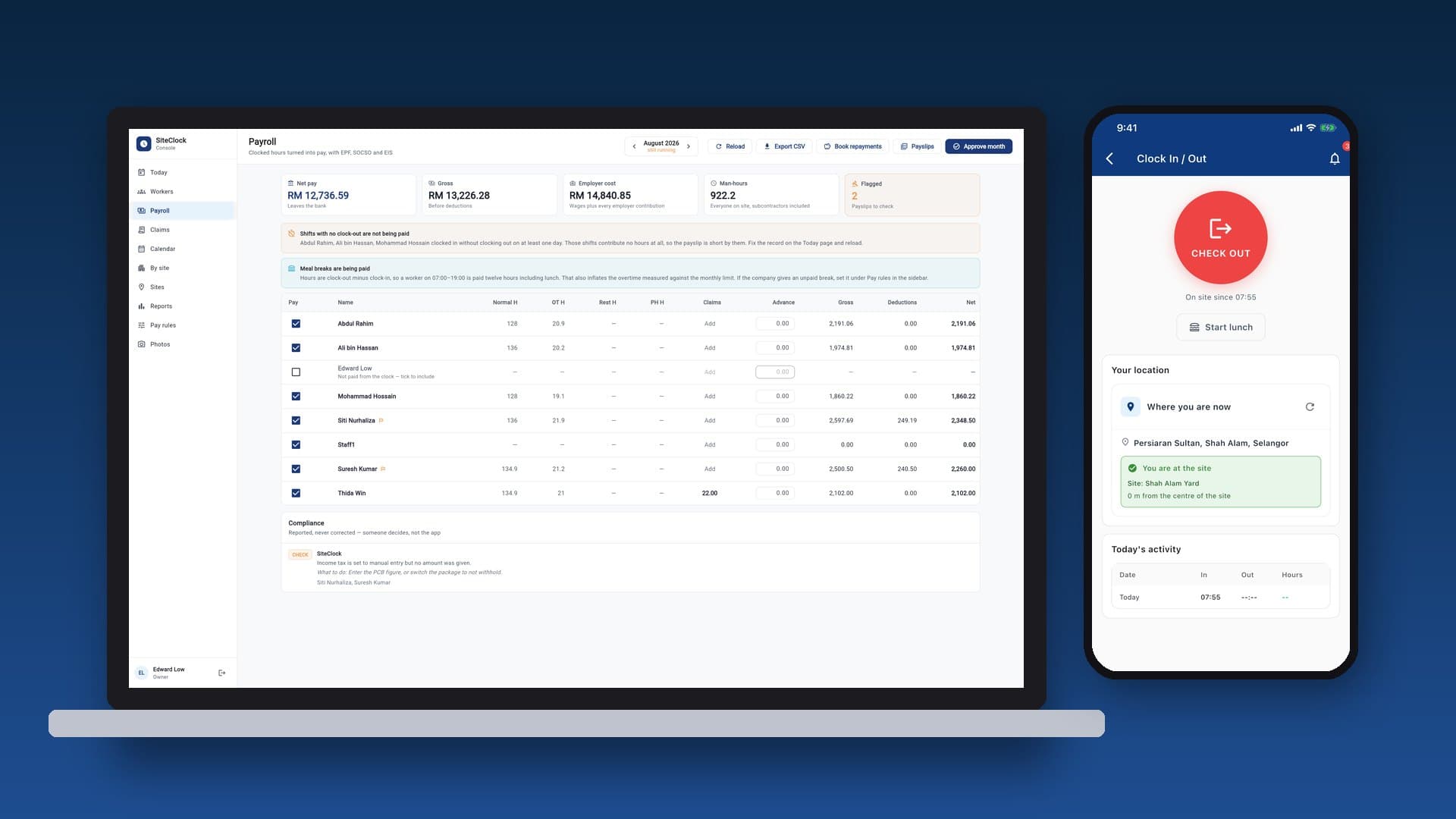
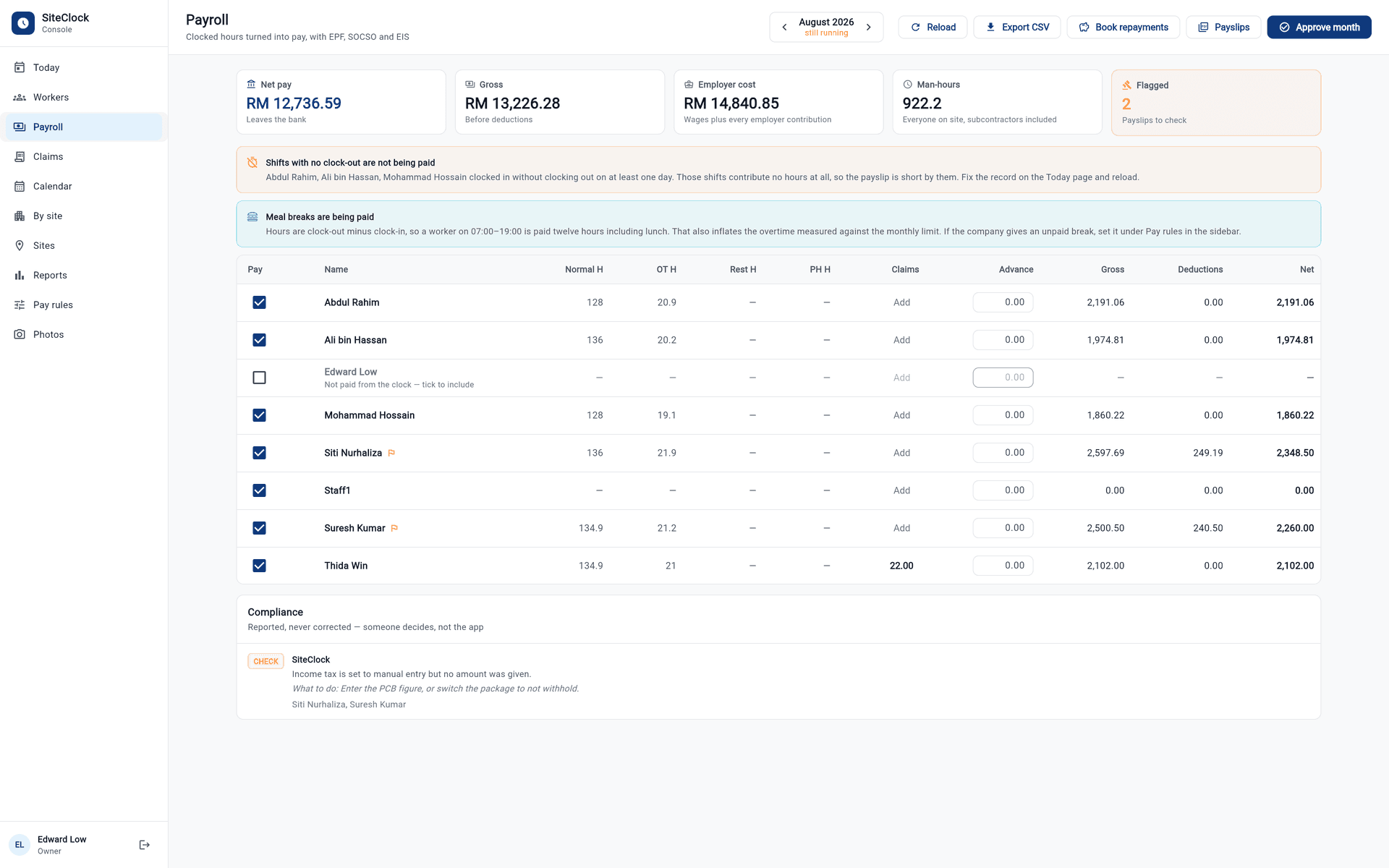
Run payroll from the clock
Net pay, gross and employer cost, with EPF, SOCSO and EIS worked out.
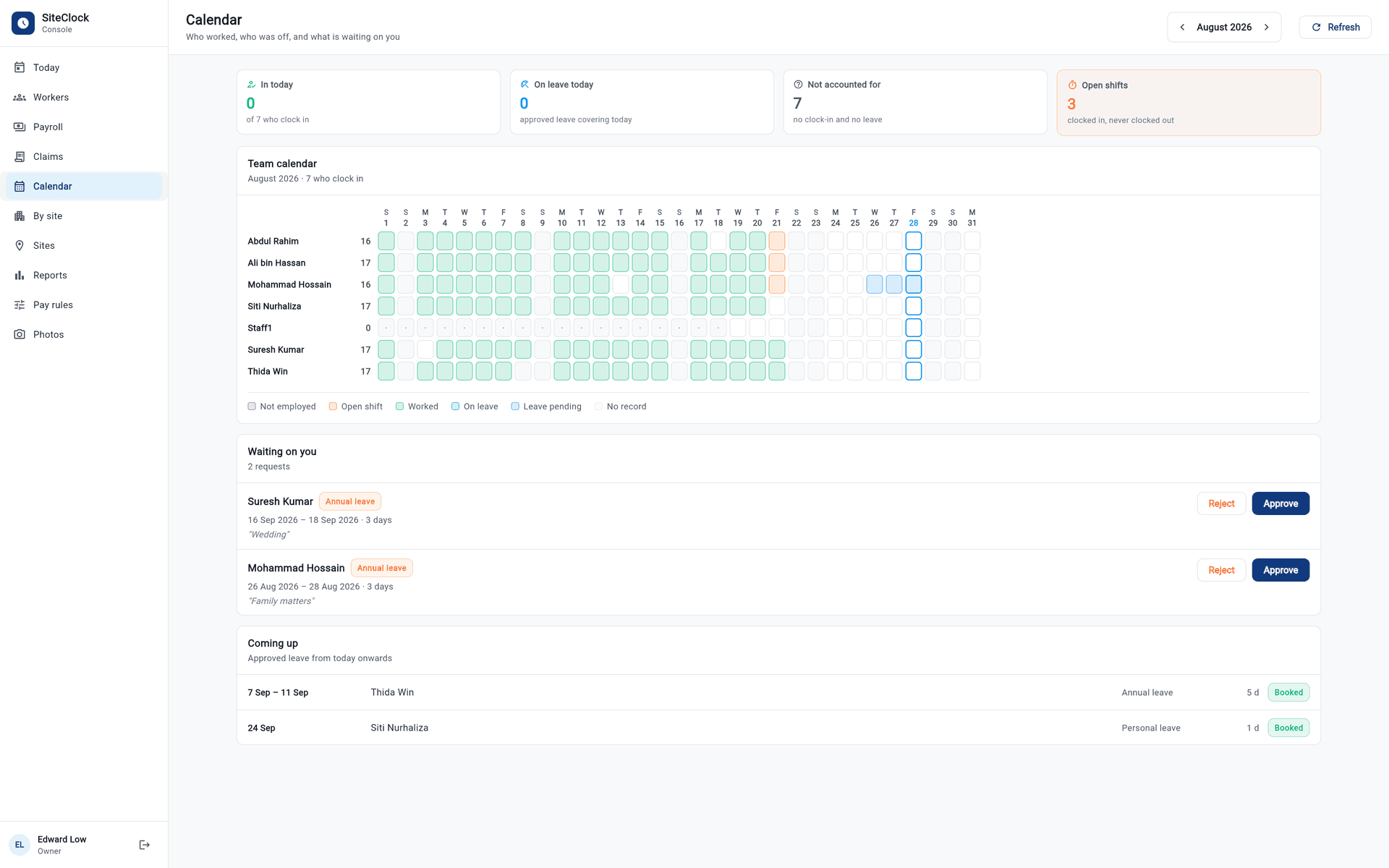
Who worked, who was off
The whole month on one grid, with leave waiting on you beneath it.
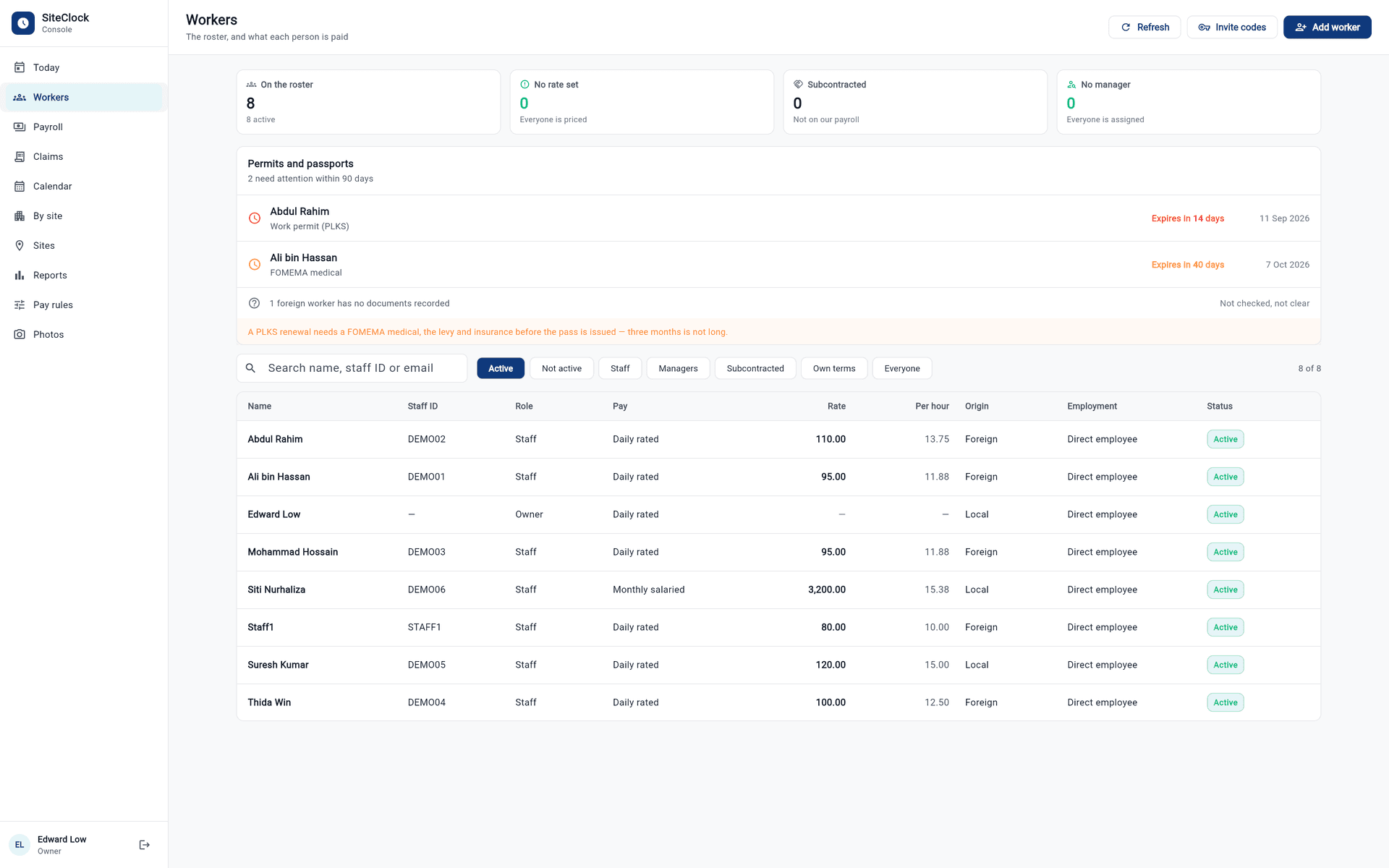
Permits and passports, before they lapse
The roster, each worker's rate, and documents about to expire.
The figures behind the total
Overtime multipliers, rest-day and holiday rates, leave entitlement by employee type, the minimum wage floor, and statutory contributions — worked out from the hours actually clocked, with the figures behind every total on the payslip.
A run is not signed off blind — the screen flags what would make it wrong before it goes out.
August 2026 run
6 workers
| Normal | 1,088.0 h |
| Overtime | 214.5 h |
| Rest day | 0 h |
| Public holiday | 0 h |
| Total | 1,302.5 h across 136 worker-days |
| Shah Alam Yard | 658.9 h |
| Klang Fabrication Bay | 643.6 h |
| Gross | RM 19,870.16 |
| Advances | RM 0.00 |
| Net payout | RM 19,218.53 |
3 shifts with no clock-out — those days pay nothing until a finish time is set.
2 payslips to check against minimum wage, the overtime limit and the deduction ceiling.
Seeded demonstration data, from the app's own payroll screen.
Two places to use it
The phone is for the gate and the yard; the console is for the office. The same records, seen from the side that needs them.
English, Malay, Bengali, Burmese and Chinese — the whole app, including the payslip. A worker should not have to take somebody's word for what they were paid.
The phone app
for the site
Clocking in, requesting leave, filing a claim, and approving those on the spot.
The web console
for the desk
Running payroll, issuing payslips, exporting what the office reconciles against.
The plain facts
- Platform
- iPhone (iOS). There is no Android build.
- Manager surface
- A web console, in any modern browser.
- Languages
- English, Malay, Bengali, Burmese and Chinese — including the payslip.
- Getting an account
- By invitation. An employer creates worker accounts; there is no public sign-up.
- Cost to a worker
- Nothing, ever. No in-app purchase, no subscription.
- Cost to an employer
- Agreed with MySteel directly, outside the App Store.
Before you rely on it
SiteClock calculates pay from the rates you configure. It does not discharge an employer's obligations under the Employment Act 1955 or any other law, and the figures should be checked. The Terms say so at greater length, and mean it.
Frequently asked
Who can see my clock-ins, my photo and my location?
Is my location tracked all day?
What happens if there is no signal at the site?
Does using SiteClock make our payroll legally compliant?
What does the app cost a worker?
How long are my records kept?
Can I delete my own data?
The privacy policy and terms go further, and say the same things at greater length.
Support
Something wrong, or a question about your own records? If you are a worker, ask your employer first — they hold the data and can act on it directly. Otherwise tell us and you will get a ticket number to follow it by.
The app is free to download; your account still comes from your employer.

SiteClock is operated by MySteel. Customized for them, and delivered, by Cortex Solution.
SiteClock · MySteel · © 2026Privacy PolicyTerms of Service