
Mellie
A task planner for Windows
Small tasks, brighter days
A cozy Eisenhower board that files your day for you — on your machine, not in a cloud.
Free · Windows 10 version 1809 or later, 64-bit
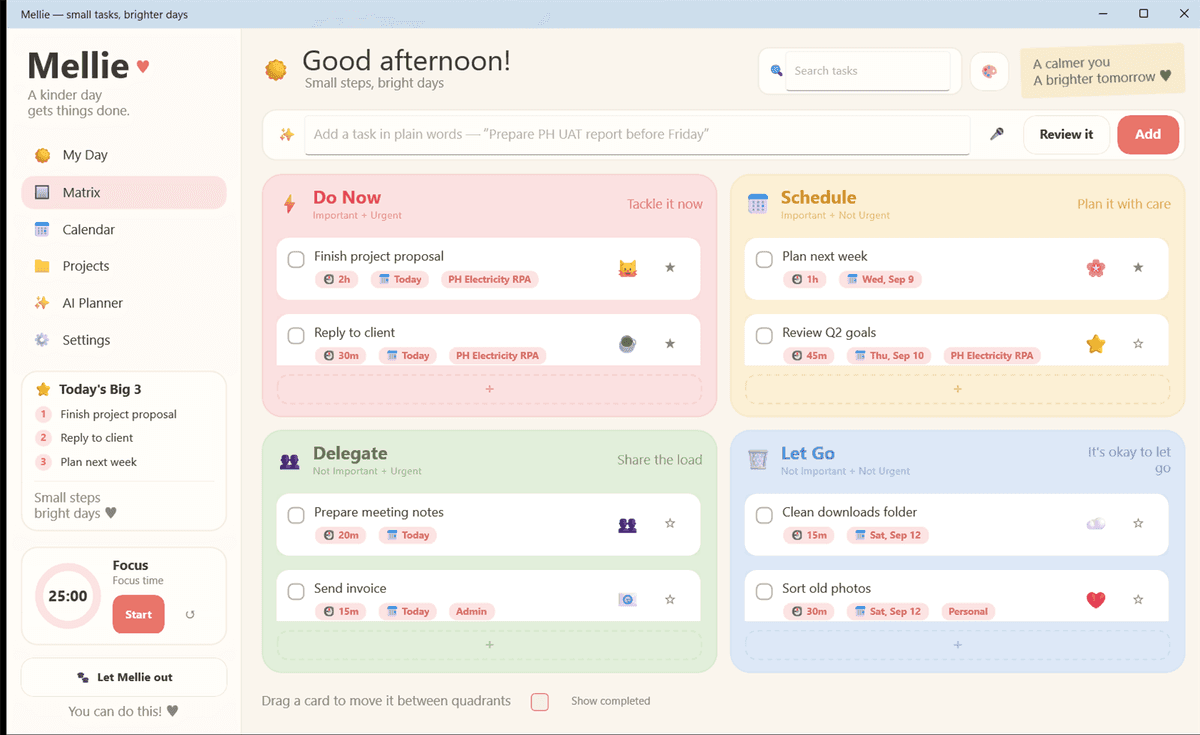
Write it how you'd say it
“Prepare the UAT report before Friday.” Mellie picks the quadrant, the date, the duration, the project and a free slot in your day.
A companion, not a dashboard
Let Mellie out and she sits on your desktop and tells you what's waiting. Tap her and the board comes up ready for a new task. She remembers her spot on each monitor.
Yours, and local
One file on your machine. No account, no sync, no telemetry. The AI is off until you turn it on, and even then only the puzzling tasks ever leave.
How the filing works
The clever part runs on your own machine
Most planners send every task to a server and call the sorting “AI”. Mellie does the same job with local rules that cost nothing and work offline — reading the date out of before Friday, guessing how long the work takes, matching it to a project by its keywords.
It only reaches for a model when its own confidence drops below 65%, and only if you have switched that on and supplied your own key. Even then it sends the one sentence you typed, today's date and your project names — never your whole board.
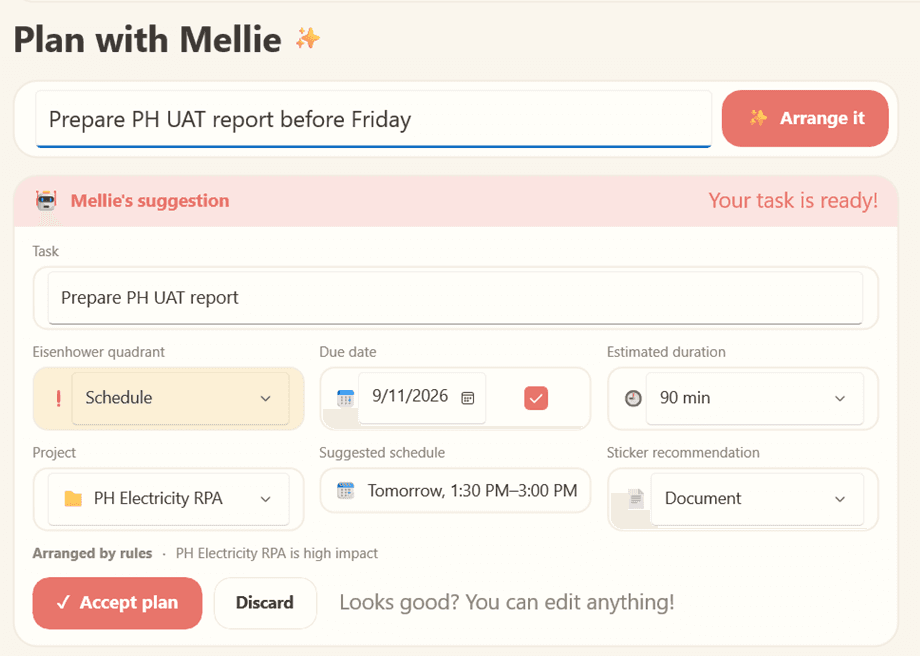
Four quadrants, and permission to let go
The Eisenhower matrix, drawn the way it is meant to be read. Drag a card between quadrants when the day changes its mind.
Do Now
Tackle it now
Important + Urgent
Schedule
Plan it with care
Important + Not Urgent
Delegate
Share the load
Not Important + Urgent
Let Go
It's okay to let go
Not Important + Not Urgent
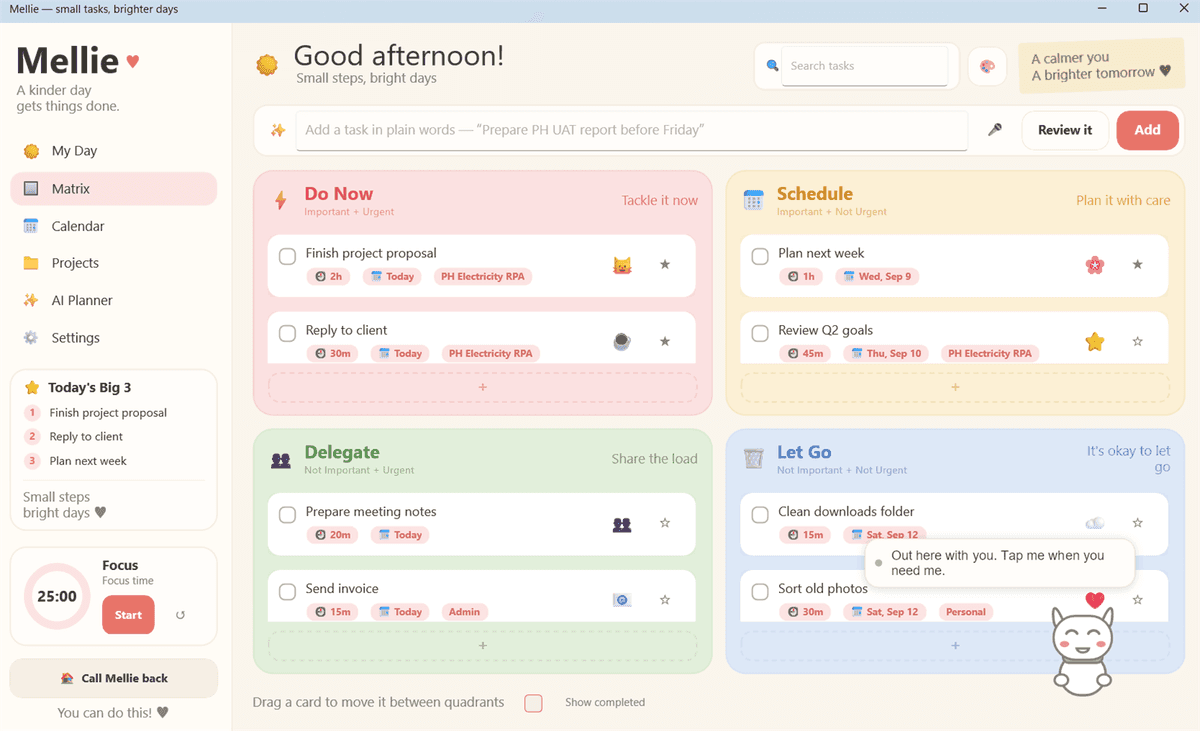
Let Mellie out
She waits on the desktop, not in a tab
Send her out and she sits above your other windows — transparent, draggable, and remembering her spot on each monitor. Tap her and the board opens ready for a new task, by keyboard or by voice, and she shows what is waiting by changing colour.
Voice entry uses Windows' own speech recogniser, on your device. Nothing is recorded and nothing is sent — the words land in the box for you to check before they become a task.
What else is in there
Enough to run a working day, and not much more. Mellie is deliberately not a project-management suite.
- Plain-language task entry with automatic classification
- Automatic date parsing — “today”, “before Friday”, “in 2 weeks”
- Duration estimates inferred from the kind of work
- Projects with keyword matching, so tasks route themselves
- Focus-block scheduling inside your working hours
- Today's Big 3, a focus timer and a calendar agenda
- Drag and drop between quadrants, with 35 stickers
- Three themes: warm paper, pastel and night
- Voice entry using Windows' own recogniser, on device
- A way to report any AI suggestion that looks wrong
Where your tasks live
One file, on your machine
There is no Mellie account, no Mellie server and no Mellie analytics. Uninstalling takes everything with it.
Nothing leaves by default
With the AI planner off — which is how it ships — the app makes no outbound network requests at all.
Your key, your account
If you turn the planner on, it runs on an OpenAI key you supply, billed to you. The key is held in Windows Credential Manager, never in a settings file.
No telemetry, ever
No analytics, no advertising, no crash reporting service. Crash logs are written beside the database and stay there.
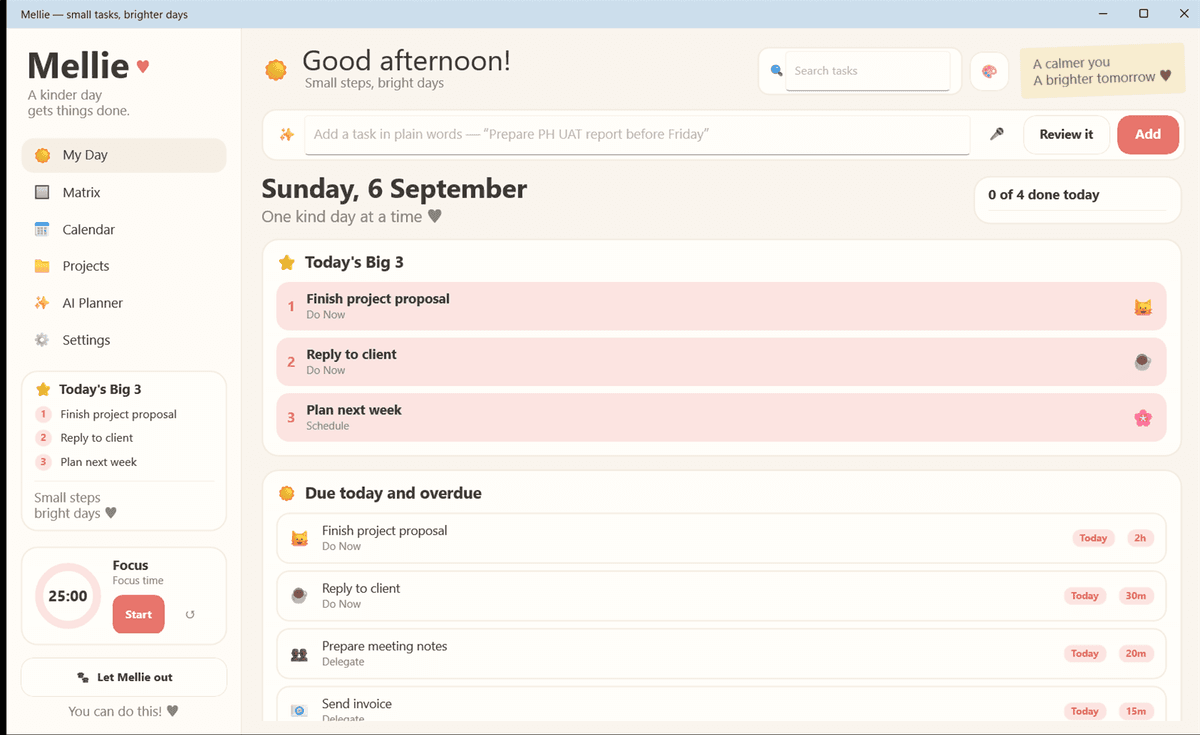
A look around
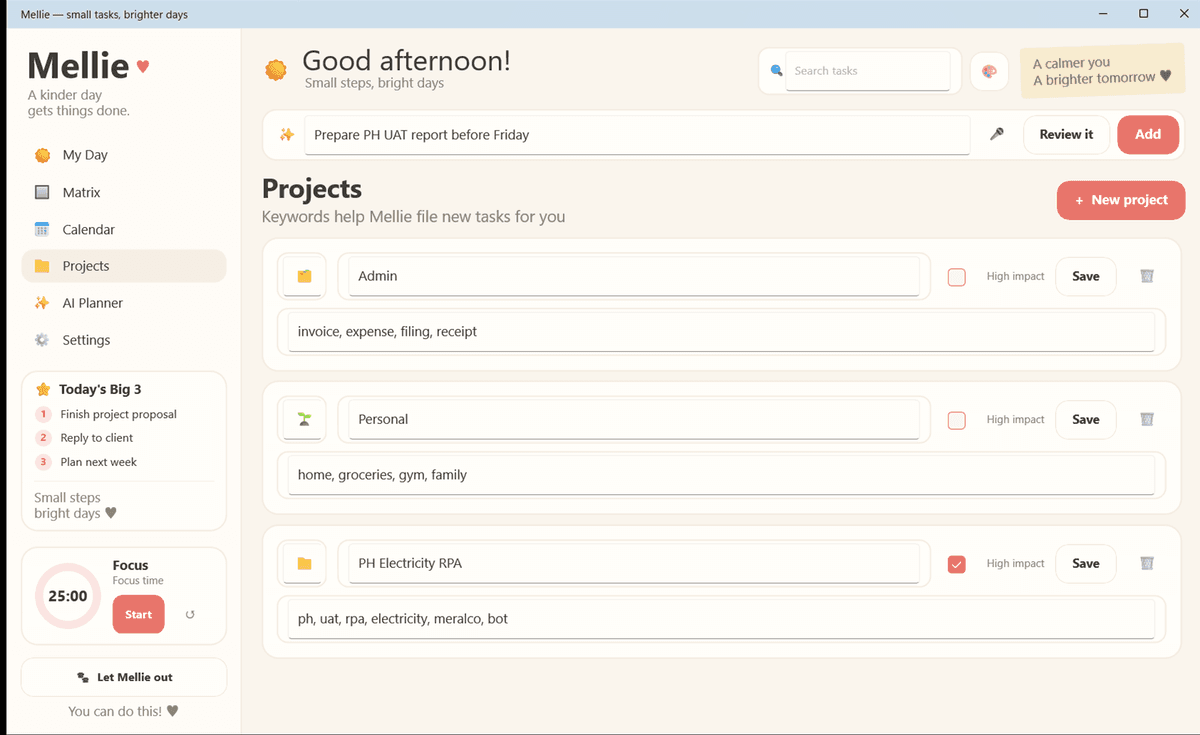
Questions worth asking
Does Mellie need an account?
No. There is no sign-up and no server.
Does my task data leave my computer?
Not unless you turn on the AI planner. With it off, the app makes no network requests at all.
What gets sent when I do turn it on?
The one sentence you typed, today's date and your project names — never your whole board, your notes or your history.
Do I need to pay for AI?
No. The local rules handle most tasks for free. The AI planner is optional and runs on your own OpenAI key, billed to your own account.
Does it work offline?
Everything except the optional AI planner.
Is the voice input recorded?
No. It uses Windows' own speech recogniser, on your device. Nothing is saved and nothing is sent.
What do I need to run it?
Windows 10 version 1809 (build 10.0.17763) or later, 64-bit. There is no macOS build.

A kinder day gets things done
Mellie is free, runs on Windows 10 version 1809 (build 10.0.17763) or later on 64-bit, and asks for no account. There is no macOS build.
Windows only — the macOS build does not exist yet