iPhone & iPad · iOS 16.1+
Plan your day around the meetings you already have.
Dayward reads your calendar, finds the free hours between your meetings, and turns your tasks into time blocks you can see and move. Tap Confirm day and your plan lands in your calendar — synced both ways.
Free to use. No account, no tracking. iPhone & iPad.
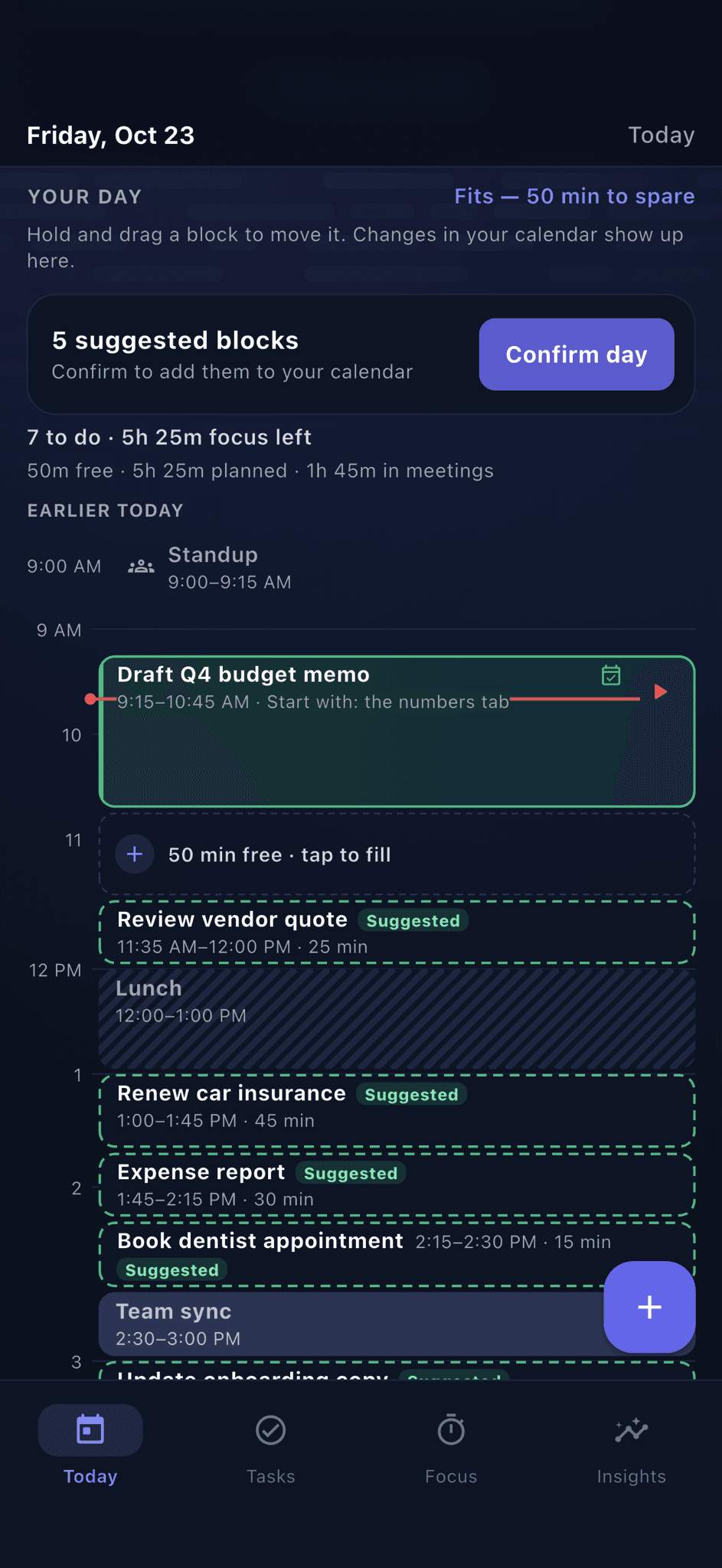
A task list tells you what exists. Dayward tells you when it gets done.
Three moves. One planned day.
Dayward does not hand you an empty grid. It reads what you already have, fills in the rest, and puts the plan into your calendar.
01
Add your tasks.
Or type a braindump and let Plan with AI turn it into tasks and steps you review first.
02
Dayward plans the day.
It schedules your work around your meetings, in your working hours, in your best focus times.
03
Confirm the day.
Your plan becomes real calendar events, synced both ways. Move a block in Calendar and Dayward follows.
Your Day view
See every block, gap, and meeting at once.
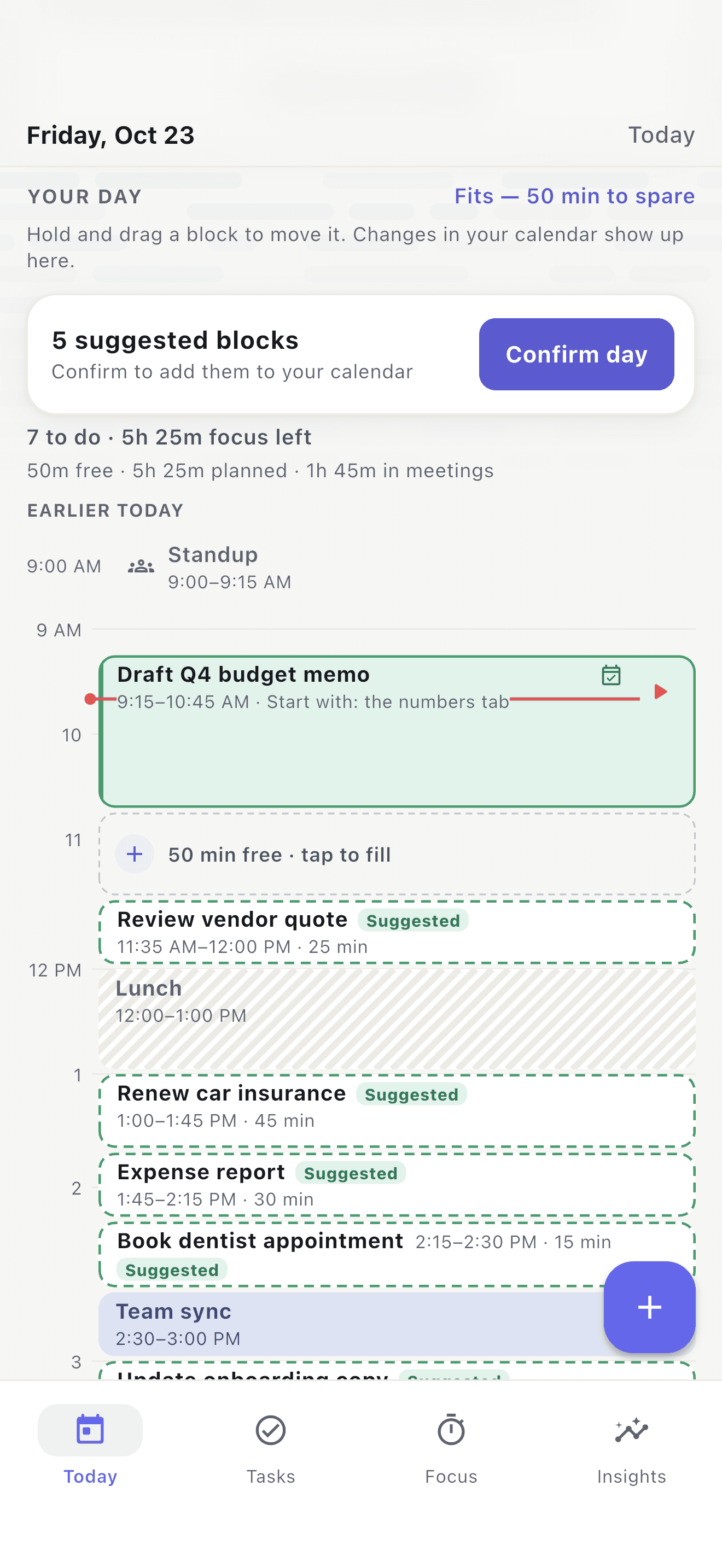
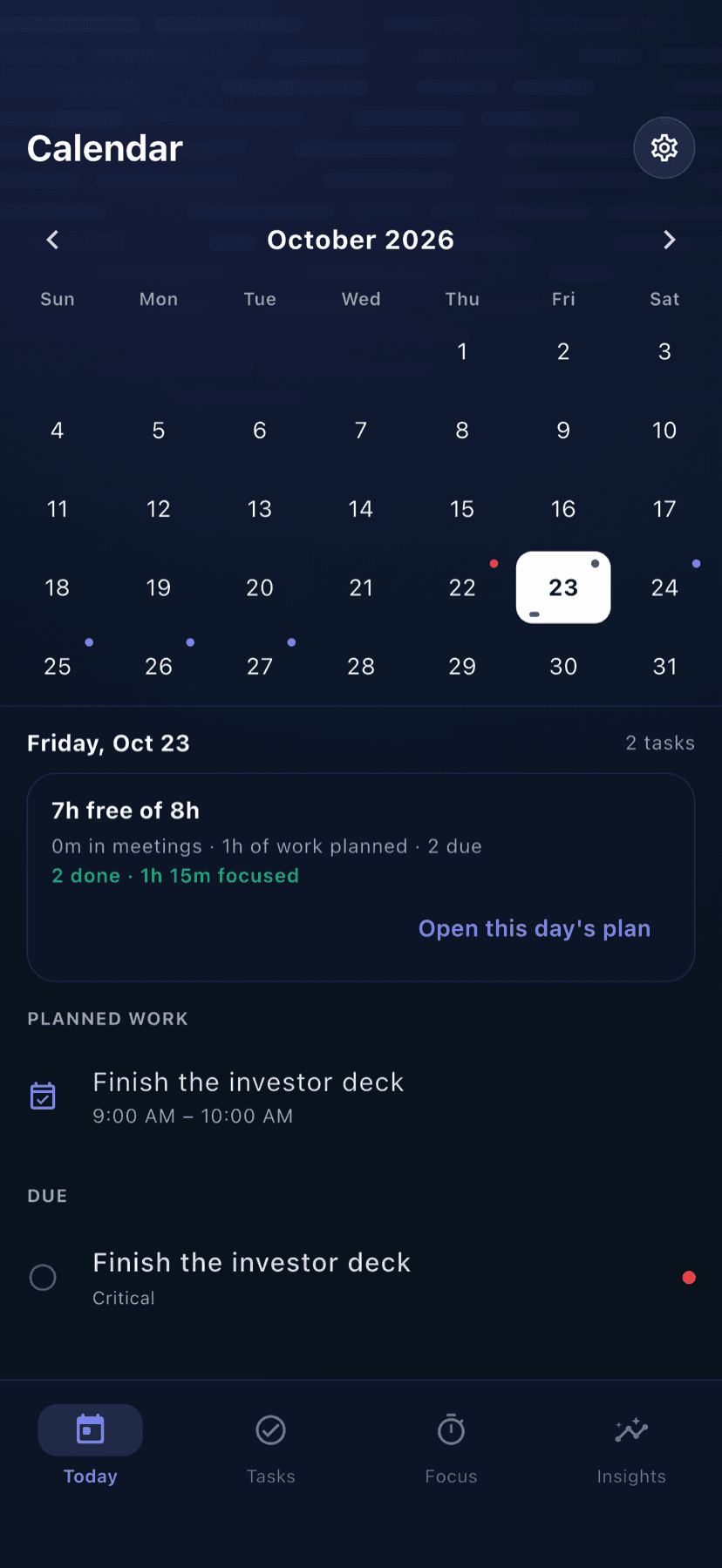
Dayward lays your calendar and focus tasks on a single scrolling timeline. Suggested blocks — the tasks that fit — appear in the gaps, ready to confirm with one tap.
- Drag any block to reschedule around your meetings
- Free gaps are labelled — tap one to fill it
- Calendar changes sync in real time
Built around how days actually go
Every feature is about one thing: helping you finish what matters before the day ends.
See the whole day — and where you stand
Your day as a timeline: what's done, what's now, what's next. A new at-a-glance line shows how many tasks are done, how many are left, and how much focus time remains — so you always know whether the day is on track.
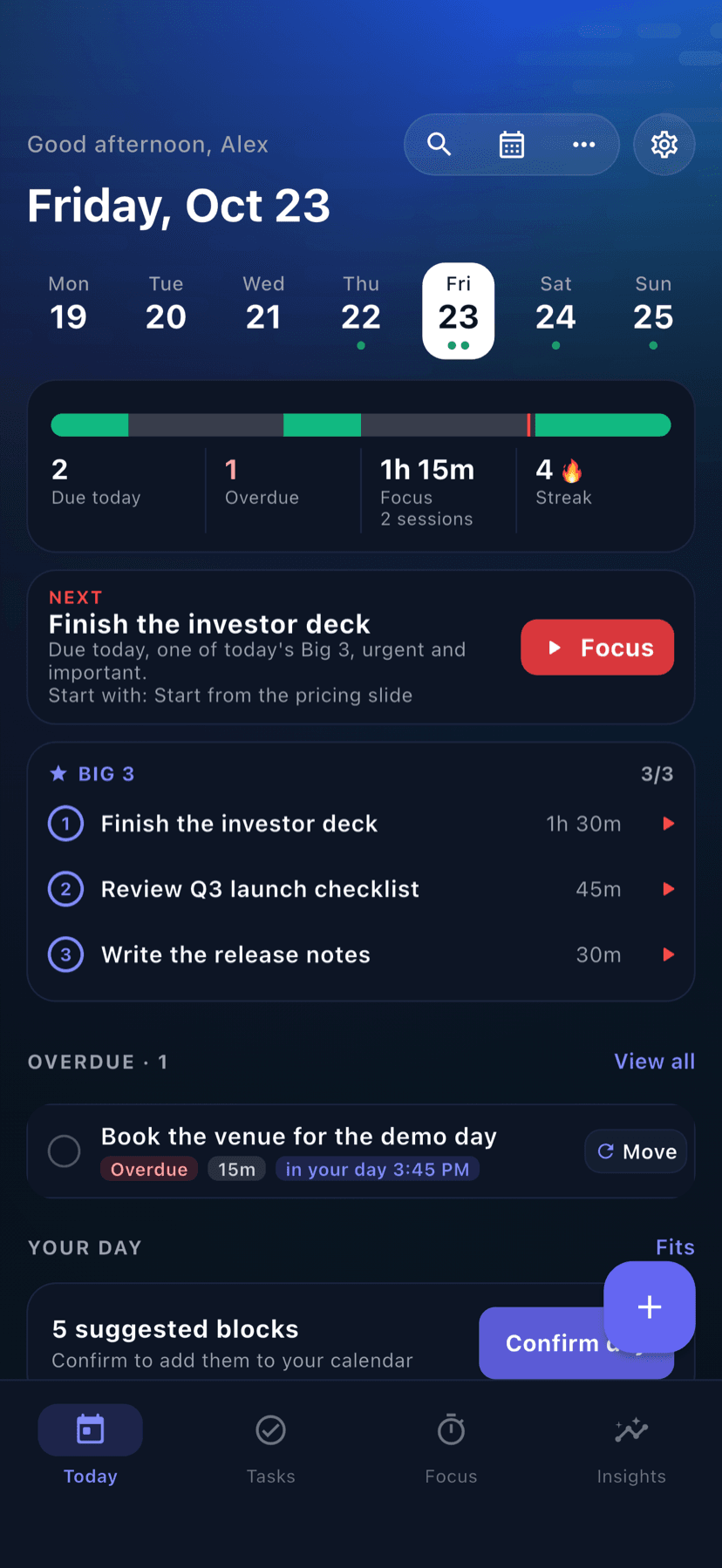
The Big 3 — now down to the step
Pick at most three priorities that would make today a win. When a priority is a bigger task, choose which of its steps are today's focus — the rest wait quietly until you pick them for a day.
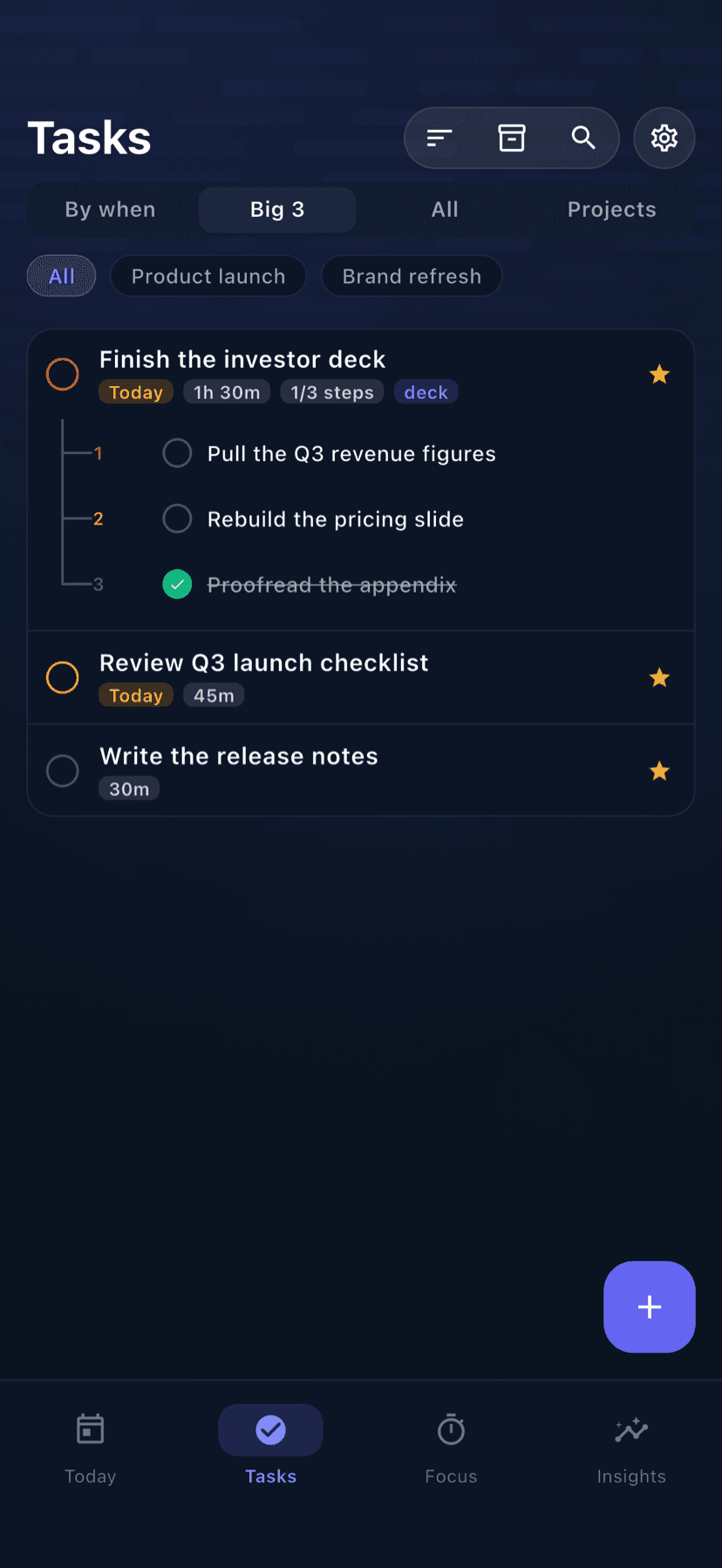
Plans around your meetings
Dayward uses the free hours between the commitments you already have. No double-booking, no planning into a wall of meetings.
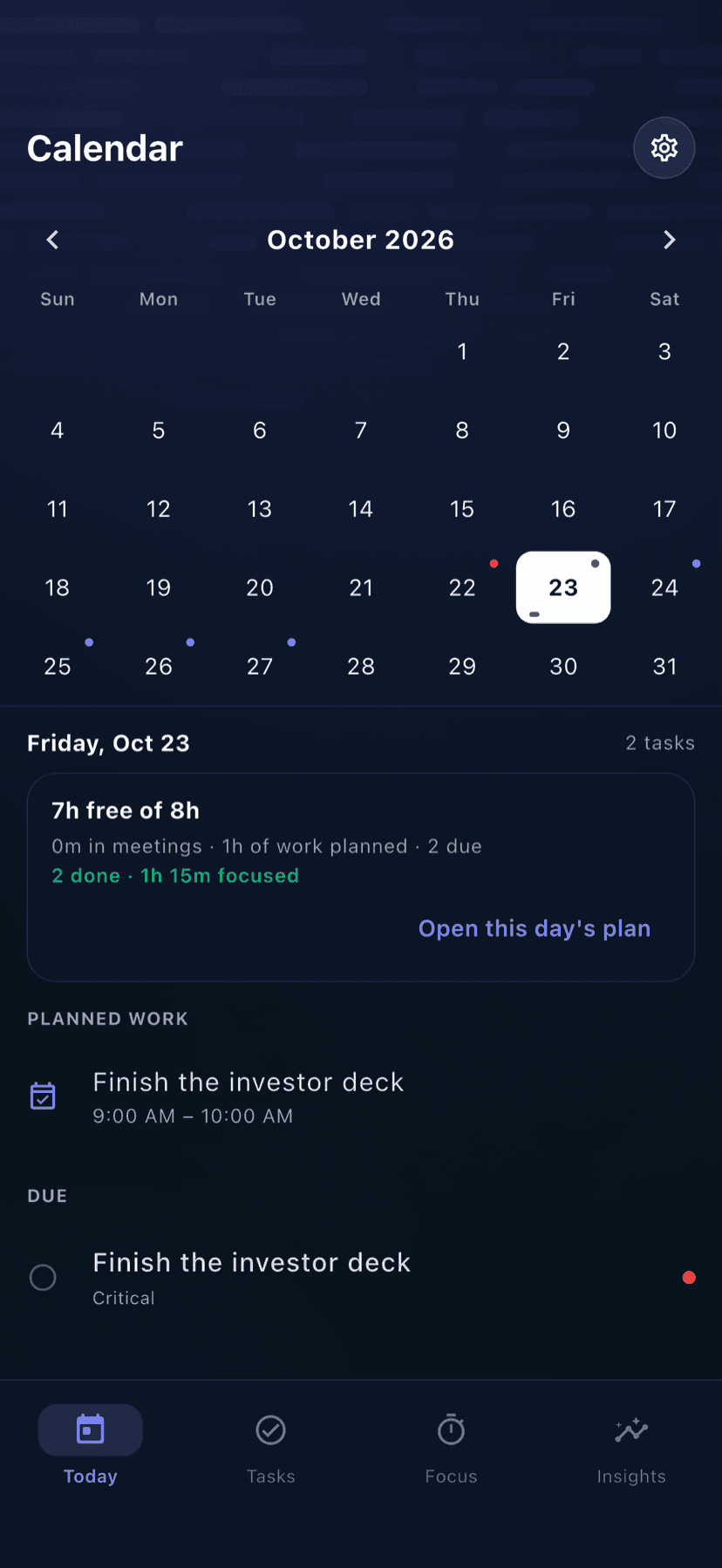
Two-way Apple Calendar sync
Confirm your day and blocks become real events. Move, rename or delete one in Calendar and Dayward follows. A new event can become a task.
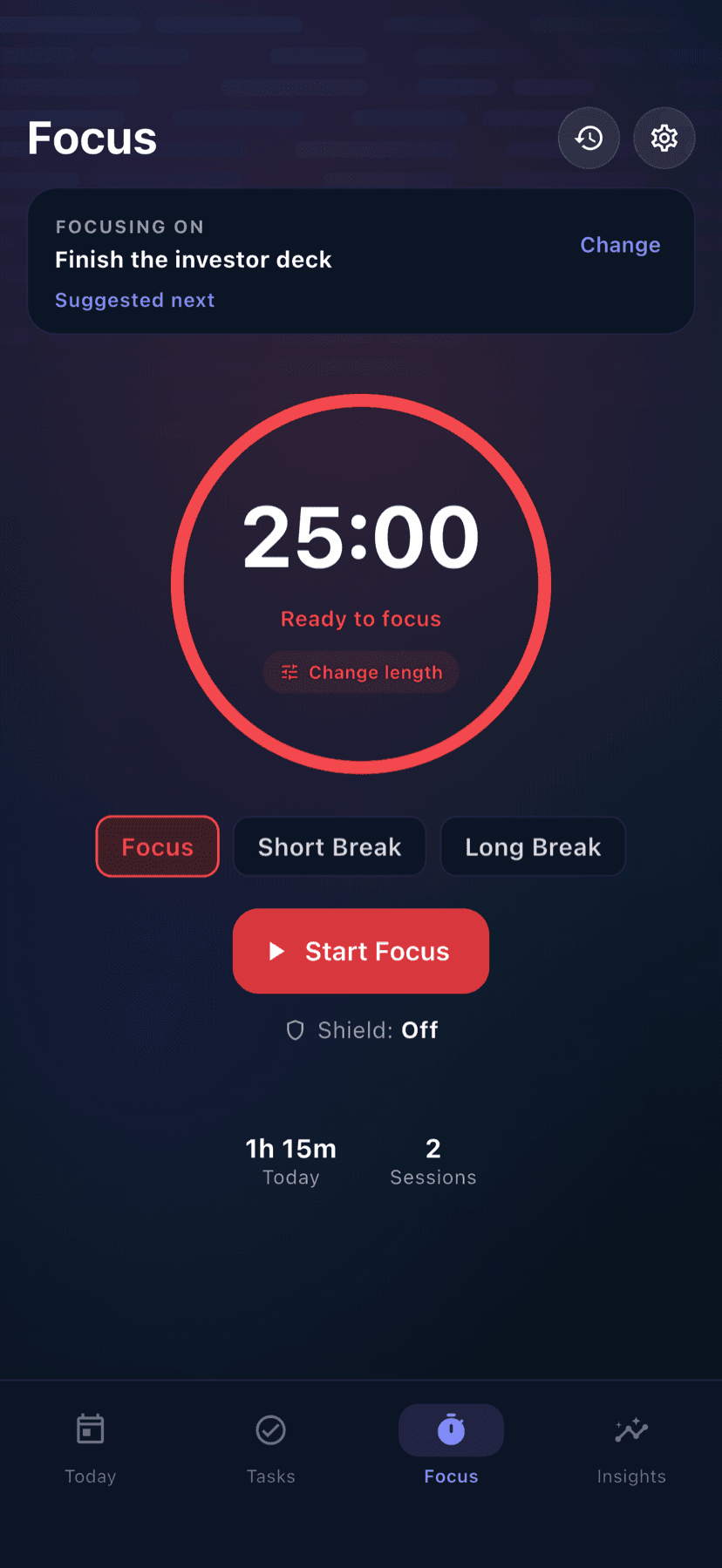
Focus that holds
A Pomodoro-style focus timer with an optional app shield to quiet distractions, plus a Home Screen widget and a Lock Screen & Dynamic Island Live Activity.
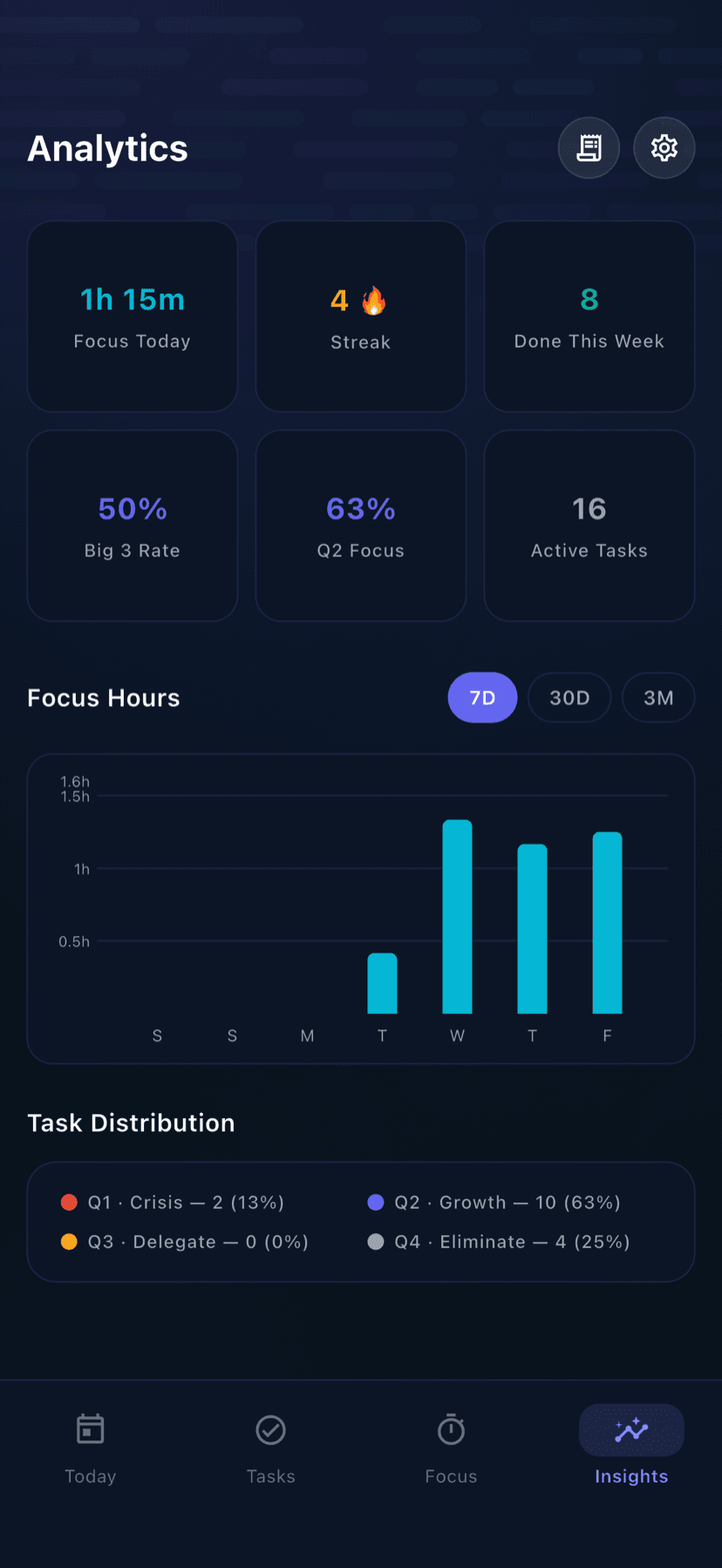
Learns your pace
Dayward credits focus time back to each task, compares it to your estimate, and sizes future blocks on what the work really takes — after five finished tasks, not before.
The real app
Every screen below is Dayward running on iPhone. Nothing staged.
No account. No login. No Dayward server.
Everything is stored on your device, and every core feature works offline. Optional sync runs through your own private iCloud. No ads, no tracking, no third-party analytics of any kind.
- No sign-up
- There is no login, no profile and no password. Open it and start.
- No tracking
- No analytics SDK, no crash reporting service, no advertising identifier, no third-party trackers of any kind.
- Your iCloud, not ours
- Optional sync between your devices goes through your own private iCloud database. We cannot read it.
- Works fully offline
- Every core feature — planner, focus timer, task management — works without a network connection.
About AI
Dayward's planning engine is plain on-device arithmetic, not AI. The optional AI features run on an API key you supply yourself — OpenAI, Google Gemini, or any OpenAI-compatible endpoint. We don't resell or proxy model access, and AI is never a paid feature.
Free to use. Pro when you want more.
The planner, calendar sync, focus timer and widget are free — no time limit, no account. Dayward Pro unlocks power features for people who want the full picture.
Free
Always free
Unlimited tasks, three projects, the day planner, calendar sync, the focus timer and the widget. The complete daily loop — no time limit.
Dayward Pro
Subscription or lifetime
Unlimited projects, the full analytics history, the Eisenhower matrix, the weekly review, renewal tracking and export.
Monthly
US$2.99
per month
Yearly
US$19.99
per year
3-day free trial
Lifetime
US$49.99
once
Malaysian and US prices are shown; the App Store sets its own price point in every other territory.
What's new in 1.4.0
- Day-at-a-glance progress: done, left, and focus time remaining.NEW
- Big 3 down to the step: scope which subtasks of a priority are today's focus.NEW
- Confirm day, then two-way calendar sync both directions.
- Plan with AI from a quick braindump — review before anything is added.
- Shape your day: fill a free slot, drag a block, swipe to tomorrow.
- Time away: trips, flights and days off that pause streaks and reminders.
- Create projects inline, the moment a task needs one.
Frequently asked
Does it need an account?
Is the planning AI?
Will it mess with my calendar?
Do I have to pay?
Plan your day. Finish what matters.
Dayward is built and maintained by Cortex Solution, a software team in Ara Damansara.
© 2026 Cortex Solution · Dayward is an iOS application.SupportBlog