Know where the money goes.
Daybook scans your receipts, tracks your budgets and works out who owes you what — on your iPhone, with no account and nothing sent to us. Free to use, with no time limit.
Free. No account. iPhone, iOS 15.5 or later.
No account. No server.
No analytics. No ads.
Most finance apps ask for your bank login. Daybook asks for nothing at all — there is no sign-up screen, because there is nowhere to sign up to. Your records, your receipts and every figure stay in the app's own storage on your iPhone. We never see them, and we could not retrieve them if we tried. If you switch on the optional iCloud backup, copies go to your iCloud account — still never to us.
Point the camera at a receipt. The rest fills itself in.
The merchant, date, total, tax and every line item are read on your phone using Apple's Vision framework — the same technology iOS uses to select text in a photo. The photograph is never uploaded.
The category is suggested from what you scanned before, so the coffee shop you go to every morning is categorised correctly by the second visit. Anything the scan is unsure of is flagged for you to check, rather than quietly accepted.
It reads 19 languages, including Bahasa Malaysia, Chinese, Japanese, Thai and Arabic.
Some receipts print two tables side by side and defeat any scanner. For those you can hand the receipt to an AI: press to send the photograph itself, or switch on a second reading that sends the text and where it sat on the page — not the photograph — when a scan comes back unclear. Both are off until you add an API key you supply and pay for yourself.
KEDAI KOPI
SDN BHD
12 Jln Ara, PJ
Nasi Lemak8.50
Kopi O3.20
SUBTOTAL11.70
SST 6%0.70
TOTAL12.40
07/08/2026
Review
- Merchant
- Kedai Kopi Sdn Bhd
- Date
- 7 Aug 2026
- Category
- Food & Dining
- Subtotal
- RM 11.70
- Tax
- RM 0.70
- Total
- RM 12.40
An illustration of the review screen. Figures are fictional.
Built for how money actually moves
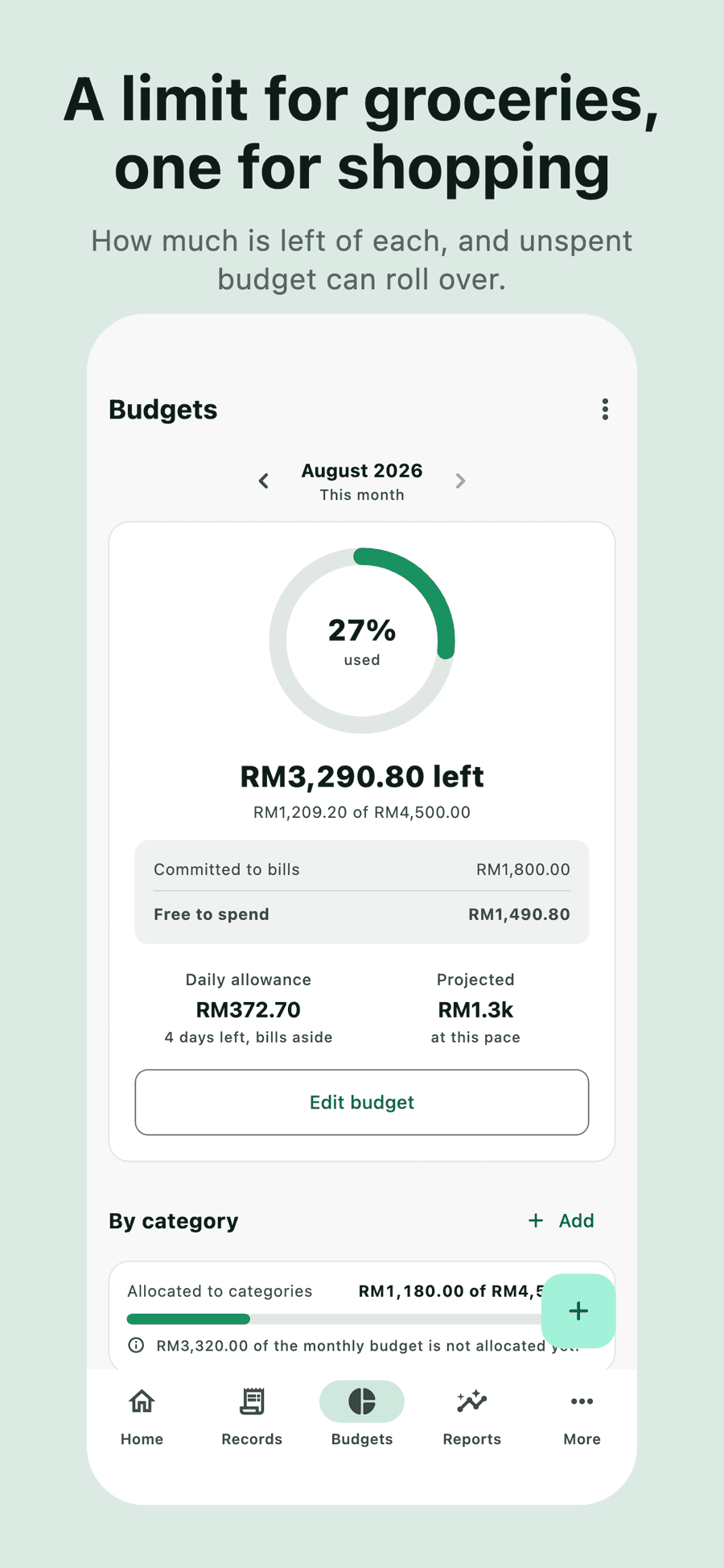
Budgets that behave
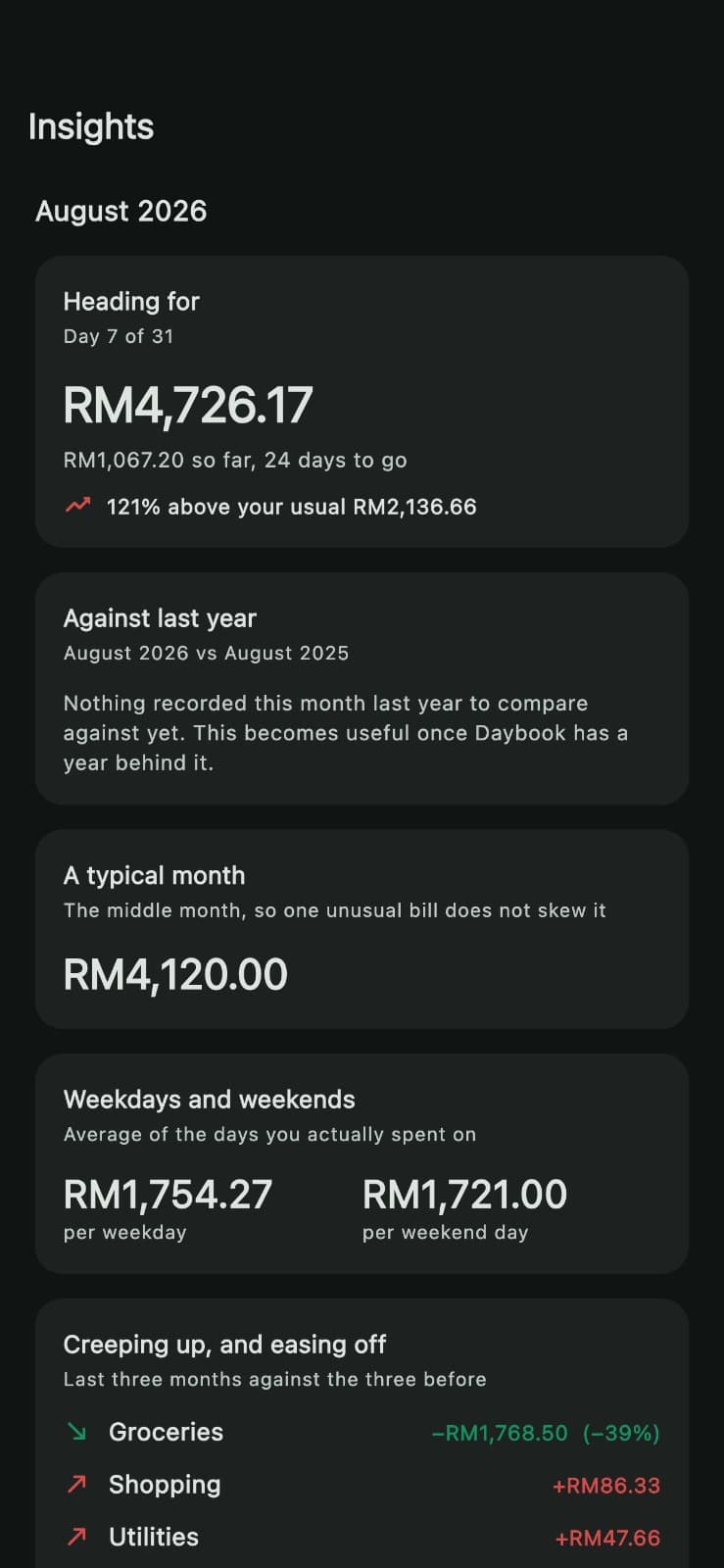
One monthly ceiling and per-category limits. Unspent budget can roll over, and a pace projection tells you where the month is heading before it gets there.
Real credit-card cycles
Cards bill in cycles, not calendar months. Daybook keeps this statement's balance apart from spending that lands on the next one, and nudges you the day the statement closes — not the day before payment is due.
Never pay late
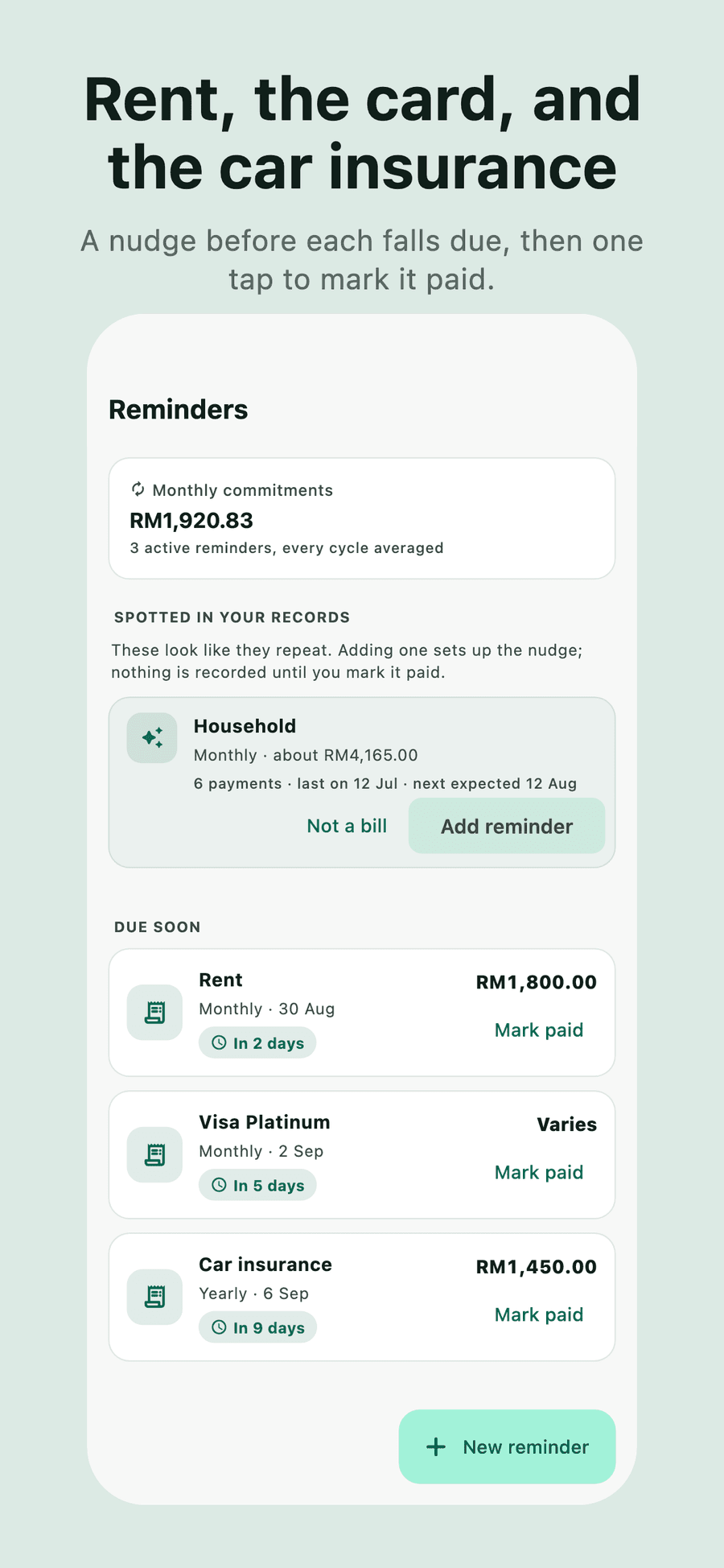
Recurring reminders for bills, subscriptions and card payments. Marking one paid records the payment and rolls the schedule forward.
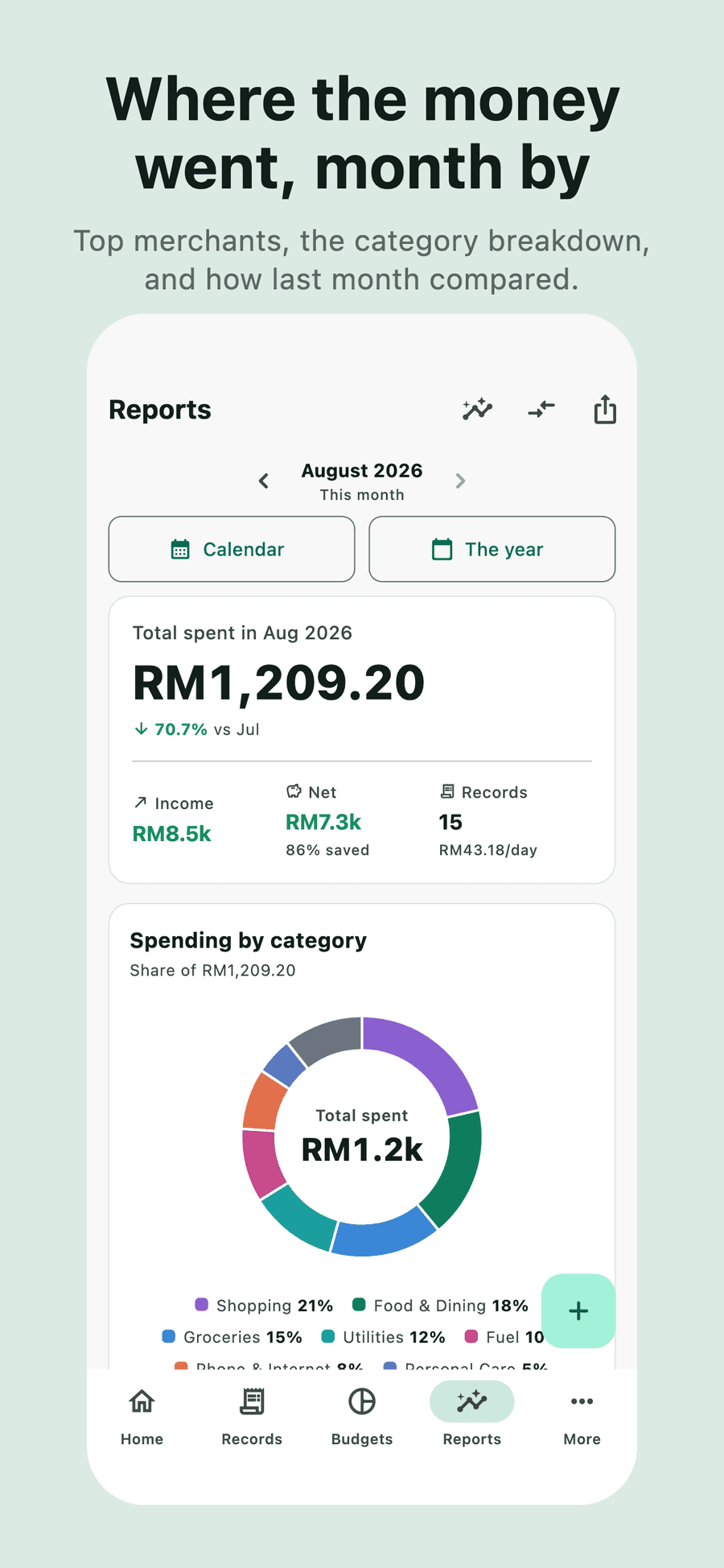
See where it went
Monthly reports, category breakdowns, top merchants, this month against last, and a six-month trend.
Locked, and private
Face ID, Touch ID or your passcode to open the app — and a cover that hides your balances in the app switcher.
Your data, portable
CSV and JSON export, full backups including every receipt photo, and CSV import from whatever you used before. All free.
A look inside
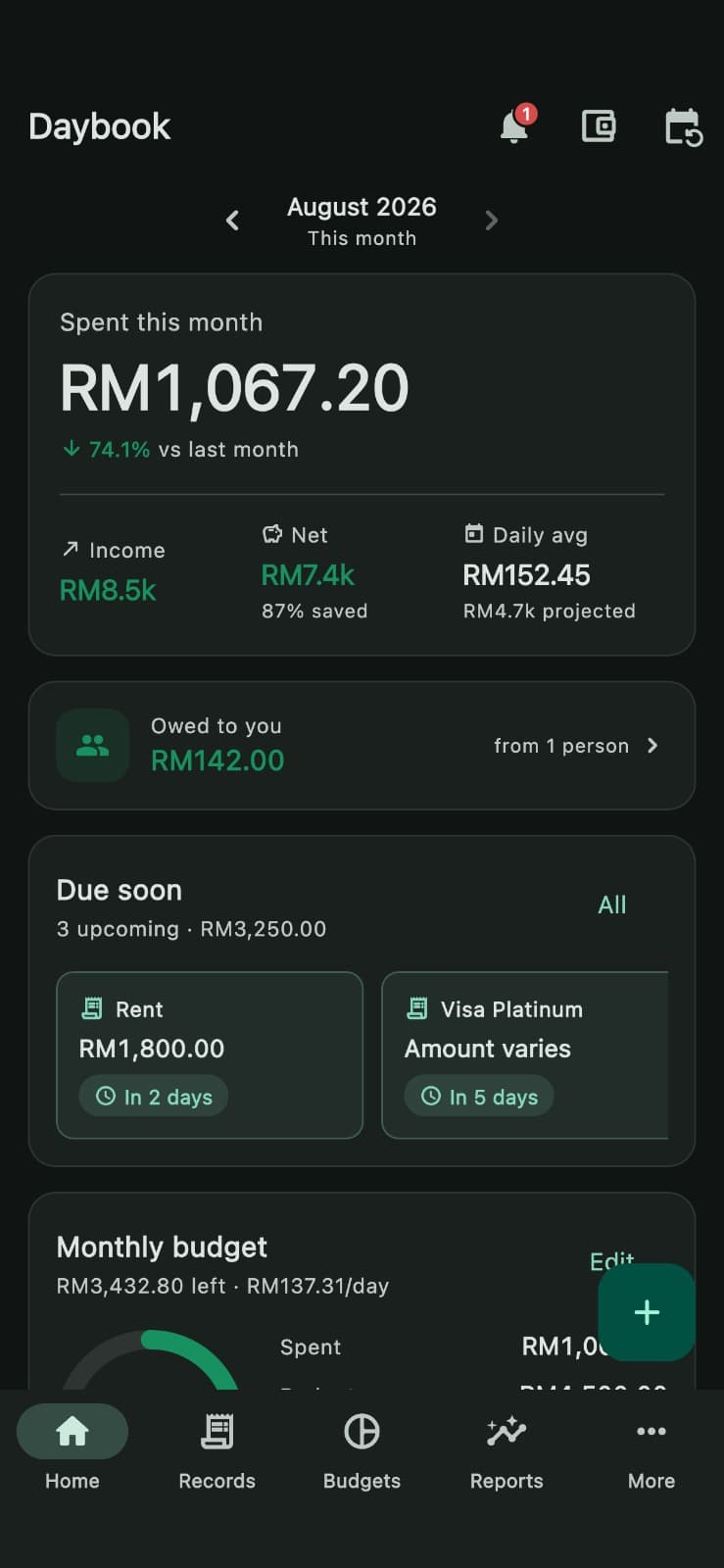
Every screen below is the real app, in its dark theme. The light theme is further down.
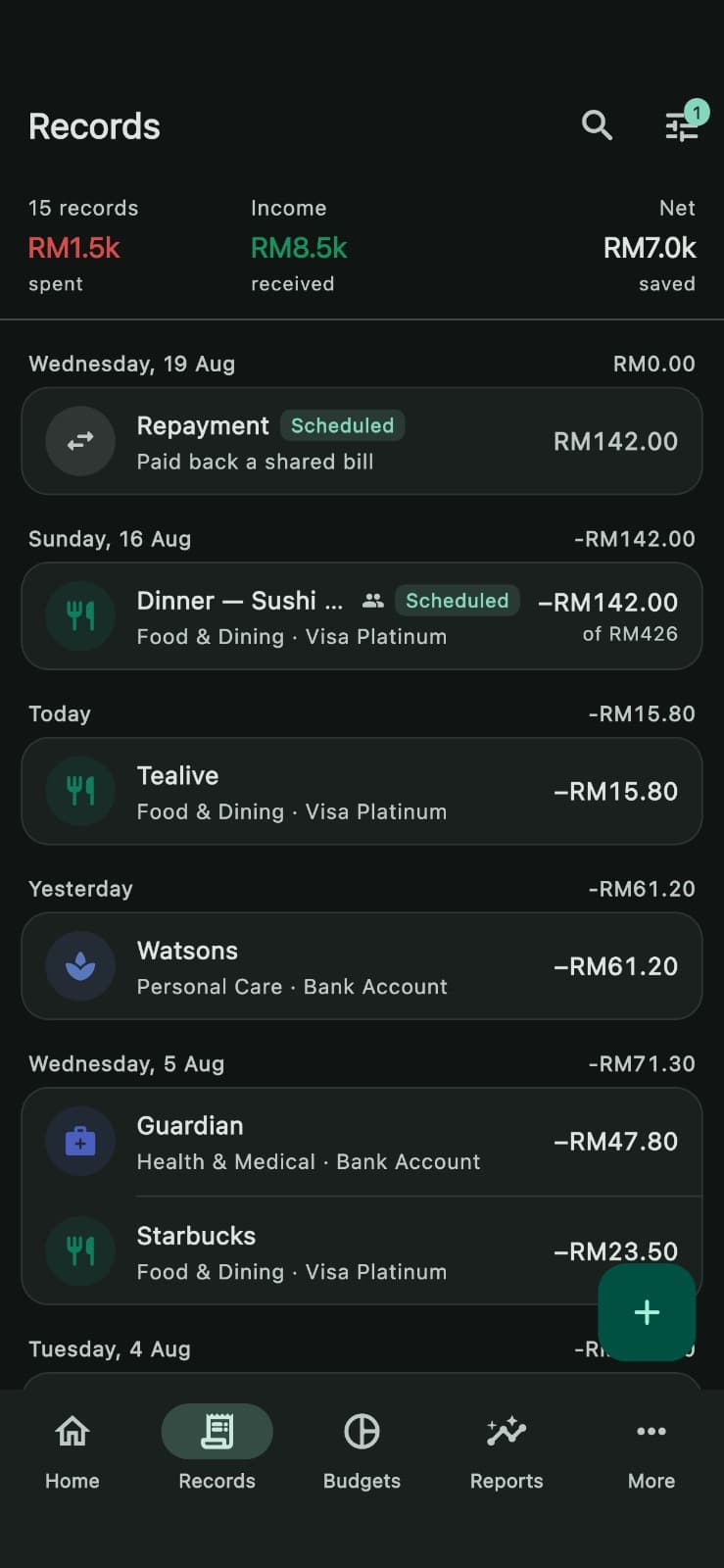
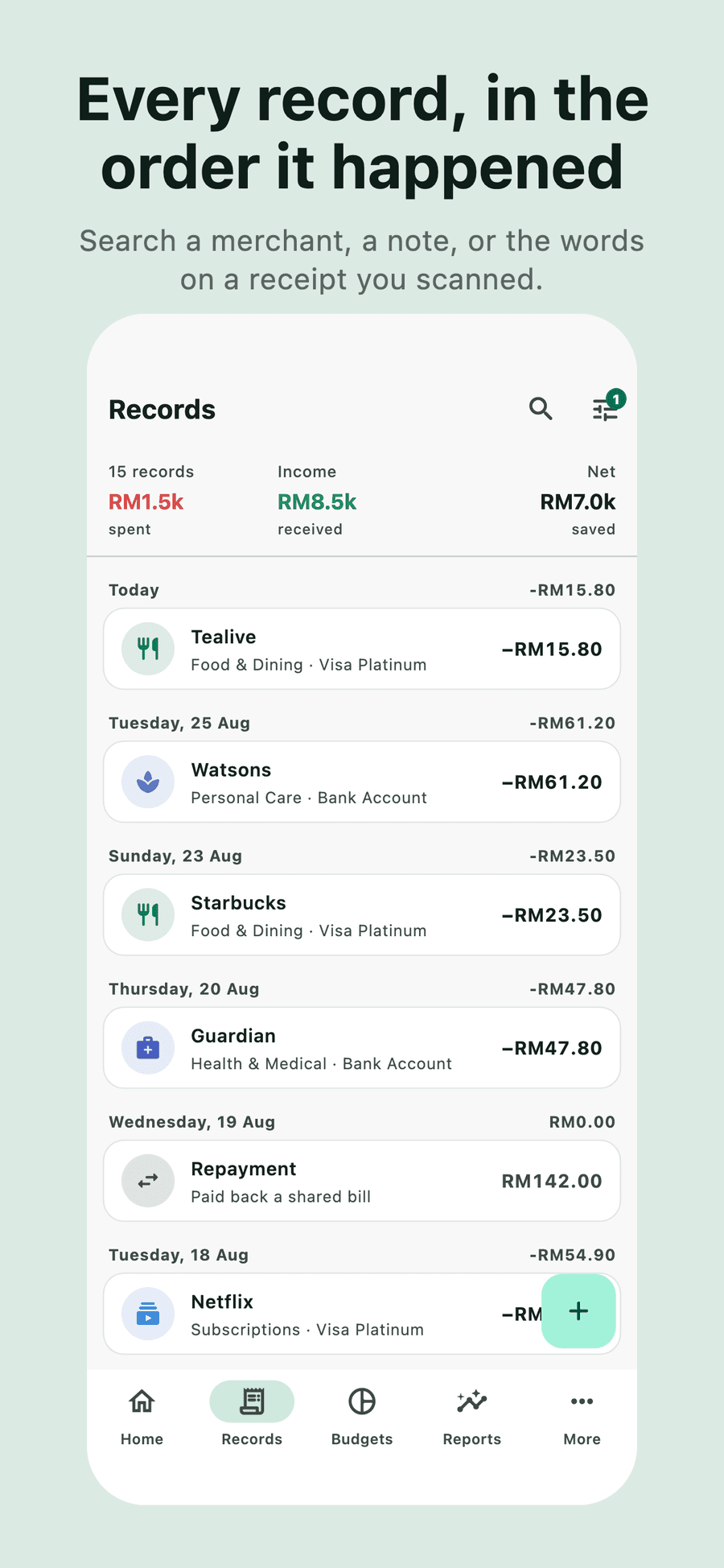
Records
Every expense, income and transfer, grouped by day.
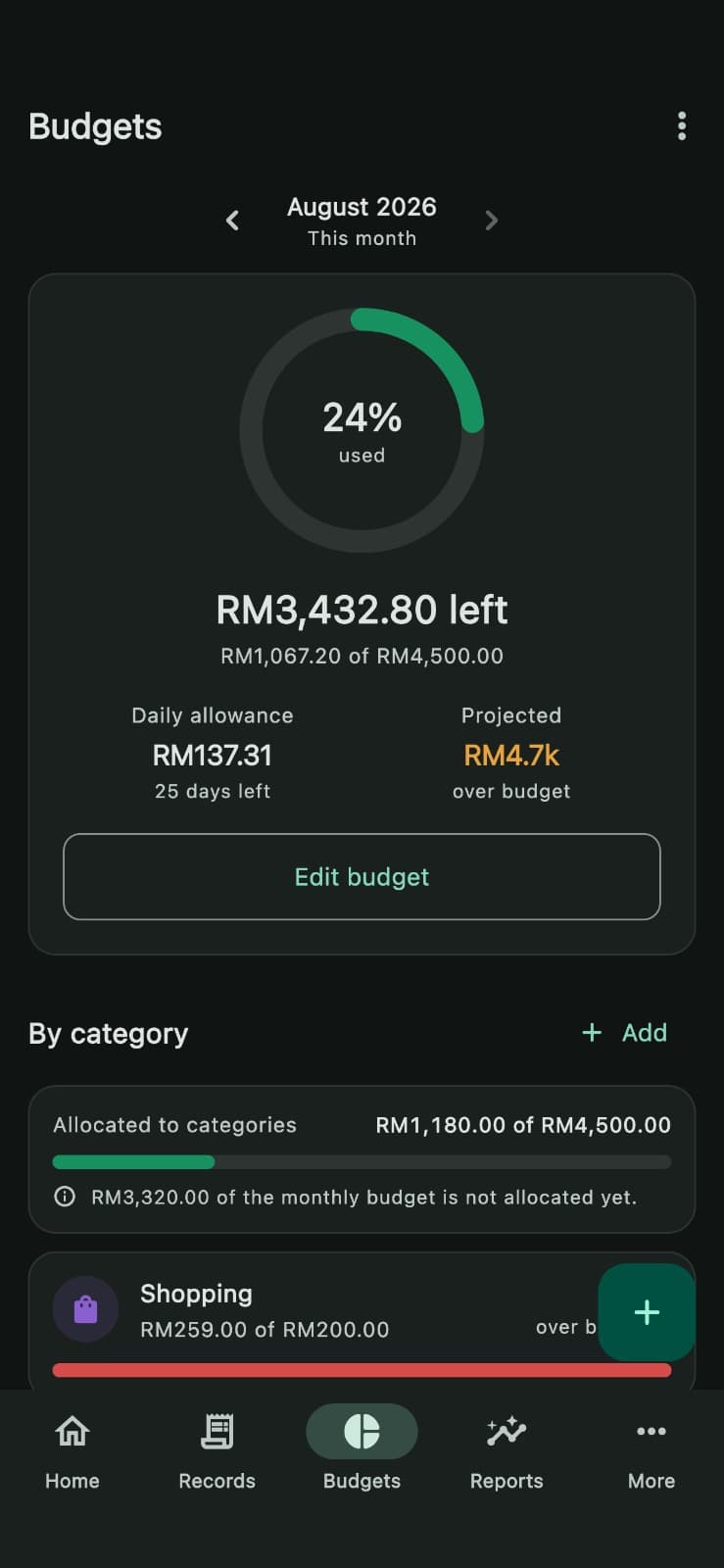
Budgets
A ceiling, per-category limits, and where the month is heading.
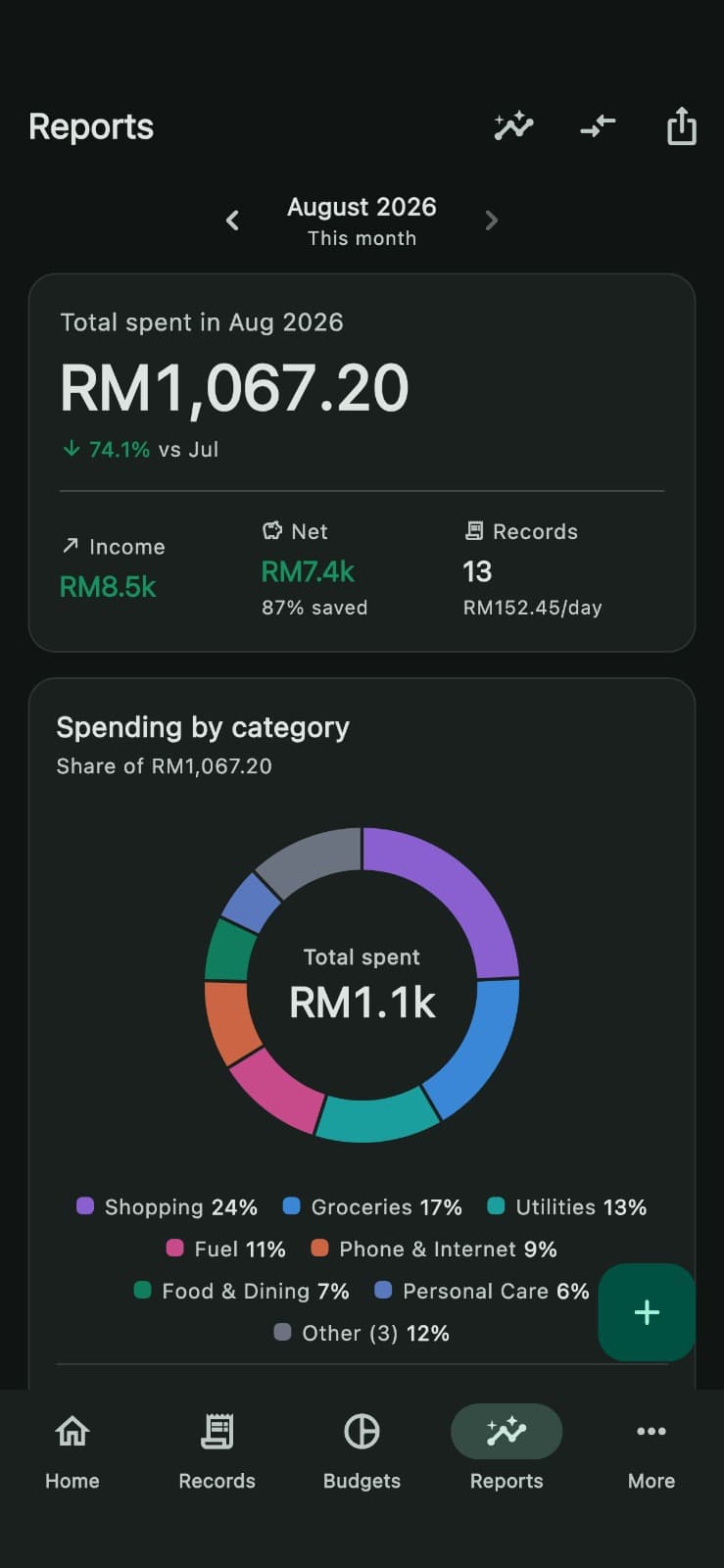
Reports
Where it went, by category, with a colour-vision-safe palette.
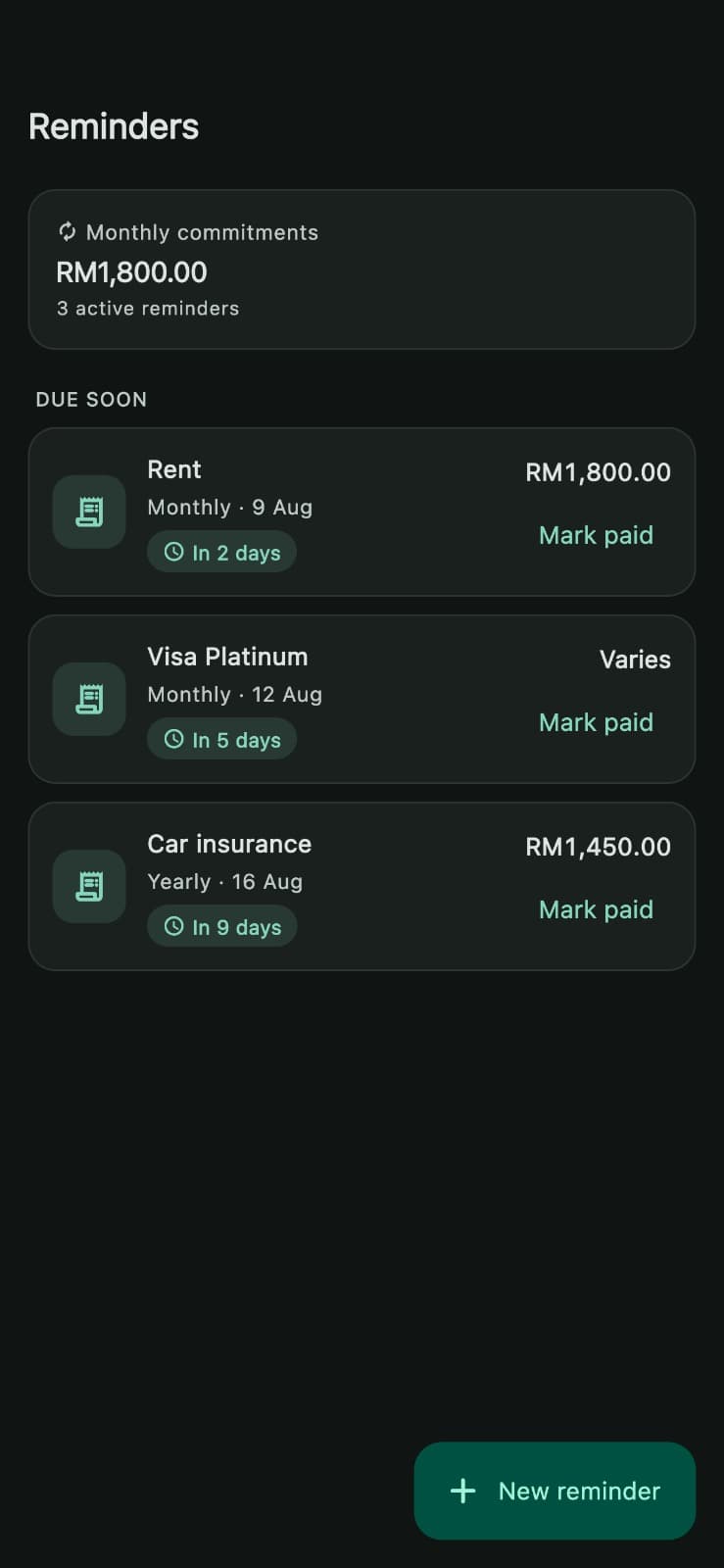
Reminders
Bills, subscriptions and card payments before they fall due.
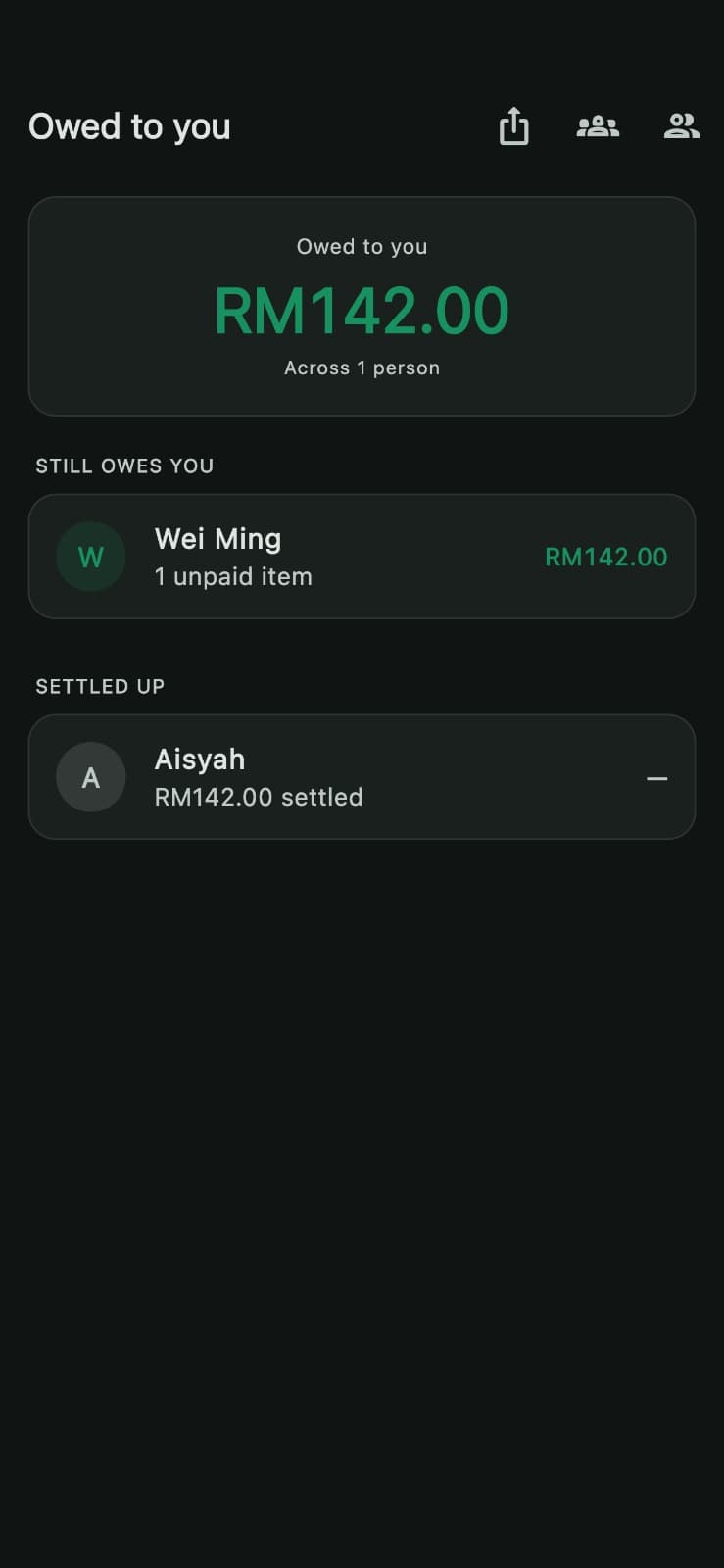
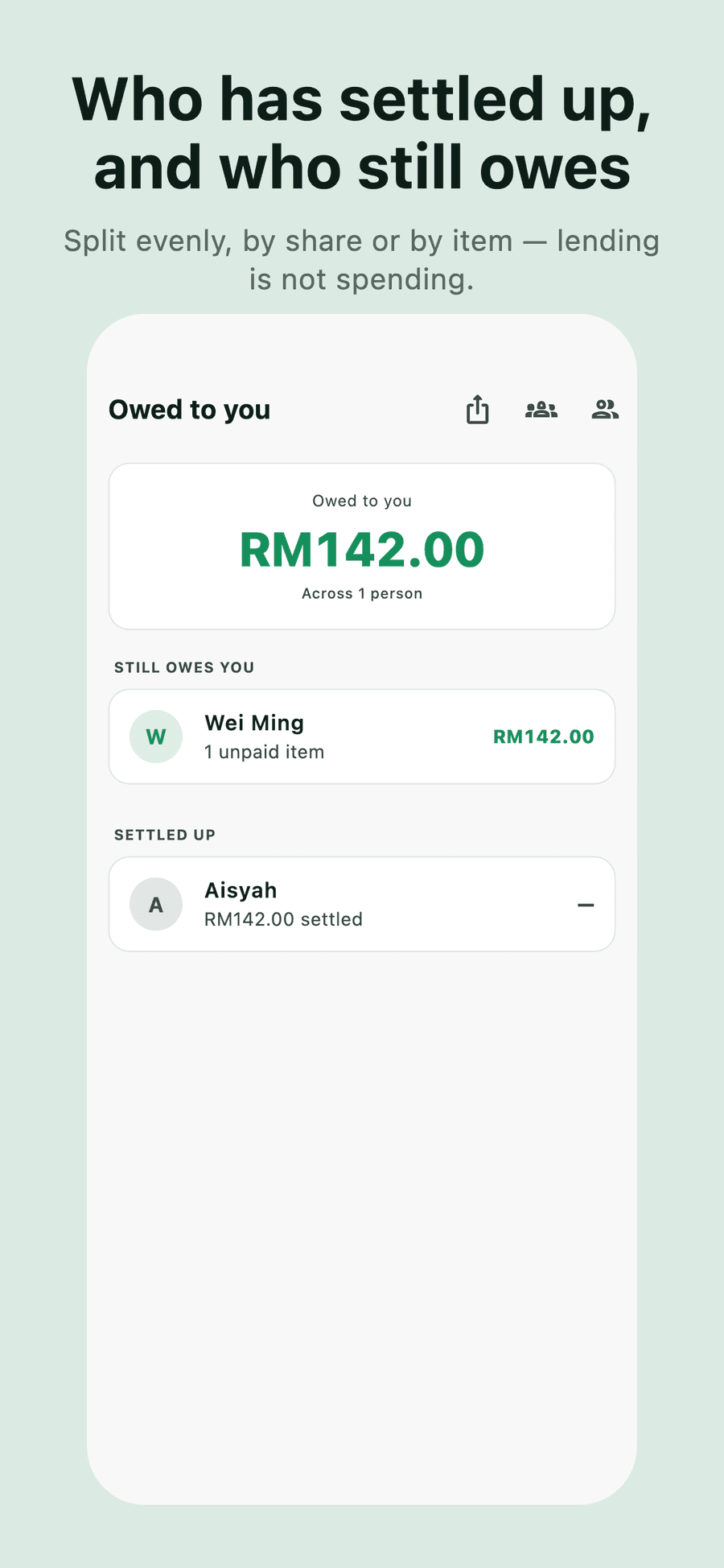
Paying for other people is lending, not spending.
A RM 300 dinner for three leaves your account short by 300, but only 100 of it is your spending. Daybook is the only tracker that keeps those two figures apart: your budget sees 100, your balance sees 300, and 200 sits under Owed to you until it comes back.
Account balance
The whole bill really left
−RM 300
Your spending
Only your share reaches budgets
RM 100
Owed to you
A receivable, not an expense
RM 200
Or split it by item, straight off the scanned receipt
Split evenly, by shares, by percent, by exact amounts — or by item. A receipt's lines never add up to its total; there is always a service charge or tax in between. Charging someone only the price of their dish would leave you covering everyone's tax, so Daybook shares the gap in proportion.
A RM 30 steak and a RM 20 pasta on a RM 58.30 bill: RM 34.98 and RM 23.32. The steak carries 60% of the service and tax, because it was 60% of the food.
| Item | Price | Share of gap | Owed |
|---|---|---|---|
| Steak | RM 30.00 | 60% | RM 34.98 |
| Pasta | RM 20.00 | 40% | RM 23.32 |
RM 8.30 of service charge and tax sits between the items and the total. It is shared in proportion rather than left with whoever paid.
A second set of books, kept genuinely apart.
Business spending gets its own accounts, budgets, categories and reports. Nothing crosses over, so a client lunch never lands in your personal food budget — and neither shows up in the other's totals. Switch between them in a tap.
Produce a statement as a PDF or spreadsheet when it is time to be paid or to file.
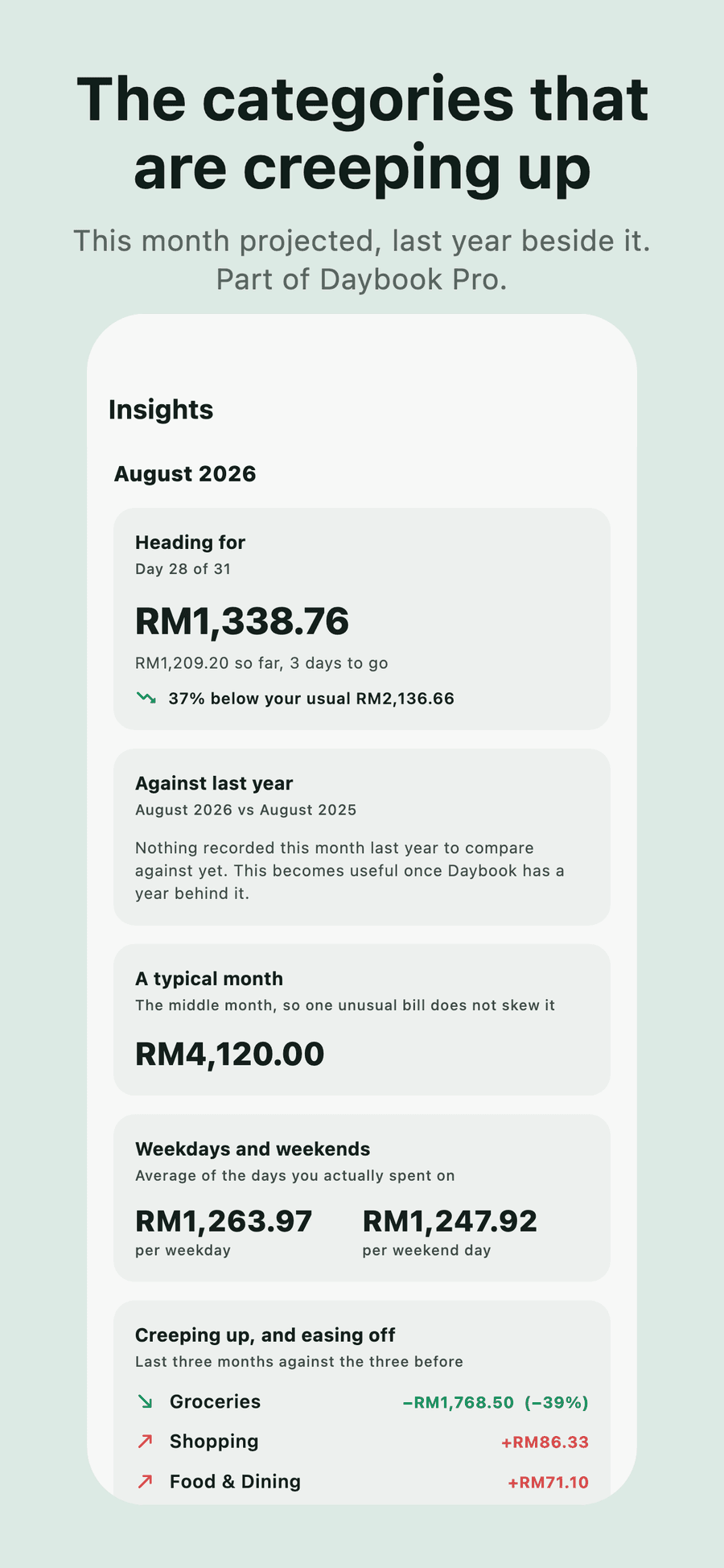
Part of Daybook Pro.
Personal
- Rent
- RM 1,800.00
- Groceries
- RM 420.35
- Dining out
- RM 264.80
- This month
- RM 2,485.15
Business
- Client lunches
- RM 182.60
- Software
- RM 96.00
- Travel
- RM 540.00
- This month
- RM 818.60
Neither total contains a single figure from the other. Fictional data.
A product you can check
Daybook is built and maintained by Cortex Solution, a software team in Ara Damansara that also builds custom software and automation for Malaysian businesses. “No server” is a claim you are right to be sceptical of, so here is exactly what the app does and does not do.
- Every record and receipt in the app's own storage on your iPhone
- No sign-up, no login, no analytics SDK — and no server of ours anywhere
- An optional backup into your own iCloud Drive, off until you turn it on
- Three things reach the network, none without an action from you: an exchange-rate lookup, a receipt photo sent when you press to read it with AI, and an optional second reading that sends receipt text once you switch it on
- Biometrics handled by iOS — the app is told only whether it succeeded
- Deleting the app deletes all of it, permanently

Daybook
by Cortex Solution
- Platform
- iPhone
- Minimum iOS
- 15.5
- Scanning
- On-device (Apple Vision)
- Data storage
- On-device only
- Account required
- No
- Status
- Available on the App Store
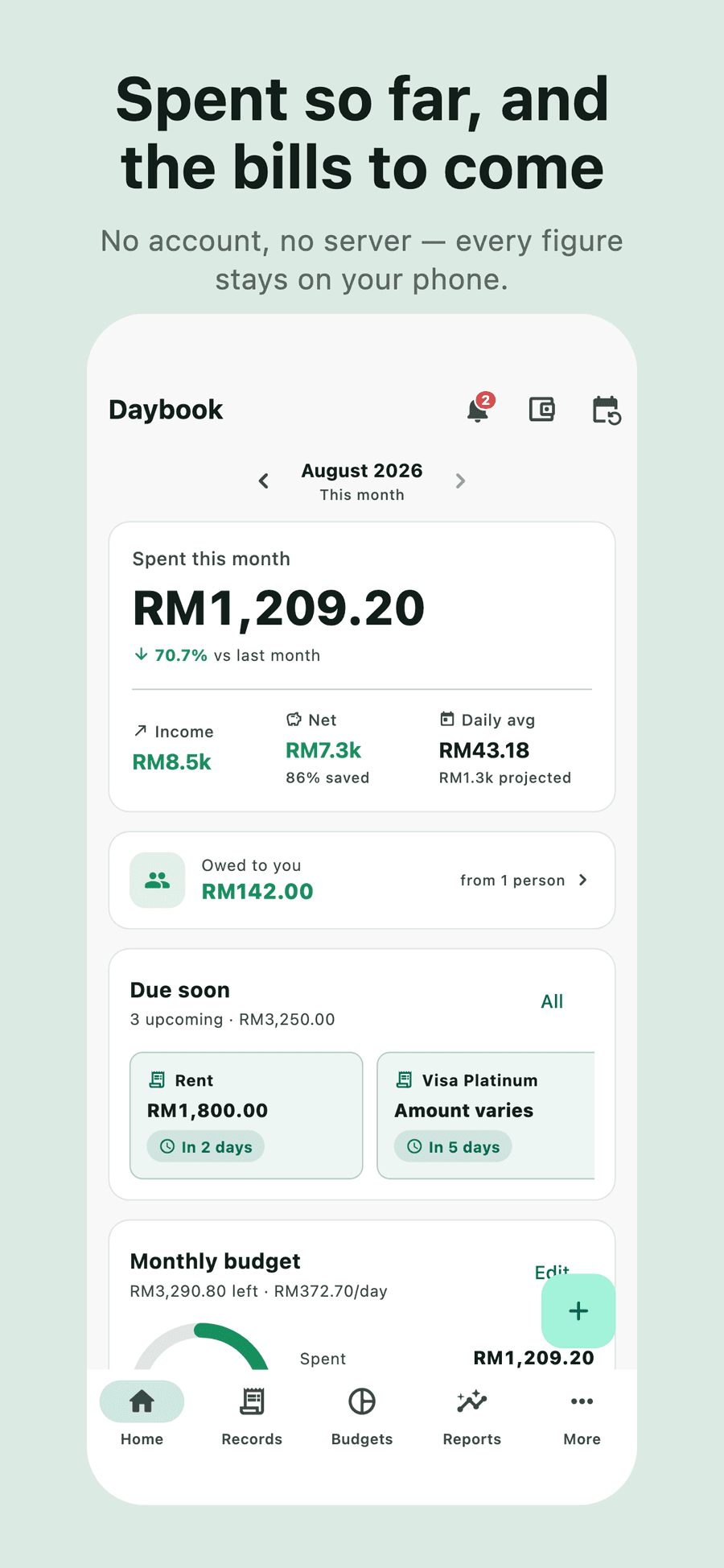
And the same app, in daylight
Daybook follows the system theme. These are the light screens, as they appear on the App Store.
Free, properly.
The app is fully usable without paying, with no time limit and no account. Recording, scanning receipts, budgets, monthly reports, reminders, splitting bills, importing, CSV export and backups are free — and stay free. A finance app that holds your own records hostage is not one worth recommending.
Daybook Pro
Adds a second set of books, the longer view of your spending, statements as PDF or spreadsheet, and every receipt photo kept indefinitely.
Monthly
RM 9.90
per month
US$2.99 in the US
Yearly
RM 59
per year
US$14.99 in the US
Two weeks free
Lifetime
RM 129
once
US$34.99 in the US
Nothing to cancel
All three unlock exactly the same things — there are no tiers inside Pro. Malaysian and US prices are shown; the App Store sets its own price point in every other territory, so the figure you see at checkout is the one that applies.
Frequently asked
Do I need an account?
Where is my data stored?
Does it connect to my bank?
Can I get my data out?
What if I lose my phone?
Is there an Android or iPad version?
More answers on the support page.