 AfterDark
Bedtime, reclaimed
Stop scrolling.
Start sleeping.
It always starts with “just 5 minutes.” AfterDark gently pauses the apps that keep you up at night — so you put the phone down and actually rest.
You’re not weak-willed. The feeds are just that good.
The scroll is designed to be bottomless. AfterDark doesn’t shame you or track you — it just closes the door at bedtime, so tomorrow-you wakes up rested instead of regretful.
How it works
Three taps tonight. Better mornings from here.
01
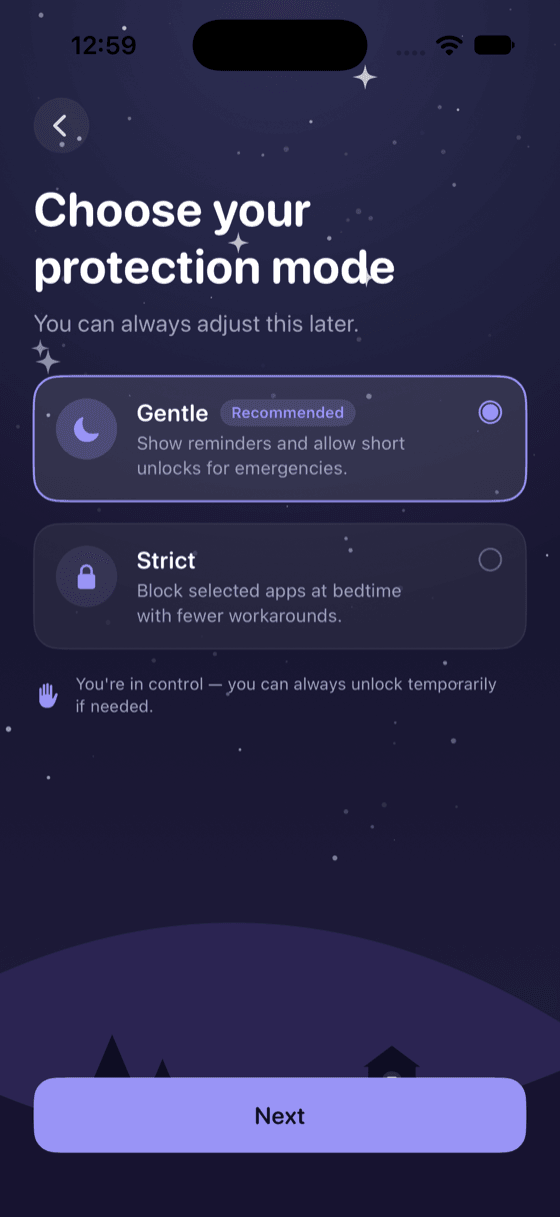
Set your bedtime
Pick the time you want to stop, and choose the apps that keep you up — TikTok, Instagram, YouTube, whatever yours are. Sixty seconds, once.
02
AfterDark pauses them
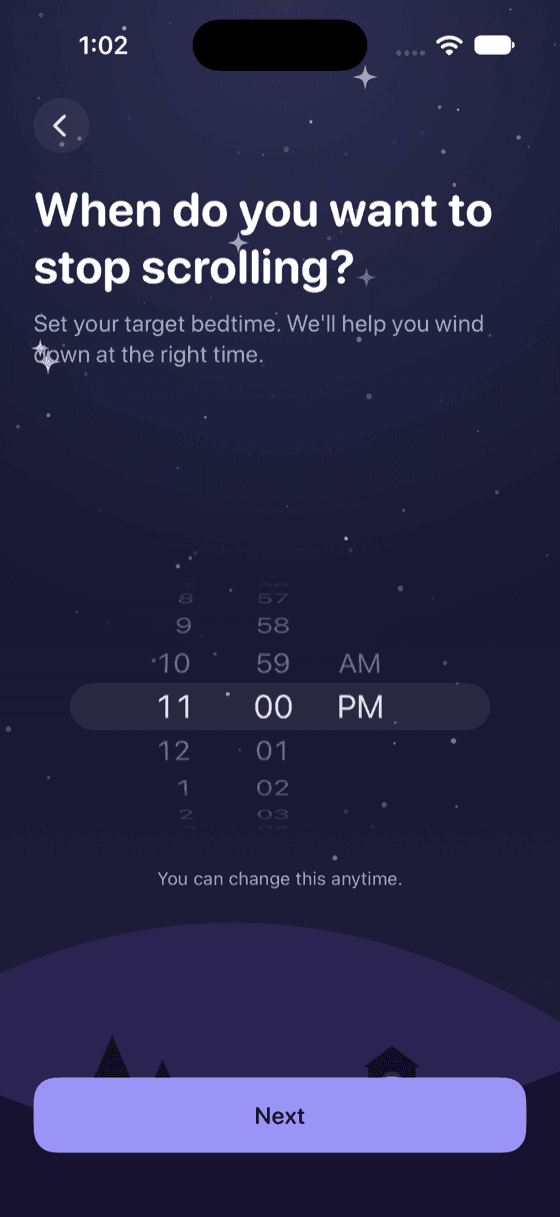
At bedtime, those apps are paused with a calm “It’s sleep time” screen. Choose Gentle — a short unlock if you truly need it — or Strict, which holds firm.
It’s sleep time
You’ve reached your bedtime. This app is paused by AfterDark to help you get better rest.
An illustration of the pause screen.
03
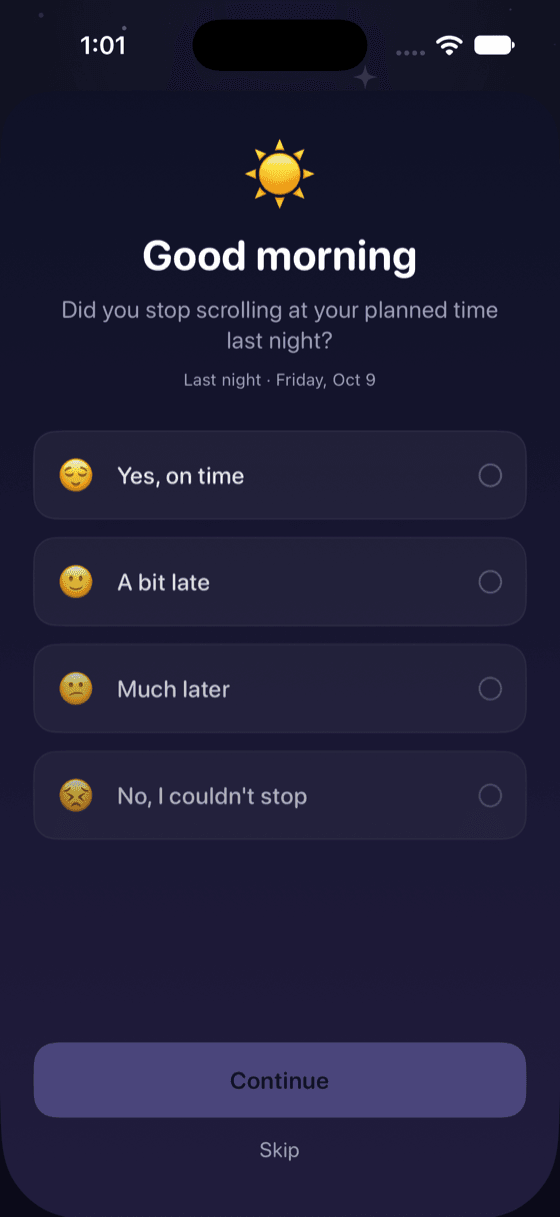
Wake up and check in
Each morning, a ten-second check-in asks how last night went. That’s it — AfterDark turns it into streaks, on-time rates, and gentle insights over time.
What makes it different
Calm by design
Gentle or Strict
A short, honest break when you need one — or a firm block when you don’t. You’re always in control.
Day & Night
A starry night sky that turns to a sunlit morning. Auto follows the time of day, or pick your mood.
On-device, always
No account, no cloud, no tracking. AfterDark can’t even see which apps you choose.
Real progress
Streaks, on-time nights, and weekly trends — built from your own check-ins, not guesswork.
Honest insights
“Weekends are harder.” “Wednesday is your toughest night.” Patterns from your data, never invented.
Wind-down nudge
A reminder before bedtime so you’re never caught mid-scroll when the lights should go out.
A closer look
Made to be put down
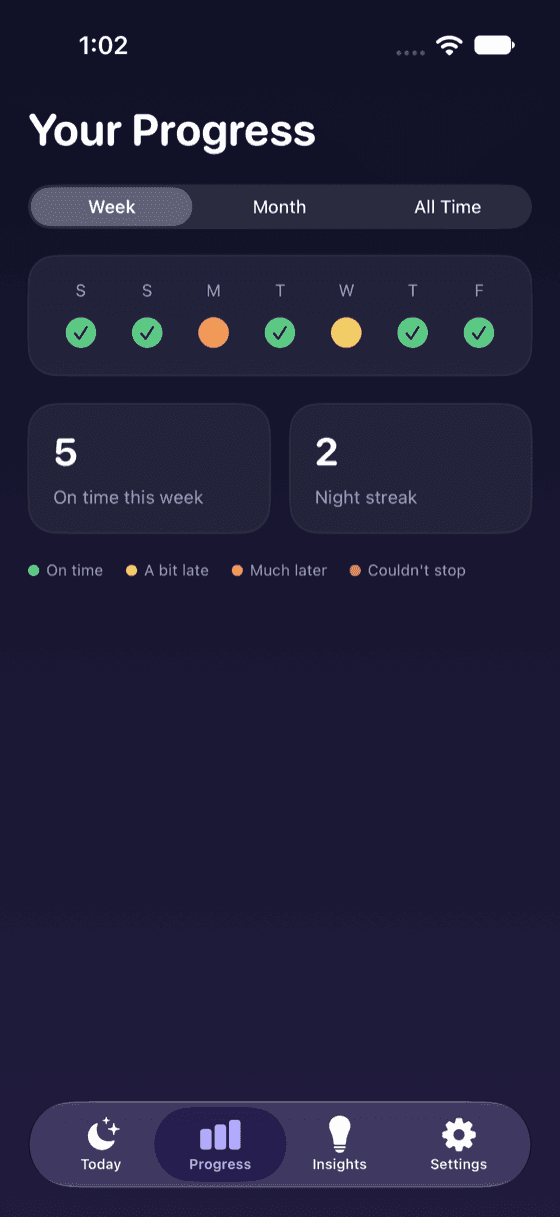
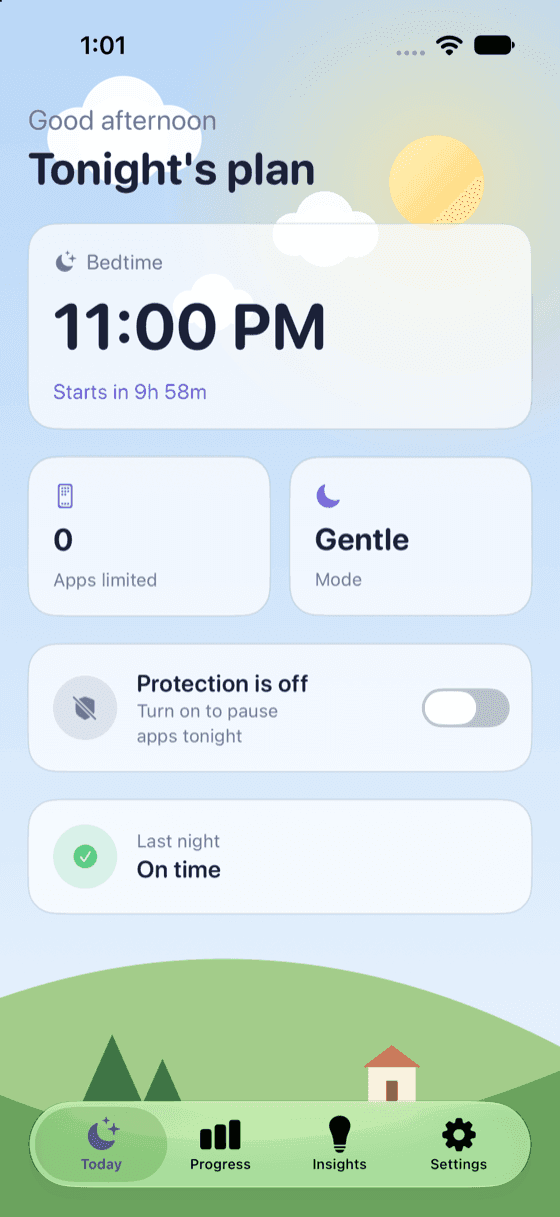
Your progress by night, and Today in its day theme.
Your nights are nobody’s business
AfterDark uses Apple’s Screen Time to pause apps — which means it works without ever seeing which apps you pick or what’s inside them. Everything lives on your iPhone.
- No account
- No tracking
- No cloud
- Data never collected
AfterDark
Stop scrolling. Start sleeping.
Coming to the App Store · iPhone
AfterDark is not affiliated with Apple Inc.