Balance transfers and instalment plans
Updated 17 November 2026 · iPhone and Android · about 3 minutes · Daybook 1.13 or later
A balance transfer, a 0% plan or a pay-later purchase is paid off a month at a time. Put it on the card or pay-later account that carries it, and each statement asks for one instalment — not the whole amount.
Add a plan to a card
Open the card
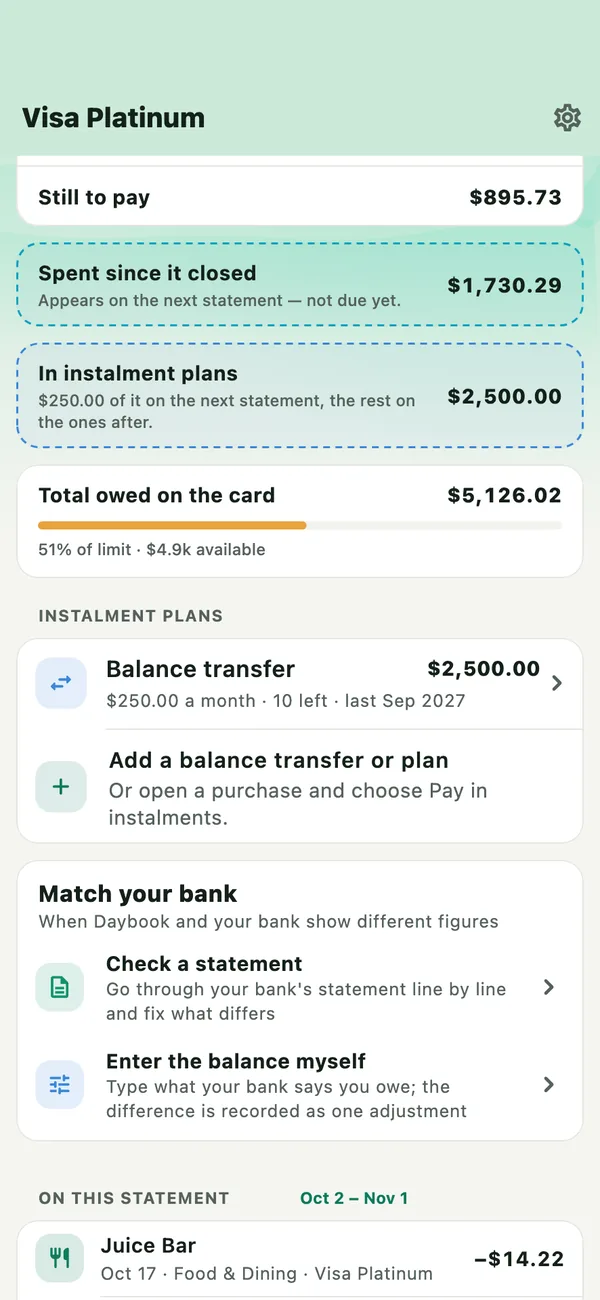
In Accounts, open the card or pay-later account. Under Instalment plans, tap Add a balance transfer or plan. What you owe › Add what you owe opens the same form.
Fill it in
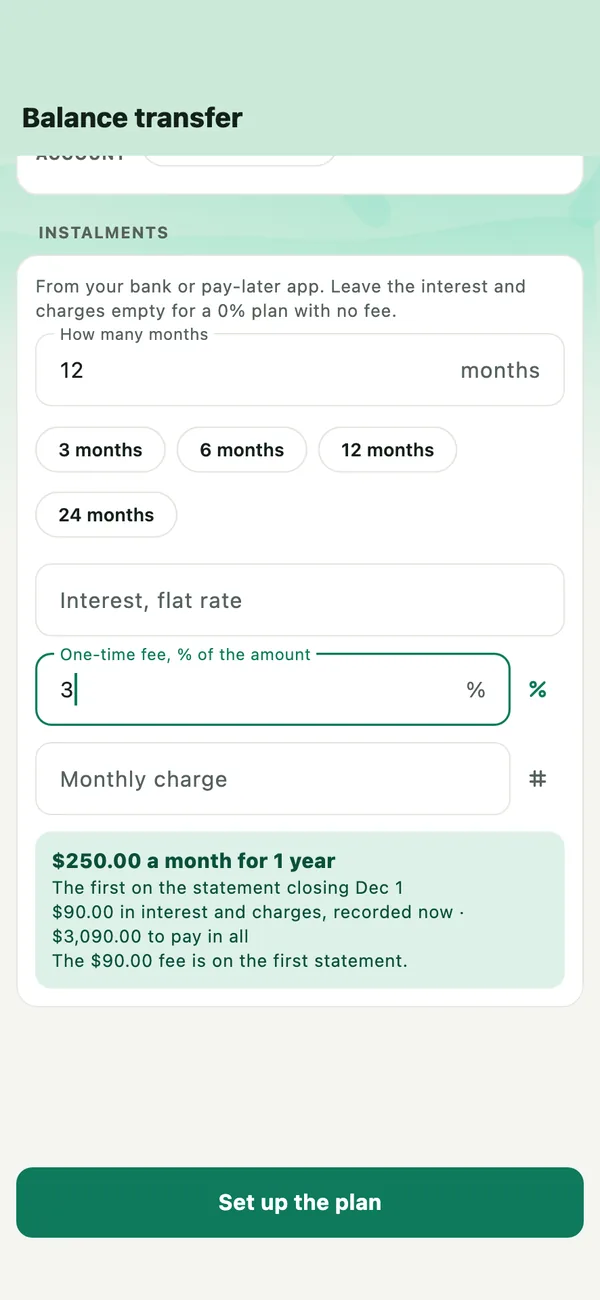
Choose Balance transfer or Purchase in instalments. Enter the amount and how many months. Add any interest (a flat rate a year), one-time fee or monthly charge, as an amount or a percentage. For a balance transfer, choose where the money went: the card it paid off, or your bank account.
Daybook shows the instalment, the statement that bills the first one, and what the interest and charges come to.
Set up the plan
Tap Set up the plan. The transfer or purchase is recorded on the card, and the interest and charges are recorded once, as one charge — so the card’s total matches your bank’s.
Split a purchase you already recorded
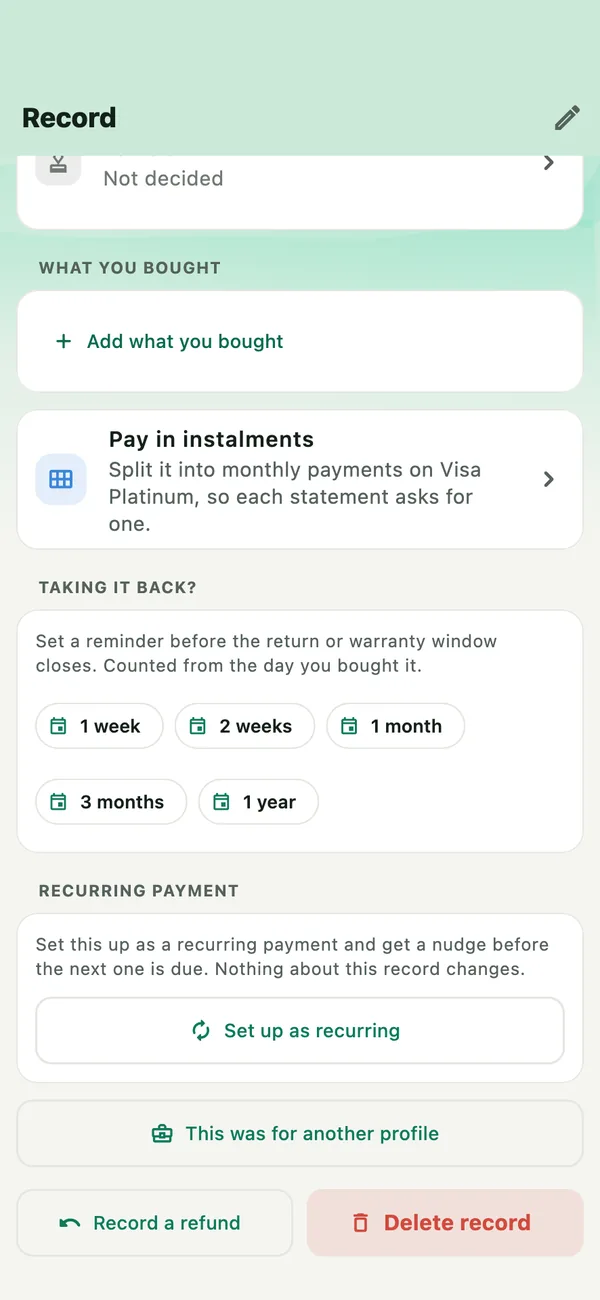
Open the purchase and tap Pay in instalments. It is offered for a purchase on a pay-later account, and on a card for a purchase of a size banks split.
What changes on the card
- Still to pay asks only for the instalments the statement billed, and a fee on the first one.
- In instalment plans shows the rest, and how much of it is on the next statement.
- The total owed on the card stays what your bank says.
- What you owe › When it gets lighter lists each plan by its last instalment.
If something goes wrong
- The statement asks for the whole amount
- The purchase is not in a plan yet. Open it and tap Pay in instalments, or add the plan from the card.
- I entered a plan wrongly
- Tap the plan under Instalment plans, then Remove the plan. The purchase or transfer stays; the plan’s interest and charges are taken off.
- There is no Pay in instalments on a purchase
- It is offered on a card or pay-later account in your own currency, for a purchase large enough to split. Add the plan from the card instead.