
Foliva
Private offline file library
Read every document. Offline. Private. Checked first.
Open PDF, Word, Excel and PowerPoint files with no account and no uploads. Each file is checked for macros, scripts and other risky content before it opens.
iPhone and iPad (iOS 15 or later) · Android phones and tablets (Android 7.0 or later)
In English, 简体中文, 繁體中文 and Bahasa Melayu
- No account and no sign-in
- No Foliva server: files are never sent to us
- Safety checks, editing, search, text recognition and AI run on the phone
- No ads and no tracking
Your files
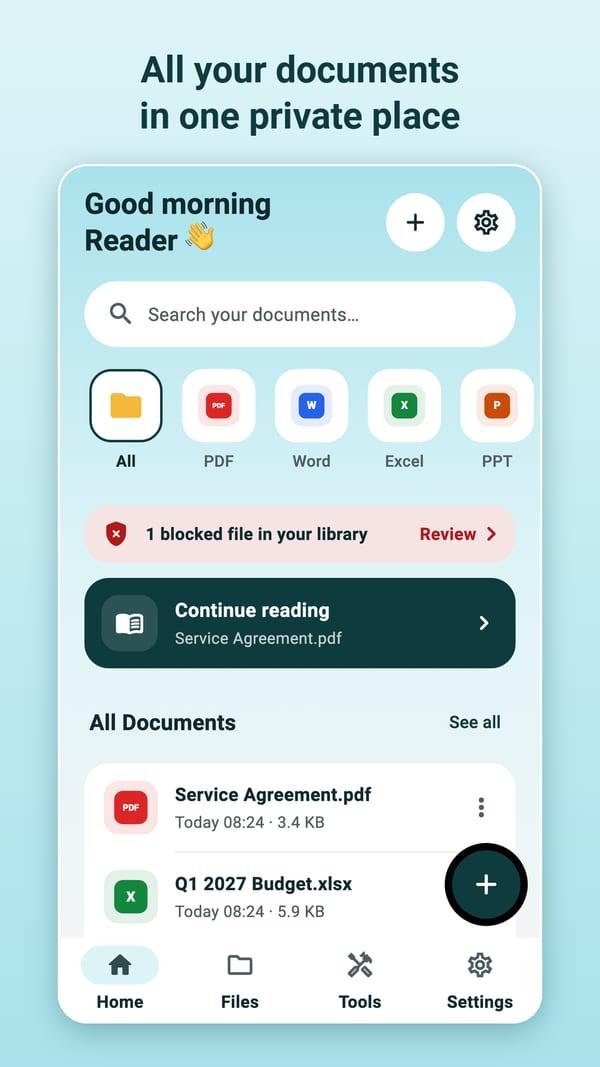
All your files in one place
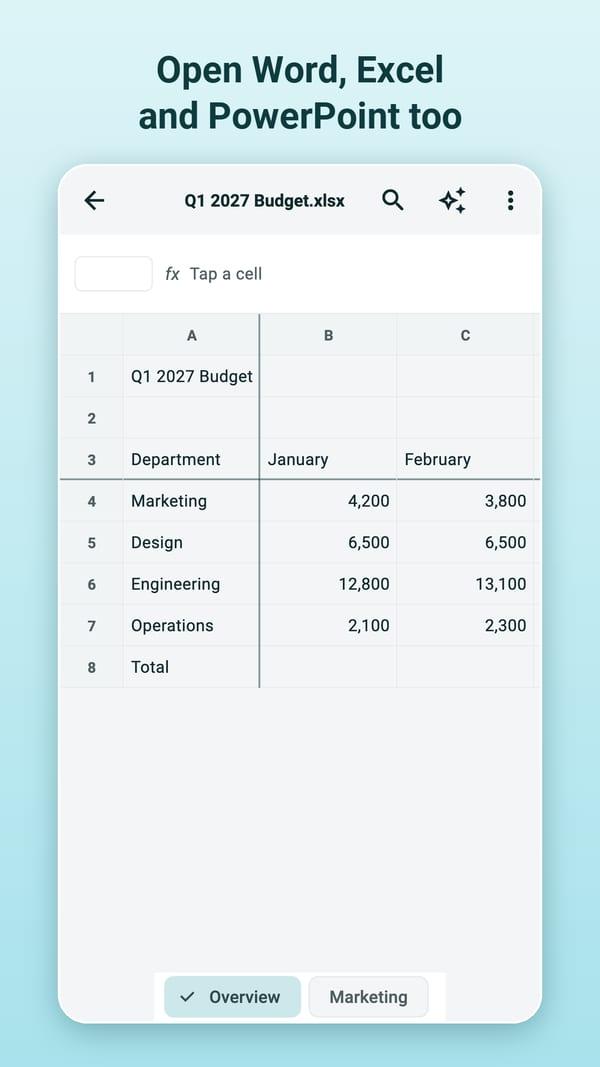
- Open PDF, Word (DOCX), Excel (XLSX), PowerPoint (PPTX), text, CSV, Markdown and images
- Add files from the phone's file picker, or from mail and chat apps with Share / Open with
- Link a folder: Foliva brings in new and changed files, and never changes your originals
- Folders, favourites, recent files, earlier versions, and your place in every document
Reading
Read comfortably
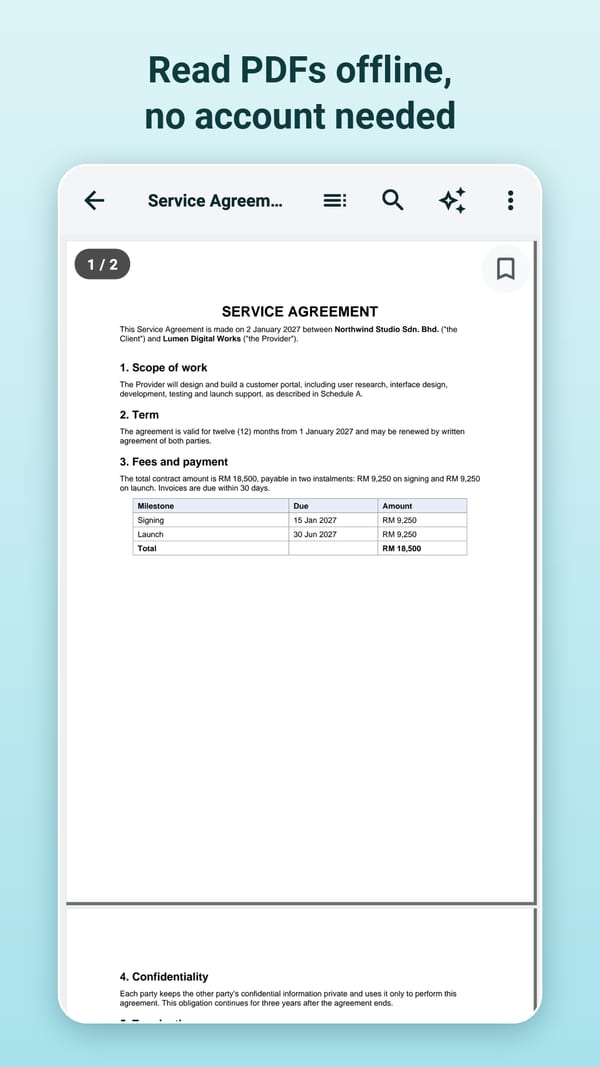
- Contents, bookmarks and page thumbnails for long documents
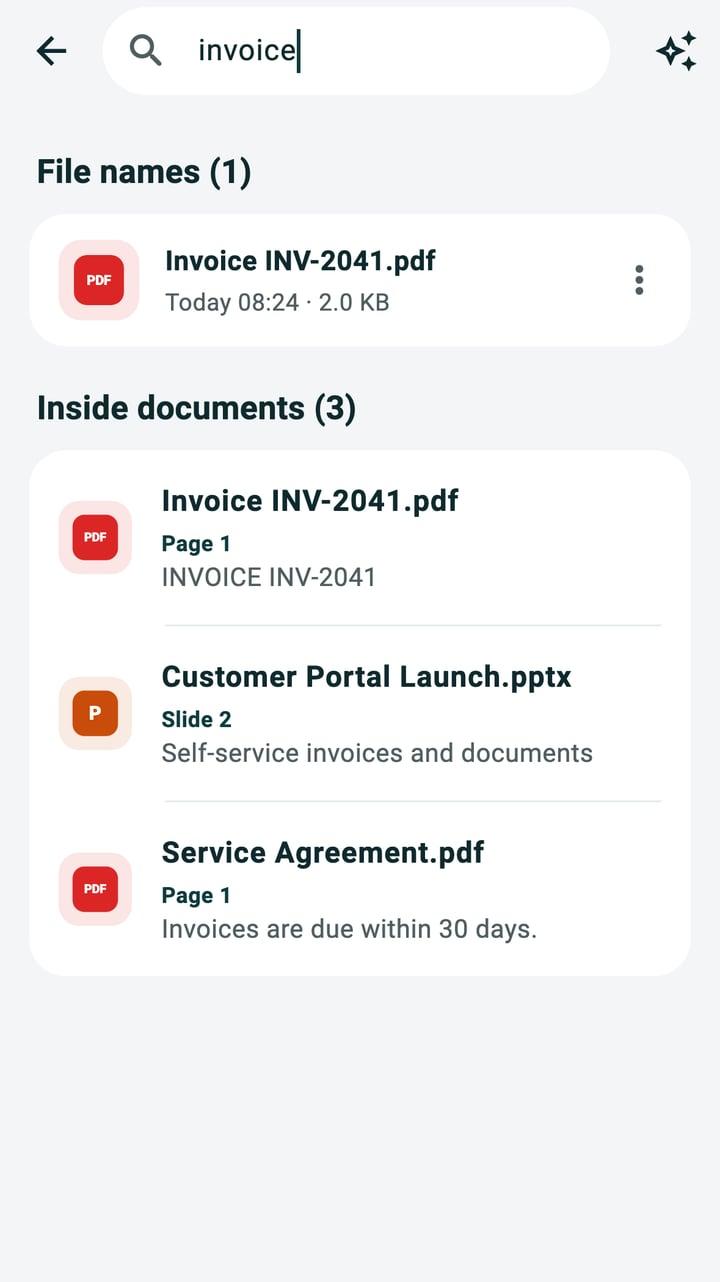
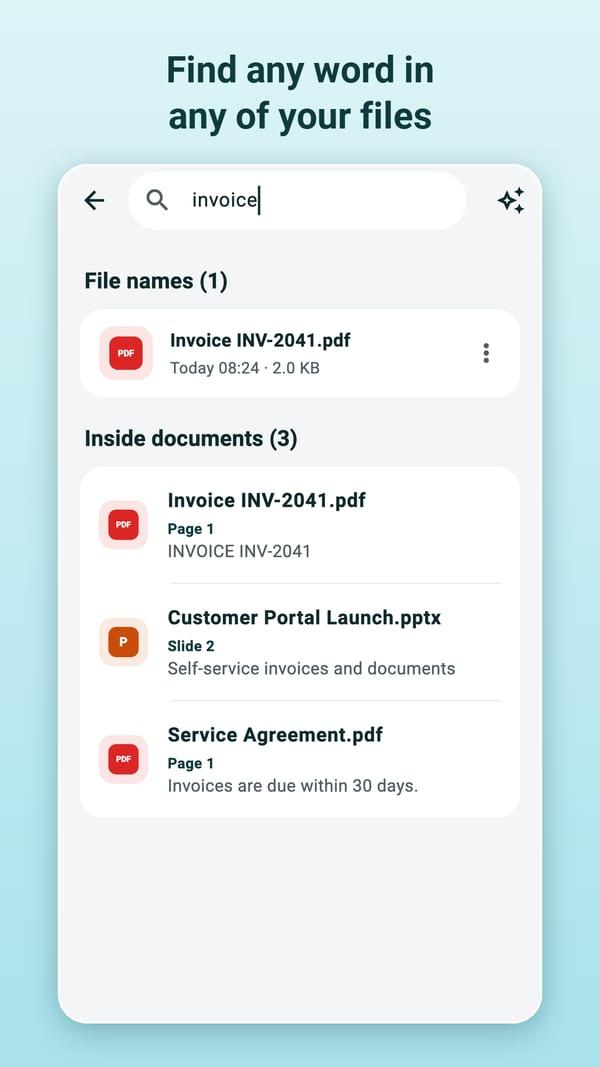
- Search inside a document, or across all your files, scans included
- Night mode, read aloud with the phone's own voices, and printing
Safety checks
Checked before it opens
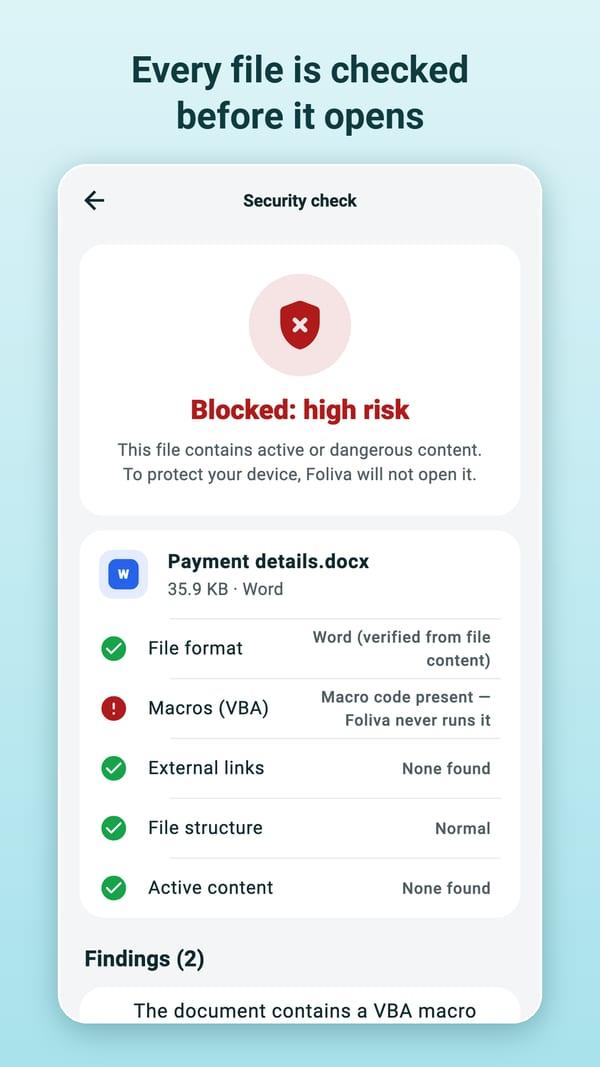
Every file is checked on the phone before it opens: macros, scripts, links that would fetch content from the internet, damaged or oversized files. Macros and scripts never run, and links never open by themselves. Files with serious warning signs are blocked with an explanation; suspicious files open in a restricted view.
These checks look for known warning signs. They are not antivirus software and cannot guarantee that a file is safe.
Tools
Free, and Foliva Pro
Free
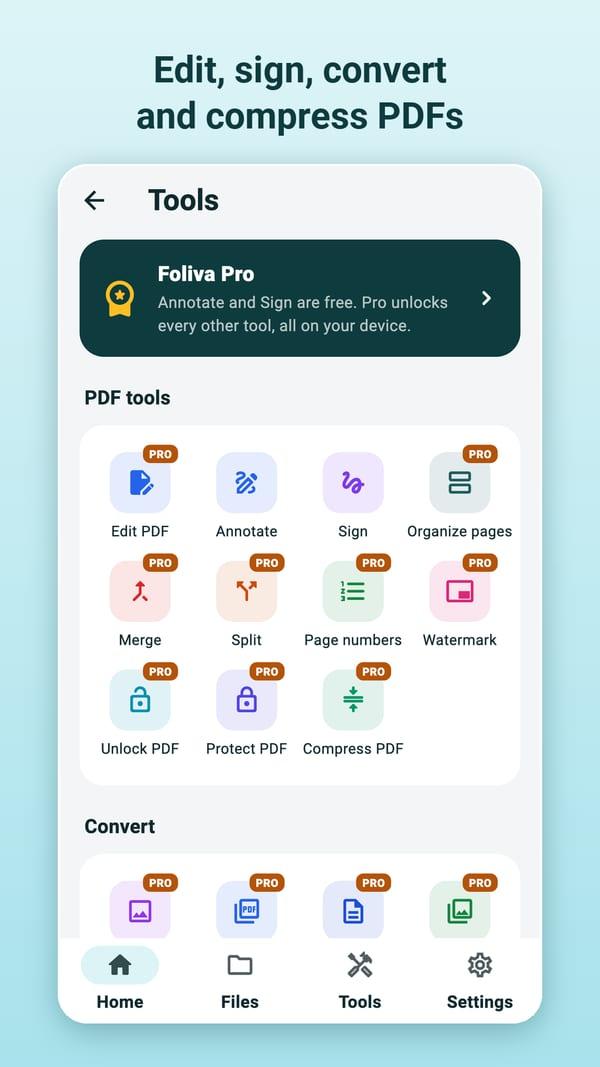
- Fill in PDF forms and sign with a saved signature
- Annotate: highlight, underline, strike out, draw, shapes, notes, stamps, text
- Scan paper with the camera into a searchable PDF
- Ask this document: on iPhones with Apple Intelligence (iOS 26 or later), answers and summaries from Apple's on-device model, with the passages they come from; elsewhere, the best matching passages
Foliva Pro
- Edit PDFs: change existing text and pictures, add text boxes and images
- Redact: black out private details for good
- Merge, split, crop and organise pages (reorder, rotate, insert, duplicate, extract)
- Compress PDFs for email and uploads
- Protect PDFs with a password (AES-256), or remove a password you know
- Page numbers and watermarks, on one file or many at once
- Text recognition: photos and scans to text; make scanned PDFs searchable
- Convert Word, Excel, PowerPoint, text, CSV and images to PDF; PDF to editable Word documents, images or text
- Compare two documents or versions; ask questions across all your files
One plan: Foliva Pro yearly
From US$3.99 for the first year
For new subscribers, then US$9.99 a year. In Malaysia, RM 17.90 for the first year, then RM 39.90 a year. Prices vary by country, and the store shows yours before you buy.
Reading, search, safety checks, forms, annotations, signatures and camera scanning are free. Cancel any time in the App Store or Google Play.
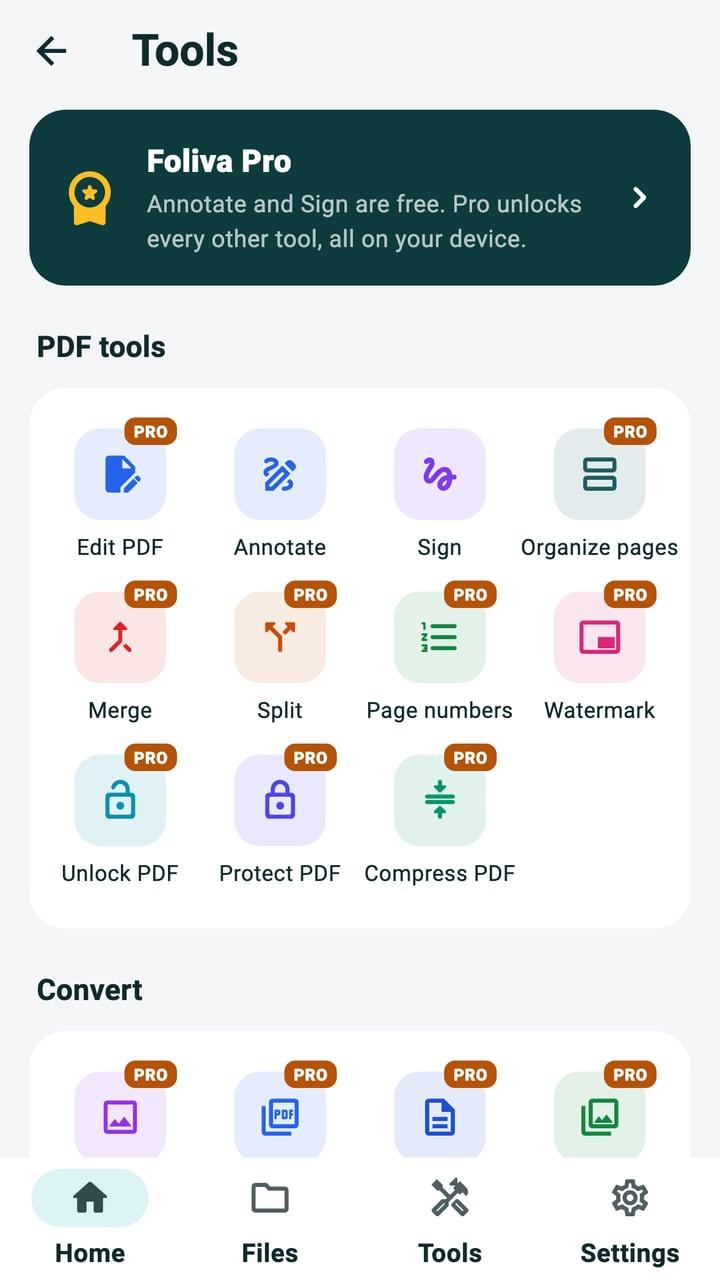
Six screens of Foliva
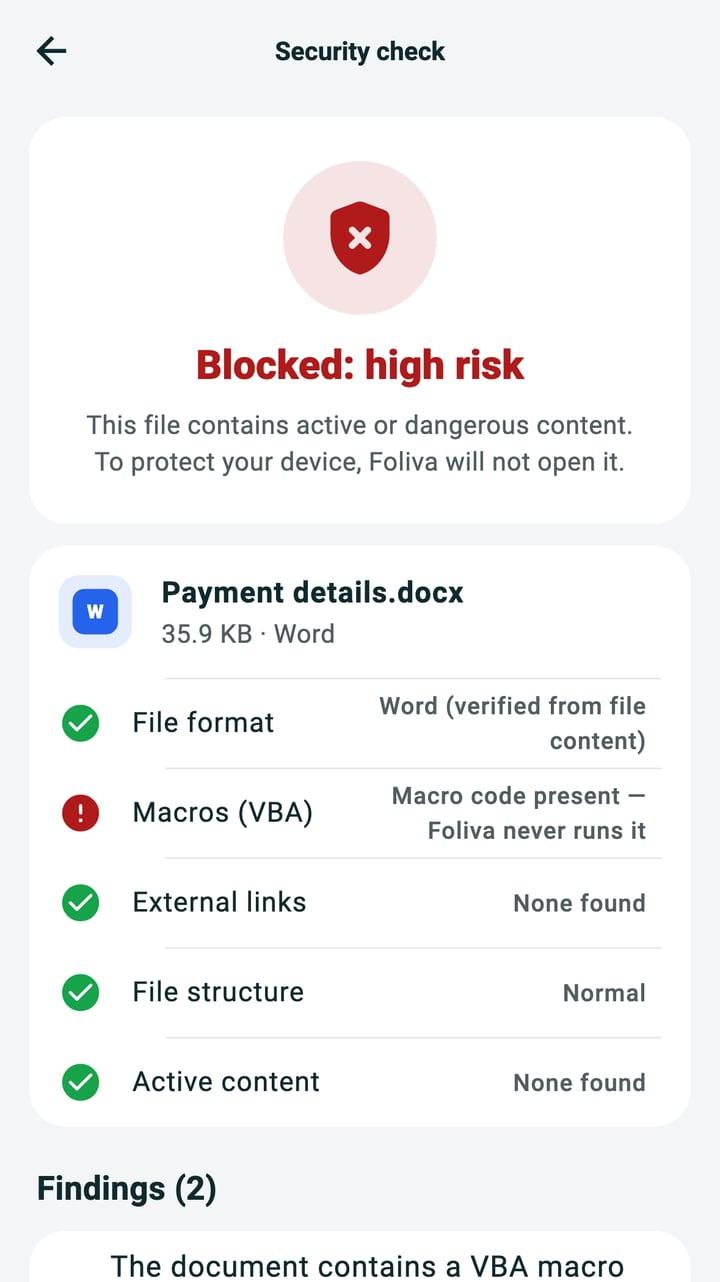
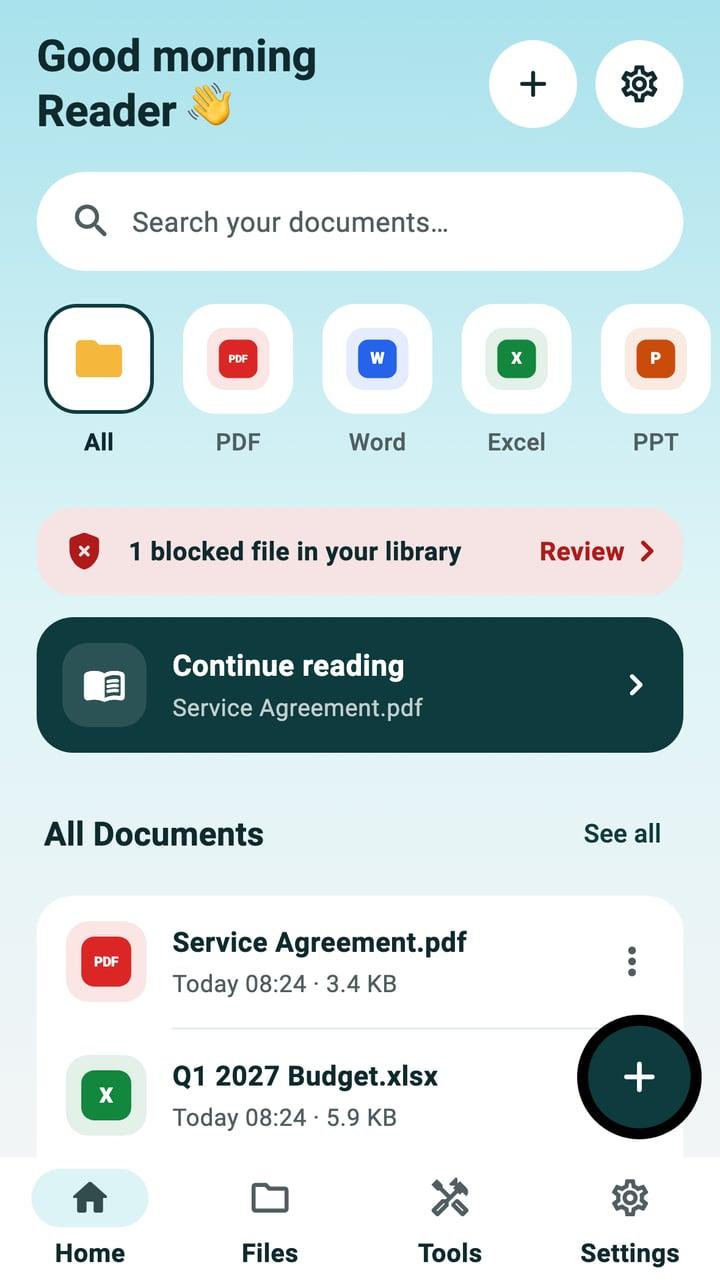
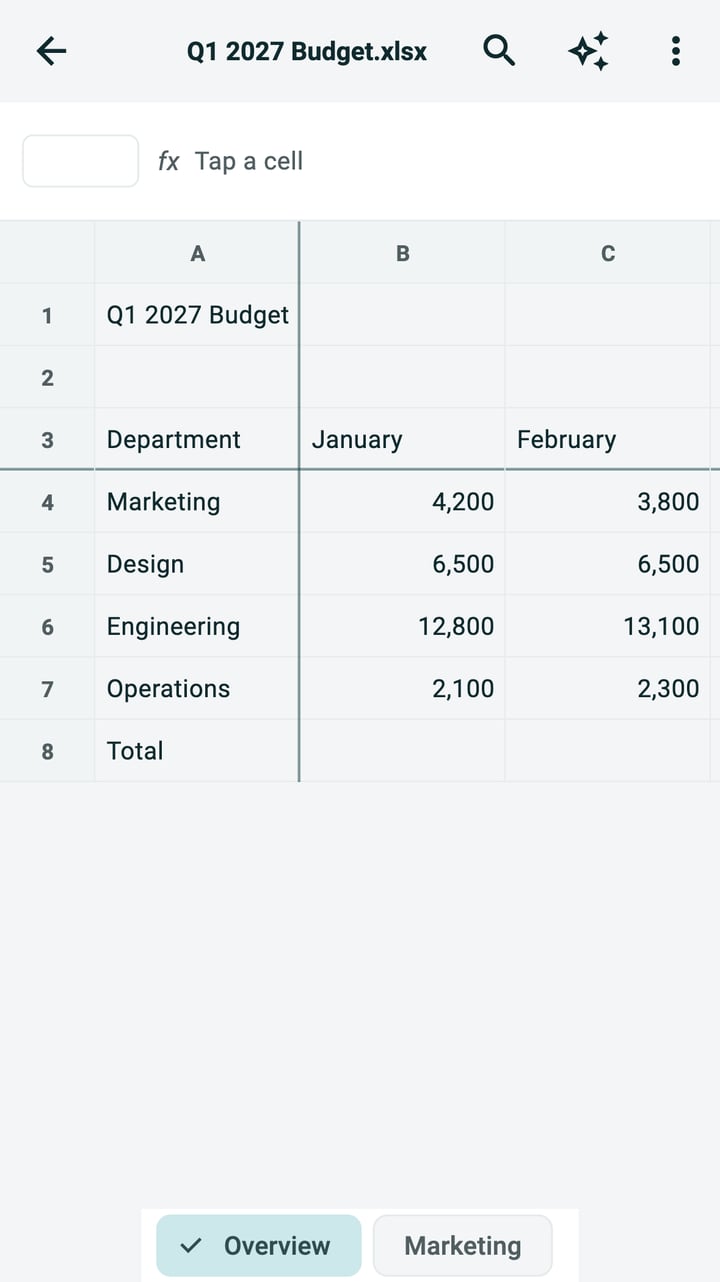
The library, the PDF reader, an Excel file, a blocked file, the tools and search. The names and figures in them are made up.
Privacy
Private by design
In short, from Foliva's privacy policy:
Also in 简体中文, 繁體中文 and Bahasa Melayu.
- Foliva has no account and no Foliva server. You never sign in.
- Your files stay on your phone, and in your phone's own backup if you use one. We never upload them, and we cannot see them.
- Opening, searching, safety checks, editing, the PDF tools, text recognition, read aloud and the AI features all run on your phone.
- There are no ads. We do not use advertising or analytics services, and we do not sell your information.
- Purchases are handled by the App Store or Google Play. We never see your payment details.
- On Android, Google libraries inside Foliva send Google technical information about how those features perform. They do not send your files or the text in them.
- Foliva keeps a log of errors on your phone. It leaves your phone only if you choose to send it.
Questions
- Do I need an account?
- No. Foliva has no account and no sign-in.
- Which files can Foliva open?
- PDF, Word (DOCX), Excel (XLSX), PowerPoint (PPTX), text, CSV, Markdown and common image files.
- Why was a file blocked?
- Every file is checked before it opens. Files with serious warning signs, such as macros, or files that can't be checked are blocked, and Foliva shows the reasons in the file's safety report. The checks look for known warning signs; they are not antivirus software.
- Does the AI need the internet?
- No. On iPhones with Apple Intelligence (iOS 26 or later), answers and summaries come from Apple's on-device model. On other phones Foliva shows the best matching passages instead.
- What does Foliva Pro cost?
- One yearly subscription: US$3.99 for the first year for new subscribers, then US$9.99 a year (in Malaysia RM 17.90, then RM 39.90). The app shows the price for your country before you buy. Reading, search, safety checks, forms, annotations, signatures and camera scanning are free.
More answers, and a way to reach us, on Foliva support.

Read every document, offline and private
No account, no uploads, and every file checked before it opens.
Microsoft, Word, Excel and PowerPoint are trademarks of the Microsoft group of companies. Foliva is not affiliated with Microsoft.
Apple, iPhone, iPad and Apple Intelligence are trademarks of Apple Inc. Google Play and Android are trademarks of Google LLC.