What you bought, and its price history
Updated 17 November 2026 · iPhone and Android · about 3 minutes · Daybook 1.13 or later
Keep the lines of what you bought on any record — from a scanned receipt, or typed in — and see every time you bought something, where, and what it cost.
Add what you bought
Open the record
On any expense, tap Add what you bought — on the record’s page, or while you add the record. A scanned receipt fills the lines in for you.
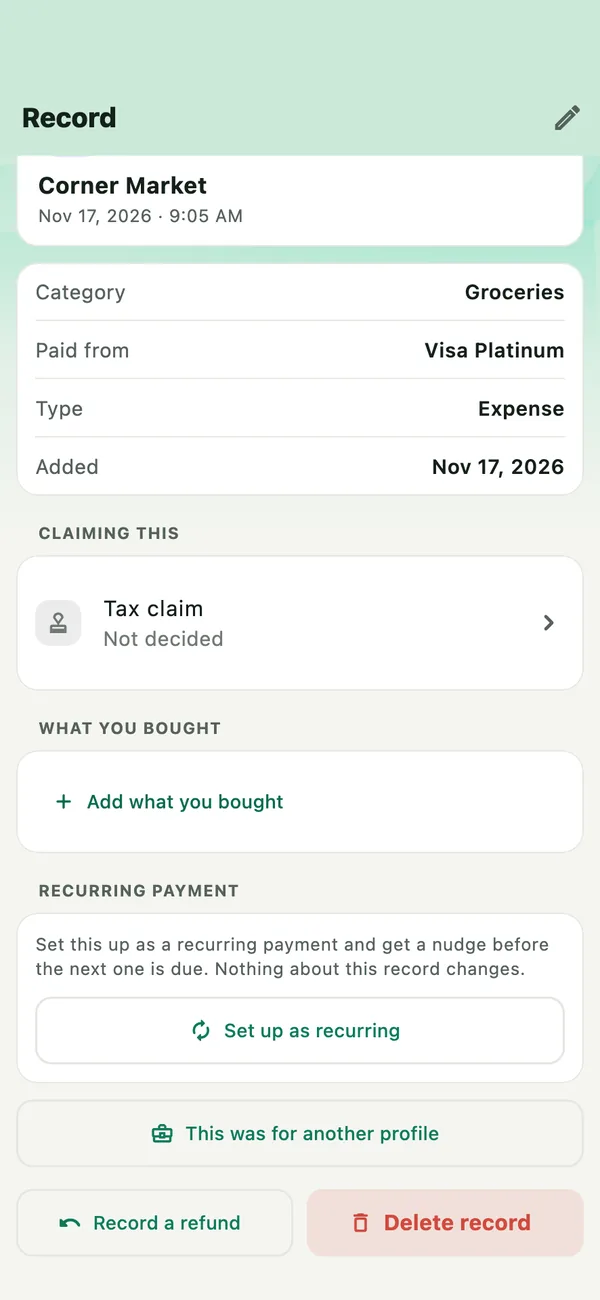
Add each line
Enter what it was, how many, and the price for all of them — Daybook shows what each one cost. Tap Add another for the next line, and Save on the last.
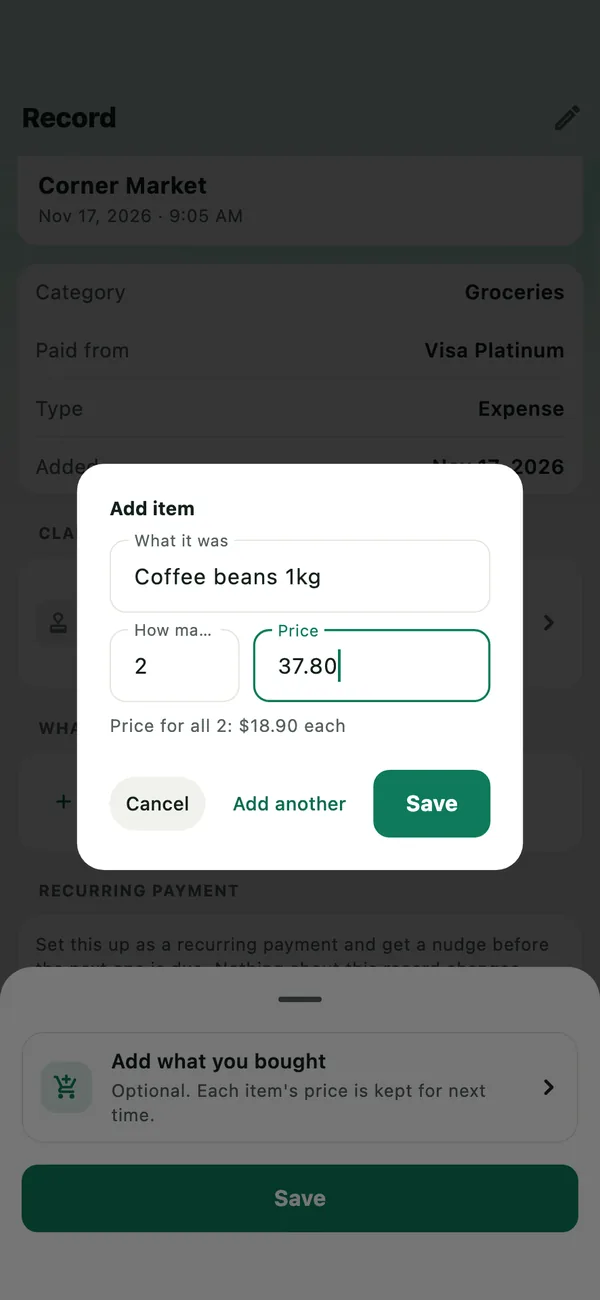
The amount you paid never changes when you add lines. If they add up to more or less, the record says so.
Tap a line for its prices
The record lists what you bought. Tap any line to see its price history.
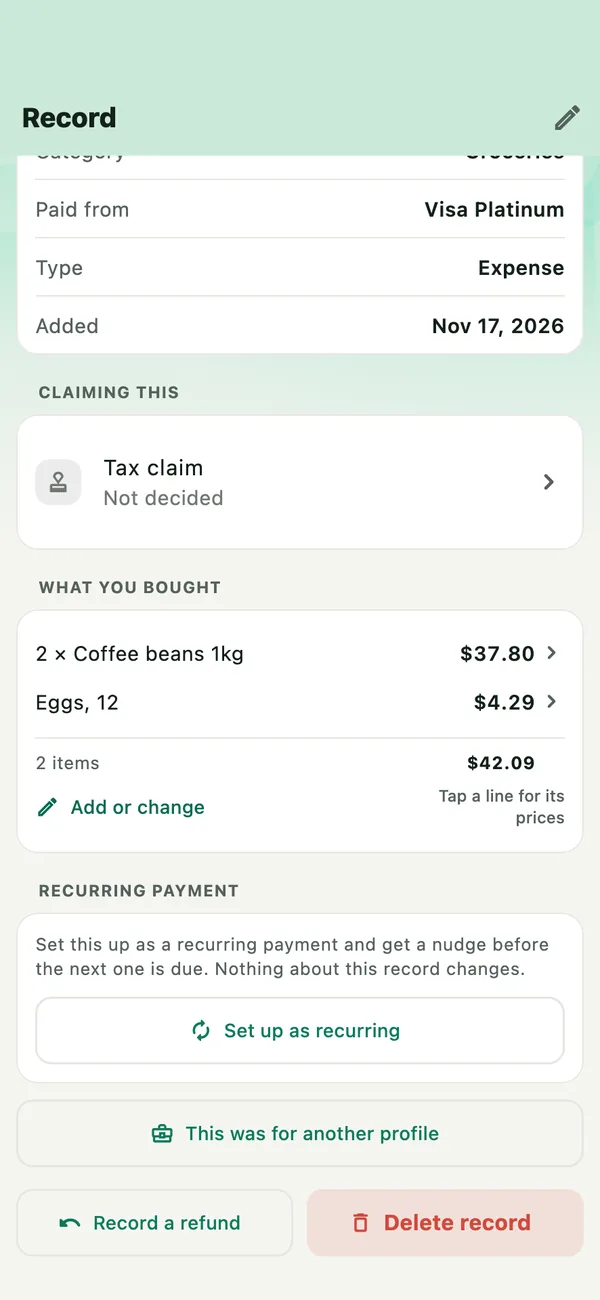
See the price history
Every time you bought it: the shop, the day and the price, with the last, the lowest and this year’s total. A line shows when it has every word. Shops write the same thing differently, so remove a word to see more, or add one to narrow it.
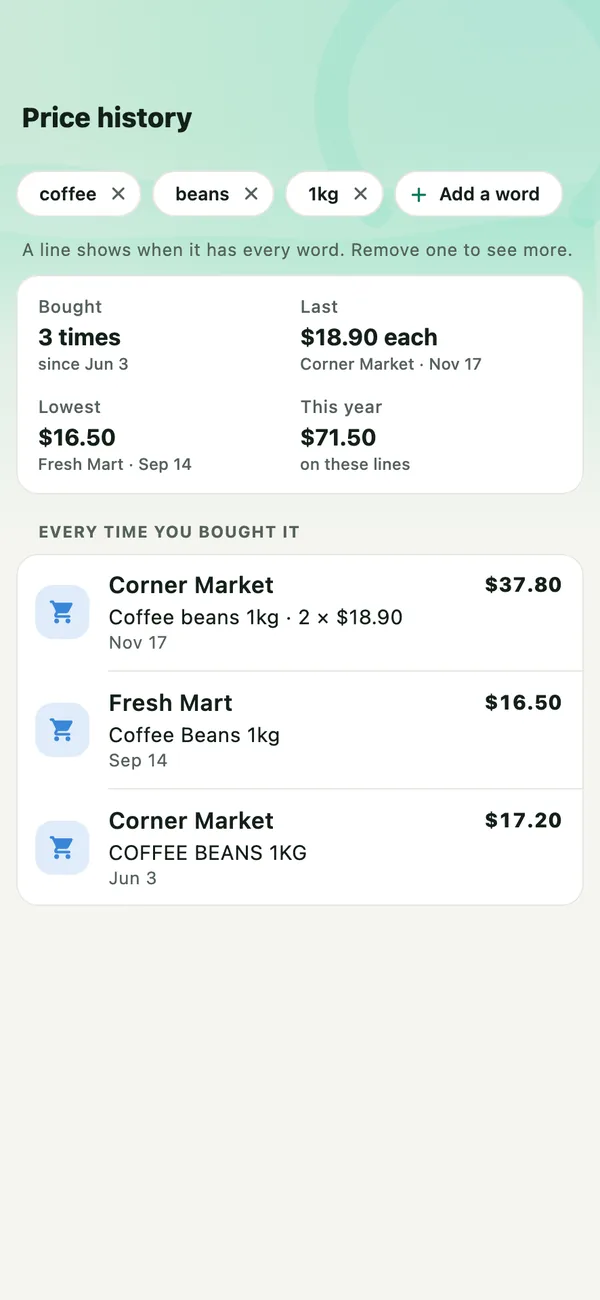
Lines paid in another currency are listed, but not counted in the lowest or the year.
Find it from Records
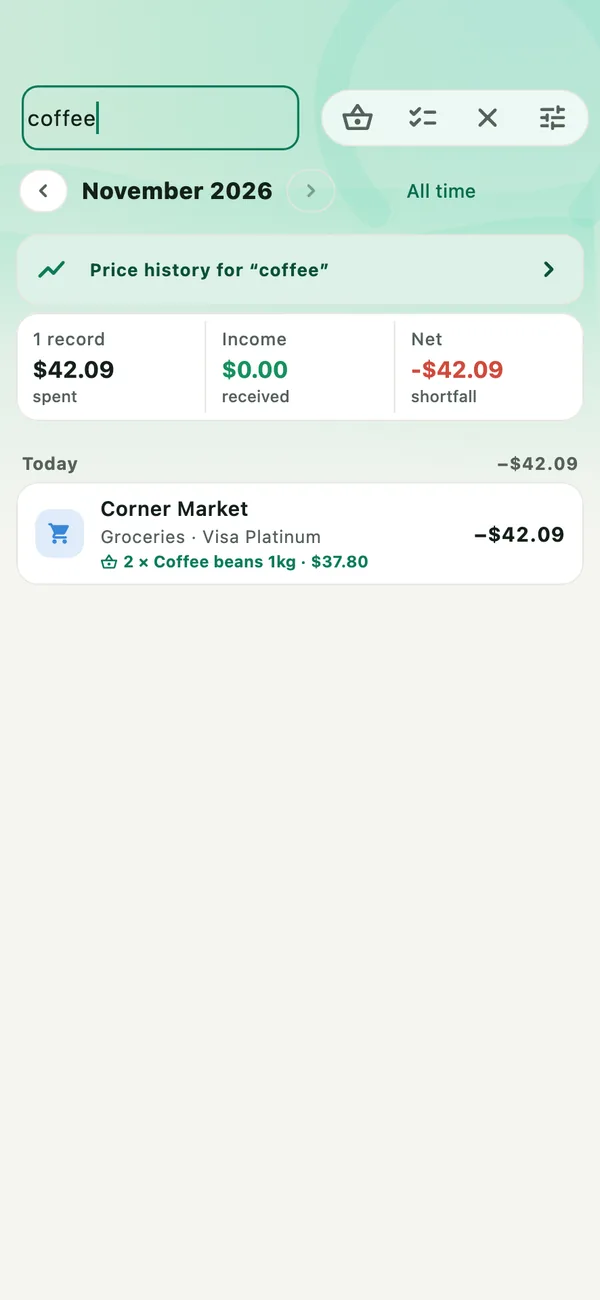
Search Records for a word, such as coffee. Records with a line that matches show it, and Price history for that word is at the top. The basket button in Records lists everything you bought.
Ask Tell Daybook
Ask in your own words:
- When did I last buy coffee beans?
- Where are coffee beans cheapest?
- How much did I spend on coffee beans this year?
The answer is worked out on your phone, from your records.
If something goes wrong
- Nothing shows for a word
- Lines come from scanned receipts and what you add to a record. Check how the receipt wrote it, or remove a word to see more.
- A scanned receipt has no lines
- Open the record and tap Add or change to type them in.