Turning Notifications Into Tasks Without Internet Permission
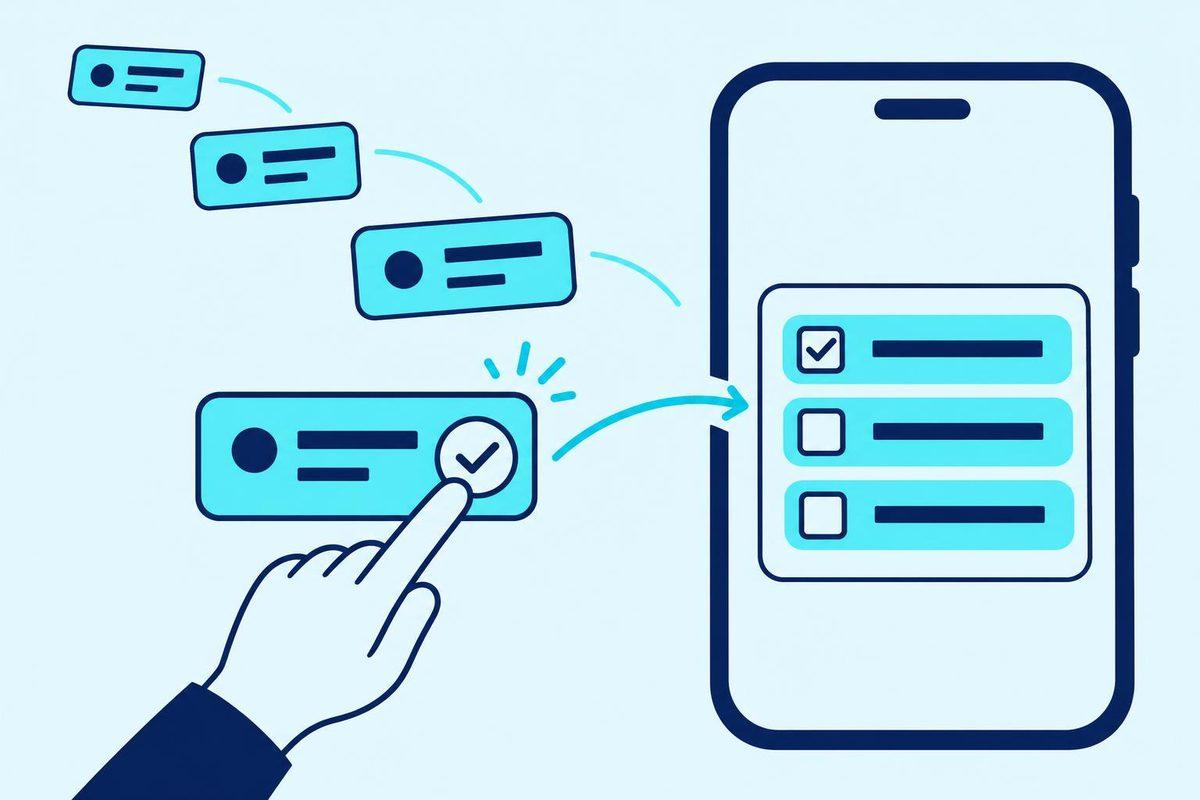
You read a notification asking for a revised report by tomorrow afternoon. You cannot work on it yet, so you put the phone down. Later, the request is buried beneath other notifications. You remember the report, but have to reopen the conversation to check the deadline.
That is the situation behind ClearNext, our Android notification assistant. It looks for requests, deadlines and schedule changes, then suggests tasks for you to confirm. The analysis happens on the phone. The app has no internet permission.
The product page describes ClearNext as coming to Google Play. This is a look at its design, not a launch announcement or a promise that it catches everything. We want it to help you keep track of work without deciding what you have agreed to do.
Read the chosen app, not everything that arrives
Notification access is a substantial permission to ask for. Before automatic monitoring can work, you must agree inside ClearNext and enable notification access in Android. No apps are selected for monitoring at first.
There are two different controls here. Android grants notification access across apps; ClearNext applies your selection itself. It checks which app sent a notification before reading its content. An unselected app is skipped without its message being read.
We would start with one source of useful requests rather than enable every available app. See whether the suggestions are worth reviewing before adding another source. Permission to inspect something is not a reason to inspect it.
ClearNext also lets you choose the kinds of action it looks for. Turning off one kind does not prevent the app from reading a message to classify it: matching messages are then dropped without keeping their text. Switch every kind off and notification content is not read.
Turning off one kind of suggestion is different from excluding an app. We need to explain that distinction before someone grants access, not leave them to discover it later.
A request is not an accepted task
The product page's fictional demo includes a report request with a deadline. It shows a proposed action alongside the words that prompted it, and lets you choose a reminder. In the app, you can also change the title or deadline before confirming.
Nothing becomes a task until you tap Confirm task.
We think this boundary matters more than making the task list grow automatically. A message can contain a perfectly clear action that is not yours to do. ClearNext marks group-chat requests “May not be for you”, and you can leave group chats out altogether.
Review should answer a practical question: am I taking responsibility for this? Read the message excerpt and check whether the proposed deadline is right. If the request belongs to somebody else, dismiss it. Finding an action in a message does not mean you have agreed to do it.
Dismissing one message should not silence the next
ClearNext separates Dismiss from Fewer like this. Dismiss removes that suggestion without changing a setting. Fewer like this can stop suggestions from that kind of message, that app or group chats, with Undo.
We keep these controls separate because rejecting one item should not quietly rewrite the rules. Perhaps the report request has already been dealt with. That does not mean the next report request should disappear too.
When reviewing a notification tool, ask what its negative buttons actually do. Does the button reject this item, change a filter or pause the source? Those are different decisions. We would want the broader change to be explicit and reversible, rather than hidden behind a thumbs-down button.
No internet permission does not mean no local record
The ClearNext app has no account or server, and contains no advertising or analytics tools. Its analysis stays on the device. It does not request internet permission; this is not simply an upload option that has been switched off.
That description applies to the app, not this website. The site uses Google Analytics, and signing up for launch notifications asks for your name and email address.
It still keeps information locally. A suggestion includes a title, a due date and time if found, a short excerpt, the sender and the source app. Titles, excerpts and sender names are encrypted. When you confirm a task, the excerpt and sender name are not copied into it.
You can choose to keep unreviewed suggestions for one, seven or thirty days; the default is seven. Strict privacy mode uses one day and does not store sender names. Expired records are removed by a daily clean-up, rather than a promise of deletion at an exact hour.
Confirmed tasks follow a different rule: they remain until you delete them, delete all local data or uninstall the app.
That is why we would not describe local processing as keeping nothing. The better questions are what is saved, why it is needed and when it goes away. Our local-first app article explores the broader design trade-offs; ClearNext makes the distinction especially visible because reviewing a suggestion needs some message context.
Sensitive-message filters need an honest limit
ClearNext excludes recognised banking, payment and security apps from selection. It also filters codes, passwords and banking messages by their wording, dropping recognised matches without keeping the text.
Those are separate safeguards. A sensitive message might arrive through a general messaging app rather than a banking app. The wording check is there for that case, but it can miss messages. Choose monitored apps carefully; do not rely on a filter to recognise every sensitive message.
For someone uncomfortable with automatic access, the manual route matters. ClearNext can work without notification access: choose Use manually, then paste or share text into it, or select a text file to import. It never reads the clipboard on its own.
We would try that route first if the main need is turning an occasional message into a reminder. Background monitoring should earn its access.
Missing notifications and a lost phone are different failures
ClearNext cannot see earlier messages inside another app or messages that did not come with a notification. Hidden previews and work profiles can limit what it receives. Notifications arriving while it is disconnected from Android's notification service are not recovered. That is a capture limit, not a need for an internet connection.
You can paste or share missing text manually, but the app cannot reconstruct the missing conversation for you.
There is a separate limit when replacing the phone. ClearNext opts out of Android cloud backup and phone-to-phone transfer. On a new phone it starts fresh, and we cannot recover its records from a Cortex Solution server because there is none.
Keep the source conversation for context you may need later. Do not treat the suggestion list as a message archive or assume a confirmed task contains the original message. The app deliberately keeps less than that.
Try the boundaries in the demo before asking for more
The ClearNext product page has a browser demo with fictional messages. Use it to inspect the proposed action, choose a reminder, then confirm or dismiss it. It demonstrates the review loop; it does not prove background capture on your phone.
When reviewing a build, we would test these boundaries with fictional messages. Does excluding an app skip its content? Can we use the manual route without notification access? What remains after confirmation or withdrawal of consent?
ClearNext's withdrawal control stops notification analysis but keeps confirmed tasks. Android's notification access must be switched off separately in Android settings.
If you are commissioning something similar through our mobile app and automation services, prepare fictional examples: a message the app must ignore and one it should turn into work. Do not send private conversations or customer details. Put the rejection rule in the scope before adding more sources.
FAQ
Can I download ClearNext now?
The product page currently offers launch notifications for Google Play, rather than a download. We are not announcing a release date here.
Will ClearNext reply to messages for me?
No. It reads notifications but never replies to, dismisses or changes them. Confirming a task does not send an acceptance back to the person who messaged you.
Can I stop analysis without deleting my tasks?
Yes. Withdraw consent in the Privacy center to stop analysis and keep confirmed tasks. To revoke Android notification access too, turn it off in Android settings.
Need help deciding what an app should read and when a person should approve the next step? Book a free consultation with Cortex Solution and bring a fictional example of a message it should ignore.
Ready to apply these insights?
Our team can help you implement these strategies and solve your specific challenges.
Schedule a ConsultationNeed this for your business? See our web, mobile and automation services.
See how we implement this
No Account, No Server: What a Local-First App Trades
Keeping app data on the phone removes the account and server, but it also changes backup, recovery, sync and support. Here is how we made those choices in Daybook and Viora.
Time Blocking That Survives Real Interruptions
A useful time-blocked day needs room to move when calls run long, urgent work arrives or a task takes more time than expected. Here is the planning loop behind Dayward and Mellie.
How to Automate WhatsApp Enquiries Without Sounding Like a Bot
A useful WhatsApp lead assistant should answer from known business facts, ask one sensible question, and hand the conversation to a person before it becomes awkward.
Free iPhone Storage Without Losing Photos You Want
Choose the space you need before choosing what to remove. Headroom builds a reviewable plan around that target, with your keep rules in place.