English · Bahasa Melayu · 中文
Why Daybook keeps your money on your phone
Updated 30 October 2026 · 4 min read
Most money apps start with a sign-up and a bank login. Daybook starts with nothing: you open it and record. Here is what stays on your phone, and what leaves it only when you choose.
No account, no server, no bank login
Your records are kept by Daybook on your phone. There is no Daybook account to create, and no Daybook server holding a copy. Daybook never asks for your online banking password. There are no ads and no analytics in the app.
Receipts are read on your phone
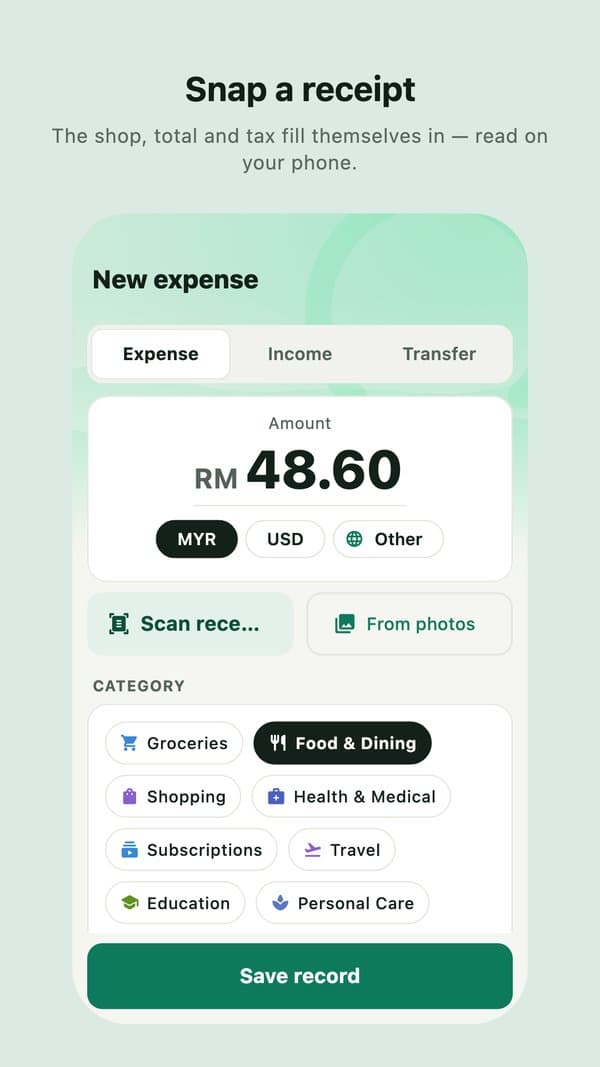
Snap a receipt and Daybook reads it on the phone. On an iPhone with Apple Intelligence, or an Android phone with Gemini Nano, the phone's own AI fills in the shop, total and tax, with nothing sent anywhere.
What leaves your phone, and only when you choose
- Backups go to your own iCloud Drive on iPhone, or to a folder you choose on Android. Never to us.
- Your own Gemini key, if you add one. Then a receipt you ask about goes to Google under your own account, only when you ask. On Google's free tier, Google may use what it is sent to improve its products.
- Files you send, such as a sealed tax file, a CSV export or a statement, go where you send them.
Locked when you leave
On iPhone, Face ID can lock the app when you leave it, and your figures are hidden in the app switcher. On Android, your fingerprint or face can lock it.
What is free
Recording, receipt scanning, budgets, reports, reminders, splitting bills, CSV export and backups are free, with no time limit. Daybook Pro adds tax claims, a second set of books for a business, Insights, statements as PDF, every receipt photo kept, and accounts in other currencies.