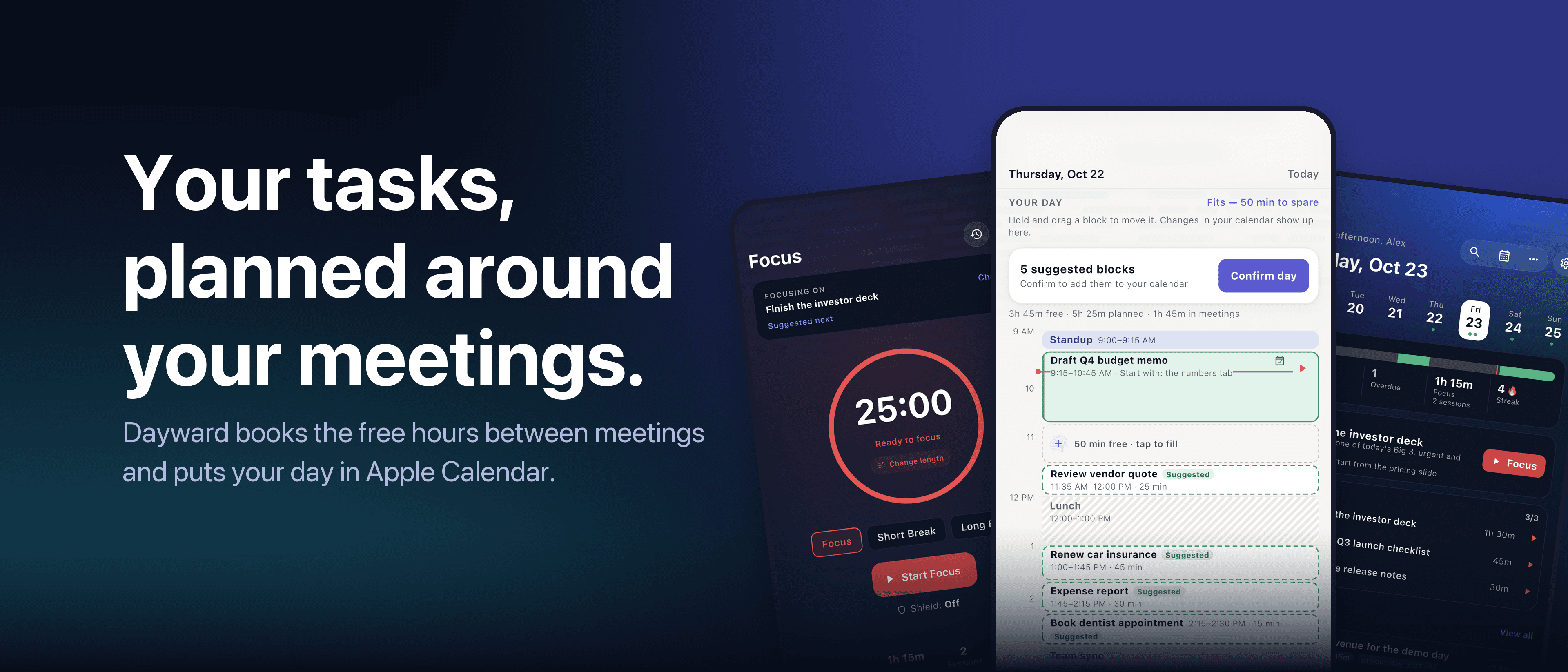
A time blocking app that reads your calendar
Time blocking means giving each task a slot on your calendar, instead of leaving it on a list. It works. The problem is the setup: every morning you check your meetings, find the gaps, and place each task by hand.
On a day full of meetings, that takes ten minutes you do not have. So people stop.
What a good time blocking app should do
- Read your real calendar. If it does not know your meetings, it cannot find your free time.
- Find the gaps itself. Short breaks are skipped; real work blocks are used.
- Size the tasks. A block needs a length. Better still, the app learns how long your tasks actually take.
- Show what does not fit. Seeing it at 9 am is useful. Finding out at 5 pm is not.
- Write back to the calendar. A plan that sits next to your meetings gets protected like a meeting.
- Be cheap to change. When a meeting runs over, moving a block should take one gesture.
How Dayward does it
Dayward is an iPhone and iPad day planner built around those points. It reads your Apple Calendar, finds the free time between meetings, and schedules your tasks into it as time blocks.
When the plan looks right, Confirm day writes it into your calendar. Edits you make in Calendar flow back into Dayward. Dragging a block moves it, and swiping pushes it to tomorrow.
An all-day event such as a training day can be marked busy between two times, so you are not planned into hours you cannot use. A focus (Pomodoro) timer runs the blocks, and Insights shows how your days went.
Your tasks can stay where they are. Dayward can optionally sync with Apple Reminders, Microsoft To Do and Google Tasks. There is no account to create, and your data stays on your device and in iCloud.
Dayward and manual time blocking
| Dayward | Calendar and list, by hand | |
|---|---|---|
| Finding free gaps | Automatic | You scan the calendar |
| Placing tasks | Automatic, then you adjust | You drag or type each one |
| Task lengths | Learns how long tasks really take | You guess |
| Tasks that do not fit | Listed for you to decide | Easy to miss |
| Calendar write-back | One tap, two-way sync | Manual |
| Cost | Free to start. Pro $2.99/month, $19.99/year or $49.99 lifetime | Free |
Who it is for
Dayward suits busy professionals who already live in Apple Calendar and want time blocking without the daily rebuild. If you prefer to place every block yourself, your calendar app already does that well.
It is iOS only, and built for one person rather than a team. If you need Android, Windows or shared team planning, look at other tools.
Try it on today
The planner, calendar sync and focus timer are free. Open it, look at the plan it builds from your meetings, and keep or change it. Pro has a 7-day free trial.
Read next: How to plan your day around your meetings
All articles · Dayward · Privacy · Terms
The Cortex Solution blog